We Use CookiesWe use cookies to enhance the security, performance, functionality and for analytical and promotional activities. By continuing to browse this site you are agreeing to our privacy policy

10 Best 49 Inch Gaming Monitors 2026 in the United States
How do we rank products for you?

Our technology thoroughly searches through the online shopping world, reviewing hundreds of sites. We then process and analyze this information, updating in real-time to bring you the latest top-rated products. This way, you always get the best and most current options available.

headphones-stars

Our Top Picks

#1

Winner

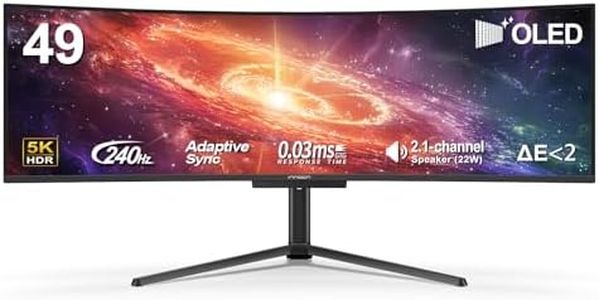
INNOCN 49" 49Q1S OLED Curved Gaming Monitor 5120 x 1440p 240Hz, 0.03ms, USB Type C 90W, HDMI 2.1, DisplayPort, USB Hub, Surrounding Speakers, Adaptive-Sync, Height Adjustable Stand, Black

Rating
10.0
Chosen by1,414
Resolution
Curvature
Connectivity

Most important from
47 reviews

Resolution
The screen is stunning with vibrant colors, impressive brightness, and deep blacks that make content look incredible.
Curvature
The 1800R curve enhances immersion and comfort, perfectly matching natural eye curvature for long sessions.
Connectivity
Connectivity options like USB-C with power delivery and multiple inputs streamline switching between devices effortlessly.

The INNOCN 49Q1S is a 49-inch curved ultrawide gaming monitor designed to deliver an immersive and smooth gaming experience. Its standout feature is the OLED panel with a sharp 5120 x 1440 resolution, providing vivid colors and deep blacks that make games and content look strikingly clear. The 240Hz refresh rate combined with an ultra-fast 0.03ms response time means fast-moving images appear very smooth and reduce motion blur, which is great for competitive gaming. The 32:9 aspect ratio offers a wider field of view than typical monitors, enhancing both gameplay immersion and multitasking capabilities. The 1800R curvature helps reduce eye strain by matching the natural curve of your eyes, making long gaming or work sessions more comfortable.

Connectivity is excellent, with USB-C (90W power delivery), DisplayPort 1.4, HDMI 2.1, and multiple USB ports, letting you connect laptops, consoles, and peripherals without hassle. Adaptive-Sync technology helps prevent screen tearing, ensuring fluid visuals during intense gaming moments. On the downside, the glossy screen surface can cause reflections in bright rooms, which might be distracting. Also, at nearly 32 pounds, the monitor is quite heavy, so setup may require some effort.

Its price and size might be more suited for serious gamers or content creators who want a high-end experience rather than casual users. This monitor is a strong choice for gamers seeking a large, high-performance curved display with excellent color and speed, especially if you want to connect multiple devices and enjoy an expansive workspace.

Rating
10.0
Chosen by1,414
Resolution
Curvature
Connectivity

Most important from
47 reviews

Resolution
The screen is stunning with vibrant colors, impressive brightness, and deep blacks that make content look incredible.
Curvature
The 1800R curve enhances immersion and comfort, perfectly matching natural eye curvature for long sessions.
Connectivity
Connectivity options like USB-C with power delivery and multiple inputs streamline switching between devices effortlessly.
#2

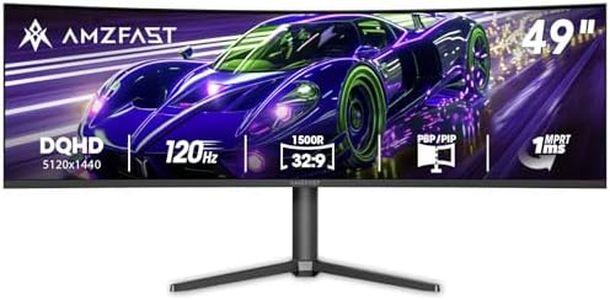
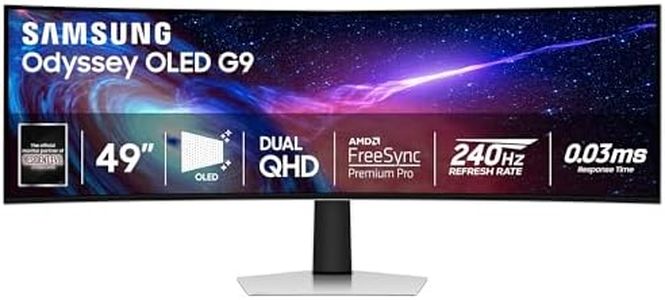
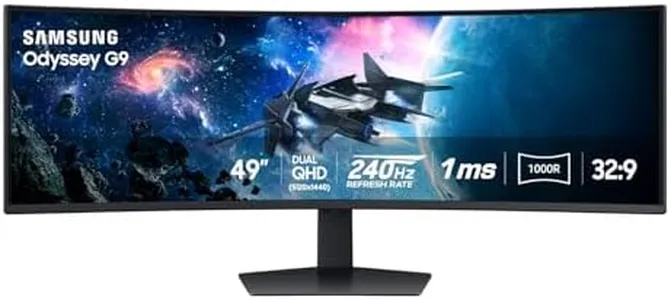
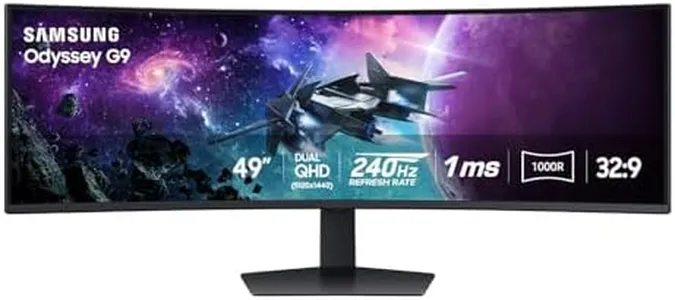
Samsung 49” Odyssey G9 Series DQHD 1000R Curved Gaming Monitor, 1ms(GtG), VESA DisplayHDR 1000, 240Hz, AMD FreeSync Premium Pro, Height Adjustable Stand, Ultrawide Screen, LS49CG954ENXZA, 2024

Rating
9.7
Resolution
Refresh Rate
Response Time

Most important from
503 reviews

Resolution
The DQHD resolution provides an expansive workspace, perfect for multitasking and enjoying ultra-wide games.
Refresh Rate
The 240Hz refresh rate and 1ms response time eliminate any screen tearing or lag, resulting in incredibly smooth gameplay.
Response Time
The 240Hz refresh rate and 1ms response time eliminate any screen tearing or lag, resulting in incredibly smooth gameplay.
Panel Type
The picture quality is breathtaking with vibrant colors and deep blacks.
Curvature
The 1000R curvature is truly immersive, making every work or gaming session feel incredibly realistic.

The SAMSUNG 49” Odyssey G9 Series is designed for gamers seeking a highly immersive experience. It boasts a massive 49-inch curved screen with Dual QHD resolution (5120x1440), offering expansive peripheral vision and drawing the user into their games. With a 240Hz refresh rate, the monitor virtually eliminates lag, providing ultra-smooth action, and the 1ms response time ensures blur-free frames and minimal ghosting, which is essential for fast-paced gaming. The 1000R curvature further enhances immersion, making the gameplay feel more encompassing and natural to the eyes. Additionally, the VESA DisplayHDR 1000 and high contrast ratio deliver vivid colors and deep blacks, improving visual quality in both bright and dark scenes.

AMD FreeSync Premium Pro ensures stutter-free and smooth gameplay, optimizing performance for compatible graphics cards. The monitor offers extensive connectivity options, including multiple USB 3.0 and USB 2.0 ports, making it versatile for various peripheral setups. The adjustable Hexa stand allows users to swivel, tilt, and adjust the height of the monitor, ensuring optimal comfort during extended gaming sessions. Features like CoreSync and Core Lighting+ add dynamic lighting effects to your setup, further enhancing the visual experience.

On the downside, the monitor's large size and weight (34.4 pounds) might be cumbersome for some setups, and it may require a substantial desk space. The advanced eye comfort technology helps reduce eye strain, making it suitable for long periods of use. The PBP (Picture-by-Picture) and PIP (Picture-in-Picture) functionalities are useful for multitasking, allowing users to view multiple sources simultaneously. This monitor is a strong contender for gamers who prioritize immersive visuals, high performance, and comfort during gameplay.

Rating
9.7
Resolution
Refresh Rate
Response Time

Most important from
503 reviews

Resolution
The DQHD resolution provides an expansive workspace, perfect for multitasking and enjoying ultra-wide games.
Refresh Rate
The 240Hz refresh rate and 1ms response time eliminate any screen tearing or lag, resulting in incredibly smooth gameplay.
Response Time
The 240Hz refresh rate and 1ms response time eliminate any screen tearing or lag, resulting in incredibly smooth gameplay.
Panel Type
The picture quality is breathtaking with vibrant colors and deep blacks.
Curvature
The 1000R curvature is truly immersive, making every work or gaming session feel incredibly realistic.
#3

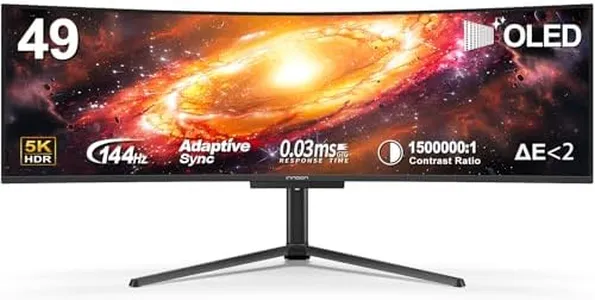
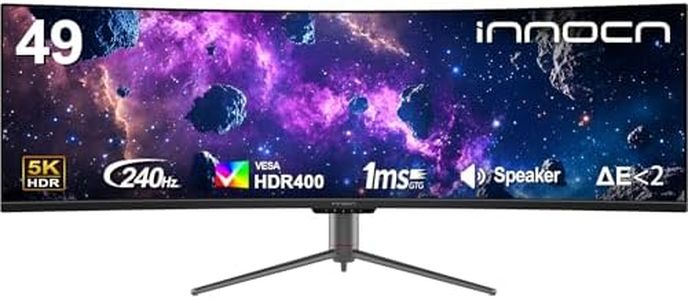
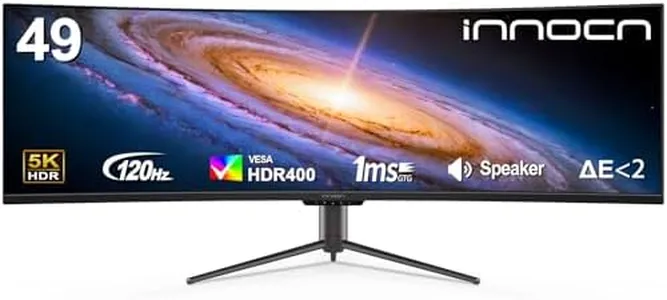
INNOCN 49" OLED Ultrawide Curved Monitor 5K2K 5120 x 1440p 144Hz, 0.03ms, Computer Monitor for AI PC, USB Type C 90W, HDMI 2.1, DisplayPort, USB Hub, Speakers, Adaptive-Sync, Adjustable Stand, Black

Rating
8.8
Resolution
Refresh Rate
Panel Type

Most important from
104 reviews

Resolution
The monitor's resolution is great around 109 PPI, and the colors do not fade at the edges.
Refresh Rate
The 144Hz refresh rate and HDR400 make everything look stunning, from spreadsheets to video editing and multitasking.
Panel Type
Vibrant colors with 99% sRGB really make a difference, enhancing visual quality.
Curvature
The 1800R curvature and HDR in standard mode provide an immersive experience with great brightness and beautiful colors.

The INNOCN 49" OLED Ultrawide Curved Gaming Monitor is a high-end option for gamers looking for an immersive experience. One of its standout features is the 5120 x 1440 resolution, which offers incredibly detailed visuals, especially useful for content creation and gaming. The 144Hz refresh rate and 0.03ms response time make it perfect for fast-paced games, reducing motion blur and providing smooth gameplay. The use of OLED technology ensures vibrant colors and deep blacks, enhancing the visual quality.

The 1800R curvature is designed to reduce eye strain and provide a more immersive viewing experience by wrapping around your field of vision. Additionally, the monitor supports Adaptive-Sync, which helps eliminate screen tearing for smoother visuals. Connectivity is another strong point, with multiple ports including two HDMI 2.1, a USB-C with 90W power delivery, and more, making it versatile for various devices like laptops and gaming consoles. The height-adjustable stand and options for tilt and swivel adjustments add to the user comfort.

However, it's quite a hefty monitor, weighing in at 34.6 pounds, and its large size might not be suitable for smaller desks. The price point is also likely on the higher side, given its advanced features. For those who need extensive screen real estate and high performance in gaming, this monitor is an excellent choice. But for casual users or those with limited space, it might be overkill.

Rating
8.8
Resolution
Refresh Rate
Panel Type

Most important from
104 reviews

Resolution
The monitor's resolution is great around 109 PPI, and the colors do not fade at the edges.
Refresh Rate
The 144Hz refresh rate and HDR400 make everything look stunning, from spreadsheets to video editing and multitasking.
Panel Type
Vibrant colors with 99% sRGB really make a difference, enhancing visual quality.
Curvature
The 1800R curvature and HDR in standard mode provide an immersive experience with great brightness and beautiful colors.

Buying Guide for the Best 49 Inch Gaming Monitors

Choosing a 49-inch gaming monitor can be an exciting yet daunting task due to the variety of options available. A monitor of this size offers an immersive gaming experience, but it's important to understand the key specifications to ensure you pick the right one for your needs. Here are the essential specs to consider and how to navigate them.
ResolutionResolution refers to the number of pixels on the screen, which affects the clarity and detail of the image. For a 49-inch monitor, a higher resolution like 5120x1440 (Dual QHD) is ideal as it provides sharp and detailed visuals, enhancing your gaming experience. Lower resolutions may result in less detailed images, which can be noticeable on such a large screen. If you play games that require high visual fidelity, opt for higher resolutions.
Refresh RateThe refresh rate is the number of times the screen updates per second, measured in Hertz (Hz). Higher refresh rates, such as 120Hz or 144Hz, provide smoother motion and are crucial for fast-paced games like first-person shooters. If you play competitive games, a higher refresh rate can give you an edge. For casual gaming, a standard 60Hz refresh rate may suffice.
Response TimeResponse time is the speed at which pixels change color, measured in milliseconds (ms). Lower response times, such as 1ms or 2ms, reduce motion blur and ghosting, which is important for fast-moving scenes in games. If you play action-packed games, look for monitors with lower response times. For slower-paced games, higher response times may be acceptable.
Panel TypePanel type affects color accuracy, viewing angles, and response times. The main types are IPS, VA, and TN. IPS panels offer the best color accuracy and viewing angles but may have slower response times. VA panels provide good contrast and color but can have slower response times. TN panels have the fastest response times but poorer color accuracy and viewing angles. Choose IPS for vibrant visuals, VA for deep contrasts, and TN for competitive gaming.
ConnectivityConnectivity options determine how you can connect your monitor to your gaming setup. Common ports include HDMI, DisplayPort, and USB-C. Ensure the monitor has the necessary ports to connect to your gaming console or PC. Multiple ports can be useful for connecting additional devices. If you plan to use multiple devices, look for monitors with versatile connectivity options.
CurvatureCurvature refers to the curve of the monitor screen, measured in radius (e.g., 1800R). Curved monitors can provide a more immersive experience by wrapping the screen around your field of view. For a 49-inch monitor, a curvature like 1800R or 1000R can enhance immersion, especially in simulation and racing games. If you prefer a more traditional flat screen, you can opt for a flat monitor.
Adaptive SyncAdaptive Sync technologies like G-Sync and FreeSync help eliminate screen tearing and stuttering by synchronizing the monitor's refresh rate with the graphics card. This is particularly important for smooth gameplay. If you have an NVIDIA graphics card, look for G-Sync compatibility; if you have an AMD graphics card, look for FreeSync compatibility. This ensures a smoother gaming experience.

FAQ

Most Popular Categories Right Now