10 Best Desktops For Video Editing 2026 in the United States


Related Products
Up to 29% off
Our technology thoroughly searches through the online shopping world, reviewing hundreds of sites. We then process and analyze this information, updating in real-time to bring you the latest top-rated products. This way, you always get the best and most current options available.

Our Top Picks
Winner
Apple 2024 Mac mini Desktop Computer with M4 Pro chip with 12‑core CPU and 16‑core GPU: Built for Apple Intelligence, 24GB Unified Memory, 512GB SSD Storage, Gigabit Ethernet. Works with iPhone/iPad
Most important from
180 reviews
The Apple 2024 Mac mini with the M4 Pro chip is a compact yet powerful desktop that fits well for video editing, especially if you prefer Apple's ecosystem. Its 12-core CPU and 16-core GPU deliver strong performance, capable of handling complex video projects and demanding editing software like Adobe Creative Cloud smoothly. The 24GB of unified memory helps with multitasking and working with large video files, while the 512GB SSD offers fast storage, although you might want more space for big video projects, which is possible through upgrades.
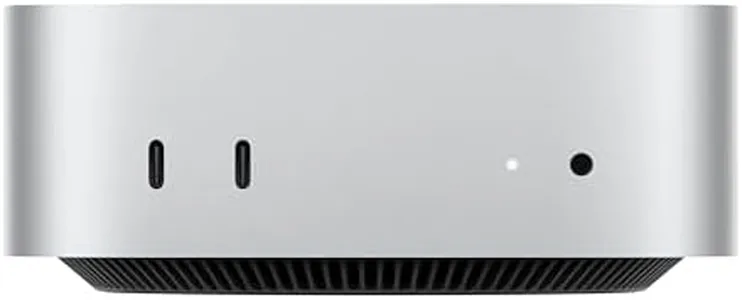
This Mac mini supports up to three high-resolution displays, including 6K and 8K options, which is excellent for detailed video editing setups. It also offers a good selection of ports like Thunderbolt 5, USB-C, HDMI, and Gigabit Ethernet, allowing quick connections to monitors, external drives, and networks. The inclusion of front USB-C ports and a headphone jack adds convenience.
The M4 Pro chip includes hardware acceleration for video codecs such as ProRes and HEVC, speeding up video encoding and decoding—important for efficient editing and exporting. The fan-based cooling system keeps the desktop running without overheating during extended video editing sessions. While the integrated graphics are powerful for an integrated solution, they may not match the raw power of dedicated high-end GPUs found in larger desktops, which could affect very heavy 3D effects or real-time rendering. The base storage might feel limited if you handle large 4K or 8K video files regularly, so external storage or upgrades could be necessary. The compact size also means fewer internal expansion options compared to bigger desktop towers. This Mac mini represents an excellent choice for video editors seeking a compact, energy-efficient machine with excellent processing power and seamless integration with Apple devices. It suits professionals and enthusiasts working with high-resolution content but may be less suited for those needing the absolute highest GPU power or massive internal storage.
Most important from
180 reviews
Apple 2024 Mac mini Desktop Computer with M4 chip with 10‑core CPU and 10‑core GPU: Built for Apple Intelligence, 16GB Unified Memory, 512GB SSD Storage, Gigabit Ethernet. Works with iPhone/iPad
Most important from
2920 reviews
The Apple 2024 Mac mini with the new M4 chip is a compact yet powerful desktop that fits well in a video editing setup, especially if you prefer a clean, small footprint. Its 10-core CPU and 10-core GPU deliver strong performance that handles video editing software like Adobe Creative Cloud and Apple’s own tools smoothly. With 16GB of unified RAM and a 512GB SSD, it offers fast memory and storage, though more demanding projects might benefit from upgrading these. The Mac mini supports multiple high-resolution displays—up to three at once—which is great for managing timelines and previews.
Connectivity is versatile with Thunderbolt 4, USB-C ports on both front and back, HDMI, and Gigabit Ethernet, including an option for faster 10Gb Ethernet, making file transfers and device connections convenient. A notable plus is the efficient cooling system Apple has integrated, allowing the unit to remain quiet during heavy workloads. On the downside, the integrated Apple GPU, while impressive for an integrated chip, may not match the raw power of dedicated high-end graphics cards found in some competing desktops, which can affect rendering times for very complex or 3D-heavy video projects.
Storage capacity starts at 512GB, which might fill up quickly with large video files unless you invest in external drives or upgrade the internal SSD. Also, this Mac mini runs macOS, which is excellent for users familiar with the Apple ecosystem but less flexible if you rely on software exclusive to Windows. The Mac mini with M4 is an excellent choice for video editors seeking a compact, energy-efficient machine with strong performance for most editing tasks, especially within Apple's ecosystem, but those needing maximum GPU power or large internal storage might need to consider higher-end options.
Most important from
2920 reviews
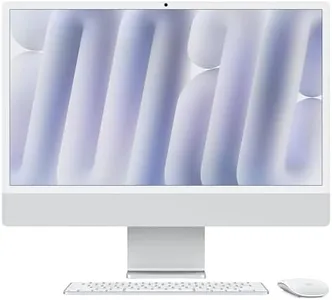
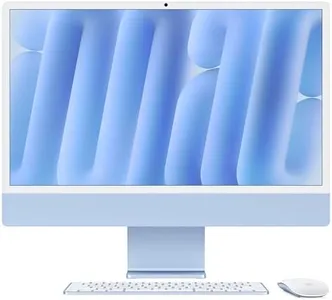
Apple 2024 iMac All-in-One Desktop Computer with M4 chip with 10-core CPU and GPU: Built for Apple Intelligence, 24-inch Retina Display, 24GB Unified Memory, 512GB SSD Storage, Silver
Most important from
563 reviews
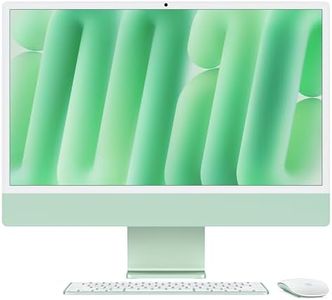
The Apple 2024 iMac with the new M4 chip is a strong choice for video editors who want an all-in-one desktop that combines power with simplicity and style. Its 10-core CPU and 10-core GPU deliver efficient performance that can handle video editing software like Adobe Creative Cloud smoothly, thanks to the Apple Silicon architecture. The 24GB of unified memory helps with multitasking and managing large files, while the 512GB SSD storage offers fast access speeds, although some editors may find the storage a bit limited for large video projects and might want to add external drives.
The 24-inch Retina 4.5K display is a big plus, providing a sharp, bright screen with excellent color accuracy—essential for video editing work where detail and color precision matter. Apple's integration of Thunderbolt 4 ports ensures compatibility with high-speed external drives and additional displays, supporting up to two 6K monitors, which is ideal for expanding your workspace. Wi-Fi 6E and Bluetooth 5.3 provide solid wireless connectivity options.
One limitation is that the GPU is integrated rather than a dedicated graphics card, which might limit performance in very demanding video editing tasks or 3D rendering compared to desktops with discrete GPUs. The iMac’s all-in-one design is sleek and saves space but may restrict customization or future upgrades, such as increasing RAM or storage internally. Cooling is handled quietly and efficiently by Apple’s design, though heavy continuous workloads might still push limits compared to more traditional desktop setups with advanced cooling systems. This iMac suits video editors who prioritize a clean workspace, excellent display quality, and seamless integration with other Apple devices, rather than those who need the absolute highest raw power or extensive upgrade options.
Most important from
563 reviews
Buying Guide for the Best Desktops For Video Editing
When choosing a desktop for video editing, it's important to focus on the components that will directly impact your editing performance and efficiency. Video editing is a resource-intensive task, so you'll need a machine that can handle large files, complex software, and demanding processes. Here are the key specifications to consider and how to choose the best fit for your needs.FAQ
Most Popular Categories Right Now


