We Use CookiesWe use cookies to enhance the security, performance, functionality and for analytical and promotional activities. By continuing to browse this site you are agreeing to our privacy policy

10 Best Iphone Gimbal 2025 in the United States

How do we rank products for you?

Our technology thoroughly searches through the online shopping world, reviewing hundreds of sites. We then process and analyze this information, updating in real-time to bring you the latest top-rated products. This way, you always get the best and most current options available.

headphones-stars

Our Top Picks

#1

Winner

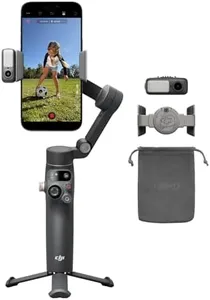
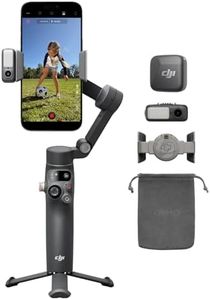
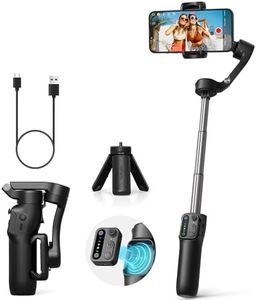
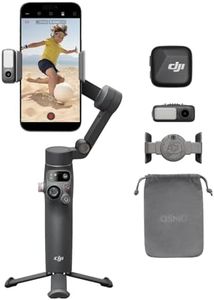
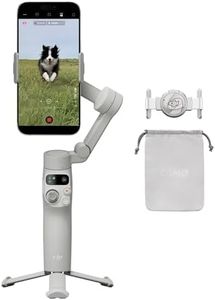
DJI Osmo Mobile 7P Gimbal Stabilizer for iPhone, Android, Native Tracking, Lighting, 3-Axis Phone Gimbal, Quick Launch, One-Tap Edit, Built-in Extension Rod & Tripod, 10hrs Use, Phone Charging

Rating
10.0
Chosen by1,407
Stabilization
Payload Capacity
Portability

Most important from
3775 reviews

Stabilization
The built-in tripod on the 7P is less stable, often toppling over when using the selfie camera with facial tracking.
Payload Capacity
The phone clip is larger and a marked improvement, accommodating bigger phones like Samsung's Ultra and Apple's Pro Max models.
Portability
It's noticeably heavier than previous models, which can cause fatigue during extended use.

The DJI Osmo Mobile 7P Gimbal Stabilizer for iPhone stands out with its robust 3-axis gimbal stabilization, ensuring smooth and stable footage, which is excellent for capturing high-quality videos and photos. The multifunctional module adds value by offering intelligent tracking, lighting features, and acting as a mic receiver, making it ideal for content creators and vloggers. The built-in extension rod and tripod further enhance its usability, allowing for wide selfies and steady vlogs without needing additional gear.

This gimbal is user-friendly, with features like quick launch and magnetic mounting for easy setup, and the Mimo app simplifies editing with one-tap edits and ShotGuides. With a maximum operating time of 10 hours, it promises long-lasting use, and it can also charge your phone, adding to its convenience. However, a drawback is the removal of the DJI Mimo app from Google Play, requiring users to download it from the DJI website, which could be inconvenient for Android users.

Additionally, while it supports up to 300 grams, it may not be suitable for heavier setups. The build quality is solid, but its weight and dimensions might make it slightly less portable compared to smaller gimbals. Despite these minor issues, its excellent stabilization and creative features make it a great choice for anyone looking to enhance their mobile videography.

Rating
10.0
Chosen by1,407
Stabilization
Payload Capacity
Portability

Most important from
3775 reviews

Stabilization
The built-in tripod on the 7P is less stable, often toppling over when using the selfie camera with facial tracking.
Payload Capacity
The phone clip is larger and a marked improvement, accommodating bigger phones like Samsung's Ultra and Apple's Pro Max models.
Portability
It's noticeably heavier than previous models, which can cause fatigue during extended use.
#2

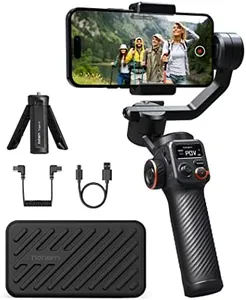
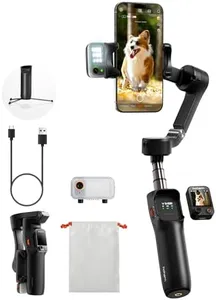
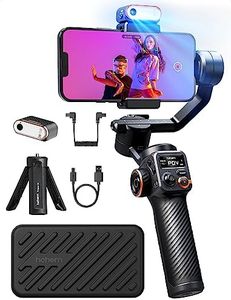
hohem iSteady M7 Gimbal Stabilizer for iPhone, Phone Gimbal with AI Tracking, 1.4" Detachable Touchscreen Remote, Built-in Extension Rod, Fill Light, Phone Stabilizer for Video Recording, YouTube

Rating
9.4
Stabilization
Battery Life
Portability

Most important from
323 reviews

Stabilization
The gimbal is extremely smooth and works great, especially for business marketing where having a 'camera man' is essential.
Battery Life
Battery life is impressive, holding up well even for long events, such as a six-hour shoot.
Portability
The gimbal is not too heavy or cumbersome, making it easy to handle during extended use.
Control Features
Connecting the gimbal to a phone is straightforward, and while some features have a learning curve, they become intuitive with consistent use.

The hohem iSteady M7 Gimbal Stabilizer for iPhone offers a range of features that make it a solid choice for content creators, vloggers, and filmmakers. Its standout feature is the detachable 1.4-inch touchscreen controller, which allows for advanced filming control up to 10 meters away, paired with AI-powered real-time previews and automatic tracking. This makes it ideal for capturing seamless footage from any distance, whether you’re filming sports, events, or travel content. The AI tracking is particularly effective for keeping your subject in focus, offering precise and dynamic results even for fast-paced activities.

The iSteady 9.0 anti-shake technology ensures smooth, professional-quality footage by providing 360° rotation and 3-axis stabilization, crucial for action shots or dynamic movements. Its 12-hour battery life with reverse charging capabilities means you can film all day without interruption, and even charge your phone on the go. The built-in extendable aluminum rod offers creative angles and perspectives, enhancing versatility for various filming needs. The 360 RGB lighting system with adjustable intensity and color adds a professional touch to your videos.

With a 1.1lbs payload capacity, the gimbal can support additional accessories like external lenses and microphones, expanding your creative options. It’s also compatible with 95% of smartphones, ensuring broad usability. However, the gimbal's weight and size might be less convenient for users seeking ultra-portable options. Additionally, while the AI tracking and touchscreen features are advanced, they may have a learning curve for those new to gimbal technology. The hohem iSteady M7 is a well-rounded investment for serious content creators looking for high stabilization, extended battery life, and versatile filming capabilities.

Rating
9.4
Stabilization
Battery Life
Portability

Most important from
323 reviews

Stabilization
The gimbal is extremely smooth and works great, especially for business marketing where having a 'camera man' is essential.
Battery Life
Battery life is impressive, holding up well even for long events, such as a six-hour shoot.
Portability
The gimbal is not too heavy or cumbersome, making it easy to handle during extended use.
Control Features
Connecting the gimbal to a phone is straightforward, and while some features have a learning curve, they become intuitive with consistent use.
#3

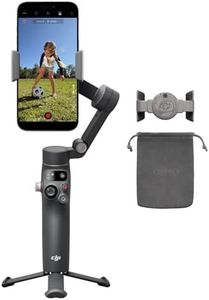
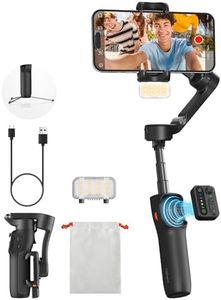
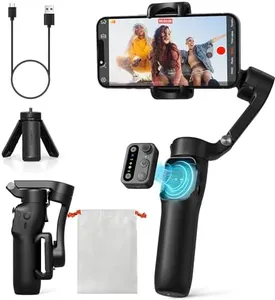
DJI Osmo Mobile SE, 3-Axis Phone Gimbal for iPhone, Android, Built-in Tripod, Selfie Stick, Gimbal Stabilizer for iphone, Andriod, ActiveTrack 6.0, Vlogging Stabilizer for Youtube, TikTok, Travel

Rating
8.5
Stabilization Axes
Payload Capacity
Battery Life

Most important from
11827 reviews

Stabilization Axes
The 3-axis stabilization system ensures smooth footage, eliminating shakes even when walking, running, or biking.
Payload Capacity
Setting up is a breeze with the magnetic mount, and it supports phones up to 290 grams, covering both iPhone and Android devices.
Battery Life
The battery life is impressive, perfect for all-day shoots or travel vlogs without worrying about running out of juice.
Portability
The DJI Osmo Mobile SE significantly elevates mobile videography with its sturdy yet lightweight build and practical foldable design.
Control Features
Pairing with the DJI Mimo app enhances control, offering features like motion tracking and intuitive controls, making it feel like having a mini director's booth.
Compatibility
Works seamlessly with both Android and iPhone devices with a straightforward setup and user-friendly DJI Mimo app.
Build Quality
This gimbal is like having a Hollywood steadicam in your pocket, delivering buttery smooth footage that makes your videos look professional.

The DJI Osmo Mobile SE is a versatile 3-axis gimbal that is portable, foldable, and designed for both iPhone and Android users. Its compact and foldable design makes it easy to carry, perfect for travel and on-the-go filming. The magnetic quick-release clamp allows for fast setup, so you can start shooting immediately without hassle. The gimbal offers advanced 3-axis stabilization, which ensures smooth and professional-looking footage, making it ideal for vloggers and content creators on platforms like YouTube and TikTok.

ActiveTrack 6.0 is a standout feature, enabling the gimbal to track moving subjects accurately, which is great for dynamic shots involving kids or pets. The ability to control the gimbal remotely via an Apple Watch adds convenience, especially for solo creators. Additionally, the DJI Mimo app and LightCut templates simplify the editing process, making it easier to produce polished videos without needing extensive editing skills. The gimbal supports both landscape and portrait orientations, catering to different content formats.

The new status panel is user-friendly, providing quick access to battery level and gimbal modes. However, the gimbal's payload capacity is limited to 290 grams, which may not support heavier phones or additional accessories. While the build quality is robust with a non-slip, stain-resistant coating, users should ensure their phone model is compatible before purchasing. The DJI Osmo Mobile SE is best suited for casual and semi-professional content creators who need a reliable and easy-to-use gimbal for everyday filming tasks.

Rating
8.5
Stabilization Axes
Payload Capacity
Battery Life

Most important from
11827 reviews

Stabilization Axes
The 3-axis stabilization system ensures smooth footage, eliminating shakes even when walking, running, or biking.
Payload Capacity
Setting up is a breeze with the magnetic mount, and it supports phones up to 290 grams, covering both iPhone and Android devices.
Battery Life
The battery life is impressive, perfect for all-day shoots or travel vlogs without worrying about running out of juice.
Portability
The DJI Osmo Mobile SE significantly elevates mobile videography with its sturdy yet lightweight build and practical foldable design.
Control Features
Pairing with the DJI Mimo app enhances control, offering features like motion tracking and intuitive controls, making it feel like having a mini director's booth.
Compatibility
Works seamlessly with both Android and iPhone devices with a straightforward setup and user-friendly DJI Mimo app.
Build Quality
This gimbal is like having a Hollywood steadicam in your pocket, delivering buttery smooth footage that makes your videos look professional.

Buying Guide for the Best Iphone Gimbal

Choosing the right iPhone gimbal can significantly enhance your video recording experience by providing stability and smoothness to your footage. A gimbal is a handheld device that uses motors and sensors to stabilize your iPhone, allowing you to capture professional-quality videos without the shakiness that often comes with handheld recording. To find the best gimbal for your needs, consider the following key specifications and how they align with your intended use.
StabilizationStabilization is the primary function of a gimbal, and it refers to the gimbal's ability to keep your iPhone steady while you move. This is crucial for capturing smooth, professional-looking videos. Gimbals typically offer 3-axis stabilization, which means they can stabilize movements along the pan, tilt, and roll axes. For most users, a 3-axis gimbal is ideal as it provides comprehensive stabilization. If you plan to do a lot of action shots or fast movements, ensure the gimbal has strong stabilization capabilities.
Battery LifeBattery life indicates how long the gimbal can operate on a single charge. This is important if you plan to use the gimbal for extended periods, such as during travel or long shooting sessions. Battery life can vary from a few hours to over 12 hours. If you need a gimbal for short, occasional use, a model with a shorter battery life may suffice. However, for longer shoots or professional use, look for a gimbal with a longer battery life or the option to swap out batteries.
Payload CapacityPayload capacity refers to the maximum weight the gimbal can support. This is important because it determines whether the gimbal can handle the weight of your iPhone, especially if you use additional accessories like lenses or microphones. Most gimbals are designed to support the weight of standard iPhones, but if you have a larger model or plan to add accessories, ensure the gimbal's payload capacity is sufficient. Check the weight of your iPhone and any accessories, and choose a gimbal that can comfortably support that weight.
PortabilityPortability refers to how easy it is to carry and transport the gimbal. This is important if you plan to use the gimbal on the go, such as during travel or outdoor shoots. Some gimbals are compact and foldable, making them easy to pack and carry, while others may be bulkier. If you need a gimbal for travel or frequent outdoor use, look for a lightweight, compact model that can easily fit in your bag. For studio or stationary use, portability may be less of a concern.
Control FeaturesControl features refer to the various ways you can operate the gimbal, such as through buttons, a joystick, or a mobile app. These features are important for ease of use and the ability to quickly adjust settings while shooting. Some gimbals offer advanced control features like follow modes, time-lapse, and object tracking. If you are a beginner, look for a gimbal with intuitive controls and basic features. For more advanced users, a gimbal with a wide range of control options and customizable settings may be more suitable.
Build QualityBuild quality refers to the materials and construction of the gimbal. This is important for durability and longevity, especially if you plan to use the gimbal frequently or in challenging environments. Gimbals made from high-quality materials like aluminum or reinforced plastic tend to be more durable. If you need a gimbal for professional use or outdoor activities, prioritize build quality to ensure it can withstand regular use and potential rough handling. For occasional or indoor use, a less rugged build may be acceptable.

FAQ

Most Popular Categories Right Now