We Use CookiesWe use cookies to enhance the security, performance, functionality and for analytical and promotional activities. By continuing to browse this site you are agreeing to our privacy policy

10 Best Multifunction Printers For Home 2026 in the United States


How do we rank products for you?

Our technology thoroughly searches through the online shopping world, reviewing hundreds of sites. We then process and analyze this information, updating in real-time to bring you the latest top-rated products. This way, you always get the best and most current options available.

headphones-stars

Our Top Picks

#1

Winner

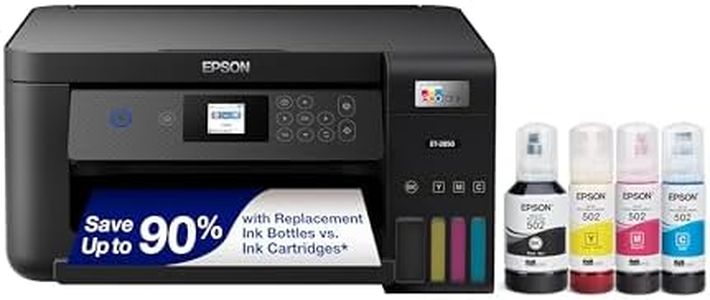
Epson EcoTank ET-2800 Wireless Color All-in-One Cartridge-Free Supertank with Scan and Copy, The Ideal Basic Home Printer - White

Rating
10.0
Chosen by1,263
Print Quality (Resolution)
Ink or Toner Cost

Most important from
19698 reviews

Print Quality (Resolution)
Photos printed with this printer come out with great quality—no smudges, vivid colors, and easy paper type modification.
Ink or Toner Cost
Filling the ink tank is surprisingly satisfying, and the ink lasts longer than traditional cartridges, significantly reducing plastic waste.

The Epson EcoTank ET-2800 is a multifunction printer designed for home use that offers several notable advantages. It utilizes an innovative cartridge-free printing system with high-capacity ink tanks, which significantly reduces the cost and frequency of ink replacements. This aspect can lead to dramatic savings, with ink bottles lasting up to 4,500 pages in black and 7,500 pages in color. Additionally, the printer has a built-in flatbed scanner and copier, providing good functionality for basic home printing, scanning, and copying needs. The print quality is impressive, thanks to Epson’s Micro Piezo Heat-Free Technology, which produces sharp text and vibrant color prints on various paper types.

Connectivity options include both wired and wireless, enabling convenient mobile printing capabilities. However, the printer does have some drawbacks. The print speeds are relatively slow, with a maximum of 10 pages per minute for monochrome and 5 pages per minute for color. It lacks an automatic document feeder (ADF) and automatic duplex printing, which may be a limitation for users who frequently handle multi-page documents or need double-sided printing. The paper handling capacity is limited to 100 sheets, which may be insufficient for higher volume print jobs.

In terms of size and design, the printer is compact and lightweight, making it suitable for home environments but it might require manual intervention for certain tasks. While the cost of ink is low, the initial purchase price may be higher compared to traditional cartridge printers. This printer is well-suited for users who prioritize cost savings on ink and require a reliable, basic multifunction printer for home use.

Rating
10.0
Chosen by1,263
Print Quality (Resolution)
Ink or Toner Cost

Most important from
19698 reviews

Print Quality (Resolution)
Photos printed with this printer come out with great quality—no smudges, vivid colors, and easy paper type modification.
Ink or Toner Cost
Filling the ink tank is surprisingly satisfying, and the ink lasts longer than traditional cartridges, significantly reducing plastic waste.
#2

HP Color LaserJet Pro MFP 3301sdw Wireless All-in-One Color Laser Printer, Office Printer, Scanner, Copier, ADF, Duplex, Best-for-Office (499Q3F)

Rating
9.7
Print Quality (Resolution)
Print Speed
Connectivity Options

Most important from
1051 reviews

Print Quality (Resolution)
The printer delivers vibrant, precise colors and crisp text, producing professional-quality documents and photos with impressive speed.
Print Speed
The printer delivers vibrant, precise colors and crisp text, producing professional-quality documents and photos with impressive speed.
Connectivity Options
Setup is straightforward, with the HP Smart app simplifying wireless connections after a brief initial router restart.
Paper Handling
Multifunction features like scanning, copying, and automatic document feeding work reliably and add great convenience for home office tasks.
Scanner Resolution
The scanner performs well for documents, though photo scanning is basic but sufficient for everyday needs.
Automatic Document Feeder (ADF)
Multifunction features like scanning, copying, and automatic document feeding work reliably and add great convenience for home office tasks.
Ink or Toner Cost
Laser technology ensures no ink drying issues, making it dependable even after periods of inactivity.
Size and Design
The printer runs warm during heavy use, which is typical for laser models, and its size requires adequate desk space.

The HP Color LaserJet Pro MFP 3301sdw is a versatile all-in-one laser printer designed mostly for small office teams but can also serve home users who need reliable, high-quality color printing and multifunction features. It offers sharp print resolution at 1200 x 1200 dpi, producing professional-looking documents, which is great if you want clear, vivid prints. With print speeds up to 30 pages per minute for both black and color, it handles tasks quickly, reducing wait times.

The printer connects via USB and Ethernet, and supports wireless printing from smartphones, which adds convenience for home setups without complicated wiring. Its paper handling is solid, with a 250-sheet input tray and two trays total, allowing you to load ample paper and switch types easily. The scanner is a flatbed type with a maximum resolution of 600x600 dpi, suitable for everyday scanning and copying needs. An automatic document feeder (ADF) and duplex (double-sided) printing are included, helping save time and paper.

One drawback is its size and weight (about 38 pounds and a bit bulky), which might be a consideration if space is limited at home. Additionally, it only works with HP toner cartridges that have chips, which can limit third-party cartridge options and potentially increase running costs. While laser toner generally lasts longer than ink, original HP toner cartridges can be more expensive. This printer balances speed, quality, and features well, making it a strong choice if you want a durable, multifunction machine for home use that can handle heavier printing with professional results. If your printing needs are lighter or you want a more compact design, there might be simpler or smaller options available.

Rating
9.7
Print Quality (Resolution)
Print Speed
Connectivity Options

Most important from
1051 reviews

Print Quality (Resolution)
The printer delivers vibrant, precise colors and crisp text, producing professional-quality documents and photos with impressive speed.
Print Speed
The printer delivers vibrant, precise colors and crisp text, producing professional-quality documents and photos with impressive speed.
Connectivity Options
Setup is straightforward, with the HP Smart app simplifying wireless connections after a brief initial router restart.
Paper Handling
Multifunction features like scanning, copying, and automatic document feeding work reliably and add great convenience for home office tasks.
Scanner Resolution
The scanner performs well for documents, though photo scanning is basic but sufficient for everyday needs.
Automatic Document Feeder (ADF)
Multifunction features like scanning, copying, and automatic document feeding work reliably and add great convenience for home office tasks.
Ink or Toner Cost
Laser technology ensures no ink drying issues, making it dependable even after periods of inactivity.
Size and Design
The printer runs warm during heavy use, which is typical for laser models, and its size requires adequate desk space.
#3

Brother MFC-L3780CDW Wireless Digital Color All-in-One Printer with Laser Quality Output, Single Pass Duplex Copy & Scan | Includes 2 Month Refresh Subscription Trial, Works with Alexa

Rating
8.5
Print Quality (Resolution)
Print Speed
Paper Handling

Most important from
726 reviews

Print Quality (Resolution)
Color prints are bright and fast, perfectly suitable for documents though not designed for photo-quality output.
Print Speed
The printer operates quietly and prints quickly, eliminating frustrating jams and long wait times common with other models.
Paper Handling
The printer handles moderate workloads well, with toner lasting through many copies and prints, supporting small business demands efficiently.
Automatic Document Feeder (ADF)
Its single-pass duplex printing and scanning significantly speed up handling two-sided documents without manual intervention.
Duplex Printing
Its single-pass duplex printing and scanning significantly speed up handling two-sided documents without manual intervention.
Ink or Toner Cost
The machine is a dependable workhorse with low-cost, refillable toner options, making it cost-effective over time for frequent use.
Size and Design
Despite being a bit larger, it fits well in a small business environment and delivers reliable, professional-quality results consistently.

The Brother MFC-L3780CDW is a solid multifunction laser printer suited for home offices or small businesses needing reliable color printing, copying, scanning, and faxing. It delivers sharp print quality with a resolution up to 2400 x 600 dpi, ensuring text and images appear clear and professional. Print speeds reach up to 31 pages per minute for both black and color, enabling efficient handling of larger jobs. A notable feature is its single-pass duplex copy and scan, which allows two-sided documents to be processed quickly without manual page flipping.

Connectivity options are versatile, including wireless dual-band Wi-Fi, Ethernet, USB, and Wi-Fi Direct, facilitating printing from computers, smartphones, or tablets. The 250-sheet input capacity is adequate for home or small office use, minimizing frequent paper refills. The scanner features both flatbed and sheet-fed options and offers fast scanning speeds, aiding in efficient document digitization. Automatic duplex printing is included to save paper and add convenience. Brother’s toner system offers a range of cartridge yields, including super high-yield options, which can help manage running costs, especially when combined with their subscription service to avoid running out unexpectedly. However, toner replacement costs tend to be higher than inkjet cartridges, which may not suit very light users.

The printer is somewhat heavy and occupies more space compared to more compact home models, which could be a concern if desk space is limited. Additionally, while the print resolution is sufficient for typical documents, it may not satisfy expectations for very high-detail photo printing. Initial print time is under 13 seconds, which is average but not the fastest. This device is well-suited for users seeking a dependable and versatile machine with strong color laser printing and scanning capabilities, particularly where speed and connectivity are priorities. It is less ideal for those needing a lightweight, compact printer or who prioritize photo-quality prints.

Rating
8.5
Print Quality (Resolution)
Print Speed
Paper Handling

Most important from
726 reviews

Print Quality (Resolution)
Color prints are bright and fast, perfectly suitable for documents though not designed for photo-quality output.
Print Speed
The printer operates quietly and prints quickly, eliminating frustrating jams and long wait times common with other models.
Paper Handling
The printer handles moderate workloads well, with toner lasting through many copies and prints, supporting small business demands efficiently.
Automatic Document Feeder (ADF)
Its single-pass duplex printing and scanning significantly speed up handling two-sided documents without manual intervention.
Duplex Printing
Its single-pass duplex printing and scanning significantly speed up handling two-sided documents without manual intervention.
Ink or Toner Cost
The machine is a dependable workhorse with low-cost, refillable toner options, making it cost-effective over time for frequent use.
Size and Design
Despite being a bit larger, it fits well in a small business environment and delivers reliable, professional-quality results consistently.

Buying Guide for the Best Multifunction Printers For Home

Choosing the right multifunction printer for your home can be a bit overwhelming given the variety of options available. A multifunction printer (MFP) combines several functions like printing, scanning, copying, and sometimes faxing into one device, making it a versatile and space-saving solution. To make an informed decision, it's important to understand the key specifications and how they align with your needs. Here are the key specs to consider when selecting a multifunction printer for home use.
Print Quality (Resolution)Print quality is measured in dots per inch (DPI). Higher DPI means better print quality, which is important if you plan to print photos or detailed graphics. For general home use, a resolution of 600 x 600 DPI is usually sufficient. If you need high-quality photo prints, look for a printer with at least 1200 x 1200 DPI.
Print SpeedPrint speed is measured in pages per minute (PPM). This spec indicates how fast the printer can produce pages. For occasional home use, a speed of 10-20 PPM is typically adequate. If you print large documents frequently, you might want a faster printer with speeds of 20-30 PPM or more.
Connectivity OptionsConnectivity options determine how you can connect your devices to the printer. Common options include USB, Wi-Fi, and Ethernet. Wi-Fi connectivity is particularly useful for home use as it allows you to print from multiple devices wirelessly. Some printers also support mobile printing via apps, which can be very convenient.
Paper HandlingPaper handling refers to the types and sizes of paper the printer can handle, as well as the capacity of the paper tray. For home use, a standard tray capacity of 100-150 sheets is usually sufficient. If you plan to print on different types of paper (like photo paper or envelopes), make sure the printer supports those formats.
Scanner ResolutionScanner resolution is also measured in DPI and affects the quality of scanned images. For general document scanning, a resolution of 600 x 1200 DPI is adequate. If you need to scan photos or detailed images, look for a higher resolution scanner, such as 1200 x 2400 DPI.
Automatic Document Feeder (ADF)An Automatic Document Feeder (ADF) allows you to scan, copy, or fax multiple pages without manually placing each page on the scanner bed. This feature is very useful if you frequently handle multi-page documents. For home use, an ADF with a capacity of 20-30 sheets is usually sufficient.
Duplex PrintingDuplex printing means the printer can print on both sides of the paper automatically. This feature saves paper and is convenient for printing double-sided documents. If you frequently print reports or booklets, a printer with duplex printing capability is a good choice.
Ink or Toner CostThe cost of ink or toner can add up over time, so it's important to consider the long-term costs. Look for printers with high-yield cartridges or those that offer cost-effective ink subscription services. This is especially important if you print frequently.
Size and DesignThe size and design of the printer should fit well in your home space. Consider where you plan to place the printer and ensure it fits comfortably. Compact models are ideal for small spaces, while larger models may offer more features but require more room.

FAQ

Most Popular Categories Right Now