We Use CookiesWe use cookies to enhance the security, performance, functionality and for analytical and promotional activities. By continuing to browse this site you are agreeing to our privacy policy

10 Best Security Laptop Locks 2026 in the United States
How do we rank products for you?

Our technology thoroughly searches through the online shopping world, reviewing hundreds of sites. We then process and analyze this information, updating in real-time to bring you the latest top-rated products. This way, you always get the best and most current options available.

headphones-stars

Our Top Picks

#1

Winner

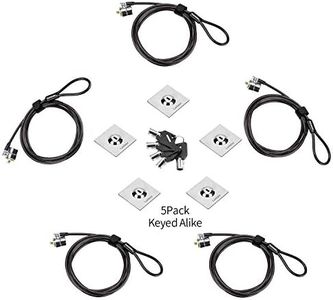
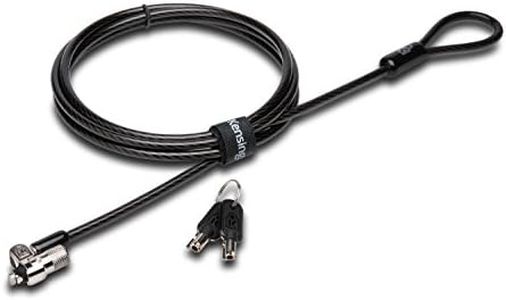
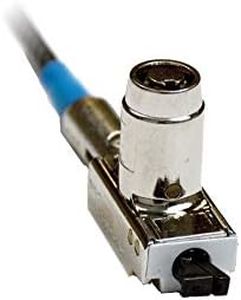
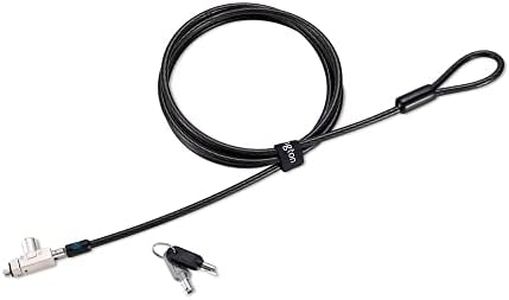
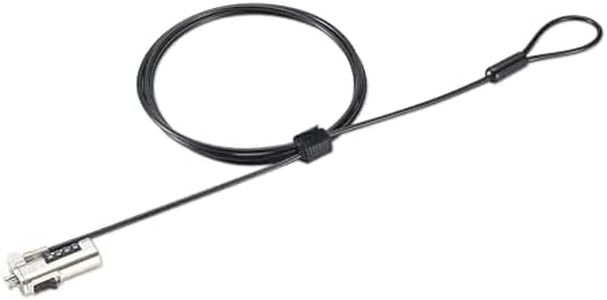
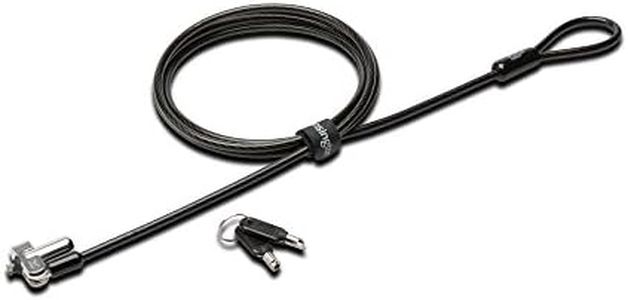
Kensington N17 Dell Laptop Lock - Keyed (K64440WW), Black and Silver, 1.1"x0.4"x0.4"

Rating
10.0
Chosen by1,176
Lock Type
Compatibility
Material and Durability

Most important from
346 reviews

Lock Type
The small lock head is impressive, avoiding the bulky look common with other locks.
Compatibility
Fits perfectly in the Dell Latitude 5501, unlike other locks that didn't fit.
Material and Durability
The cable might seem overly robust, but it's a plus for a security device.
Ease of Use
Despite initial intimidation, following the manual ensures a smooth setup with the Dell Latitude 5430.
Security Level
Serves well as a deterrent, discouraging potential thieves due to the hassle of cutting it.

The Kensington N17 Dell Laptop Lock is specifically designed for Dell laptops and Alienware with wedge type lock slots, making it a great choice if you own these devices. It utilizes a key lock mechanism and features a patented 5mm keying system with anti-pick technology, which enhances its security.

The 6-foot carbon steel cable is cut-resistant and strong, ensuring that your laptop is securely anchored to a table or desk. The cable's length gives you flexibility in positioning your laptop, and the pivot and rotate head design ensures a solid connection to the laptop, adding ease of use and stability.

Made of durable carbon steel, the material is resistant to corrosion and physical damage, supporting long-term use. This lock has been independently verified and tested for multiple rigorous industry standards, which speaks to its reliability and durability. However, the lock is tailored to Dell systems, limiting its compatibility with other laptop brands. Additionally, while the key mechanism is secure, it might be seen as less convenient compared to combination locks by some users. This lock is highly suitable for Dell laptop owners seeking a robust and dependable security solution.

Rating
10.0
Chosen by1,176
Lock Type
Compatibility
Material and Durability

Most important from
346 reviews

Lock Type
The small lock head is impressive, avoiding the bulky look common with other locks.
Compatibility
Fits perfectly in the Dell Latitude 5501, unlike other locks that didn't fit.
Material and Durability
The cable might seem overly robust, but it's a plus for a security device.
Ease of Use
Despite initial intimidation, following the manual ensures a smooth setup with the Dell Latitude 5430.
Security Level
Serves well as a deterrent, discouraging potential thieves due to the hassle of cutting it.
#2

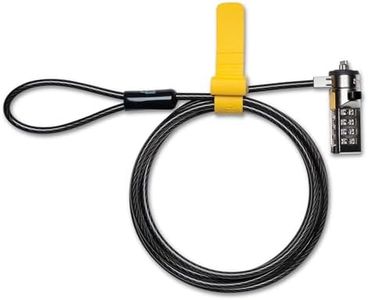
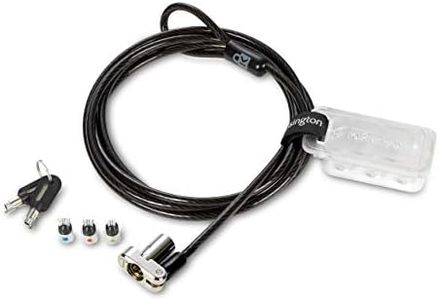
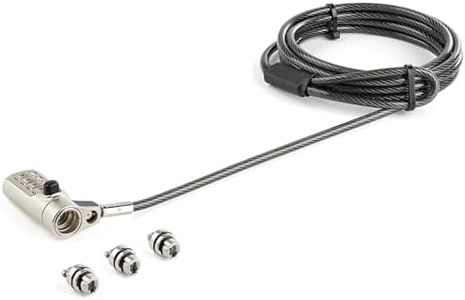
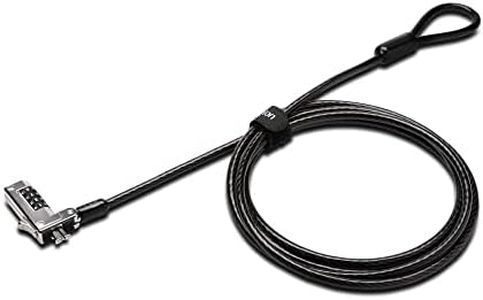
Kensington Slim Combination Laptop Lock, Security Locking Cable, T-Bar Standard Slot for Laptop Computer(K60600WW)

Rating
9.4
Compatibility
Material and Durability
Ease of Use

Most important from
1681 reviews

Compatibility
Works perfectly for securing laptops, recommended for anyone needing a reliable lock.
Material and Durability
Ideal for preventing casual thefts, but serious thieves can cut the cable or brute-force the combination.
Ease of Use
Easy to use and reset the combination, but be aware that it's not foolproof against serious theft attempts.
Security Level
Perfect for basic physical protection, small and slick design that doesn't look bulky.

The Kensington Slim Combination Laptop Lock is designed specifically for ultra-thin laptops from brands like HP, Lenovo, Asus, and Acer, but it won't work with Dell or Alienware models. The slim lock head ensures that your laptop remains flat and stable on the surface. This lock features a 4-wheel number code that can be reset, offering 10,000 possible combinations for enhanced security.

The push-button design allows for easy, one-handed engagement, making it convenient to use. The 6-foot carbon steel cable is cut-resistant, ensuring durability and the ability to anchor your laptop securely to desks, tables, or other fixed structures. However, the exclusion of Dell and Alienware compatibility may be a drawback for some users.

Additionally, while the lock is made from durable materials, its effectiveness ultimately depends on the sturdiness of the anchor point. This lock is suitable for users who require a reliable and easy-to-use security solution for their ultra-thin laptops.

Rating
9.4
Compatibility
Material and Durability
Ease of Use

Most important from
1681 reviews

Compatibility
Works perfectly for securing laptops, recommended for anyone needing a reliable lock.
Material and Durability
Ideal for preventing casual thefts, but serious thieves can cut the cable or brute-force the combination.
Ease of Use
Easy to use and reset the combination, but be aware that it's not foolproof against serious theft attempts.
Security Level
Perfect for basic physical protection, small and slick design that doesn't look bulky.
#3

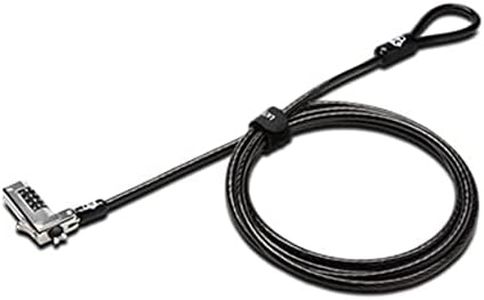
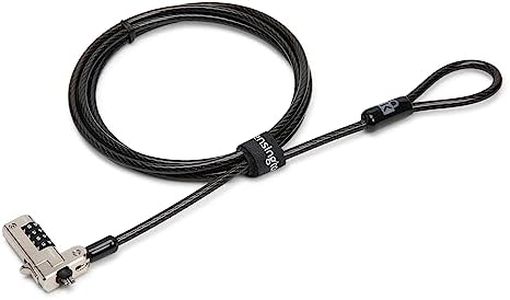
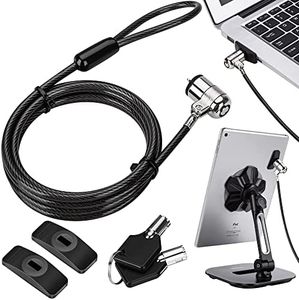
Kensington Combination Cable Lock for Laptops and Other Devices (K64673AM),Black

Rating
9.4
Compatibility
Ease of Use
Security Level

Most important from
1681 reviews

Compatibility
Basic physical protection for a Dell laptop, small and slick, yet strong.
Ease of Use
Easy to use, simply loop it around something immovable and reset the combination with ease.
Security Level
While not foolproof, it effectively prevents casual thefts, designed to stop impulsive thieves.

The Kensington Combination Cable Lock offers a convenient and reliable solution for securing laptops, especially for brands like HP, Lenovo, Acer, and Asus. Its compatibility with a wide range of devices is a significant advantage, but it notably excludes Dell and Alienware models, which may require different Kensington models. With a resettable 4-digit combination, the lock provides up to 10,000 possible combinations, enhancing security by making it difficult for unauthorized access through guessing.

The 6-foot carbon steel cable is both cut-resistant and durable, providing flexibility in anchoring to desks or other stationary objects. This feature ensures it can be used in varied environments, whether at the office, home, or while traveling. The push-button design facilitates easy one-handed attachment, making it user-friendly, especially for those who might struggle with more complex mechanisms.

Despite these strengths, potential buyers should be aware of its limitations in compatibility, particularly with newer Dell models that use a different locking slot. Additionally, while the lock's durability is emphasized through independent testing for environmental conditions, its effectiveness ultimately depends on the user's ability to remember or securely store their combination code.

This lock is best suited for those who prioritize ease of use and need a versatile security solution for multiple types of devices with Kensington security slots. It offers a balance of security and convenience, though ensuring compatibility with your specific device is crucial before purchasing.

Rating
9.4
Compatibility
Ease of Use
Security Level

Most important from
1681 reviews

Compatibility
Basic physical protection for a Dell laptop, small and slick, yet strong.
Ease of Use
Easy to use, simply loop it around something immovable and reset the combination with ease.
Security Level
While not foolproof, it effectively prevents casual thefts, designed to stop impulsive thieves.

Buying Guide for the Best Security Laptop Locks

Choosing the right security laptop lock is crucial to ensure the safety of your device, especially if you often use it in public places or shared environments. A laptop lock can prevent theft and unauthorized access, giving you peace of mind. When selecting a security laptop lock, consider the type of lock, compatibility with your laptop, ease of use, and the level of security it provides. Here are some key specifications to help you make an informed decision.
Lock TypeThe lock type refers to the mechanism used to secure the laptop. Common types include key locks, combination locks, and biometric locks. Key locks require a physical key to unlock, combination locks use a numerical code, and biometric locks use fingerprint recognition. Key locks are straightforward but require you to keep track of the key. Combination locks eliminate the need for a key but require you to remember the code. Biometric locks offer high security but can be more expensive and require your fingerprint to unlock. Choose a lock type based on your preference for convenience and security.
CompatibilityCompatibility refers to whether the lock can be used with your specific laptop model. Most laptop locks connect to a security slot on the laptop, such as the Kensington Security Slot. Ensure that your laptop has the appropriate slot and that the lock you choose is compatible with it. Some locks are universal and can fit various models, while others are designed for specific brands or types of laptops. Check your laptop's specifications and choose a lock that fits securely.
Cable LengthCable length is the length of the cable attached to the lock, which allows you to secure your laptop to a stationary object. Cable lengths typically range from 4 to 6 feet. A longer cable provides more flexibility in where you can place your laptop, while a shorter cable may be easier to manage and store. Consider where you will be using the lock and choose a cable length that suits your needs.
Material and DurabilityMaterial and durability refer to the construction quality of the lock and cable. Common materials include steel and reinforced plastics. Steel cables are strong and resistant to cutting, providing higher security. Reinforced plastics may be lighter but can be less secure. Durability is important to ensure the lock can withstand tampering and wear over time. Choose a lock made from high-quality materials that offer robust protection.
Ease of UseEase of use refers to how simple it is to operate the lock. Some locks are designed to be user-friendly, with features like quick-release buttons or easy-to-set combinations. Consider how often you will be locking and unlocking your laptop and choose a lock that is convenient for regular use. A lock that is difficult to use may deter you from using it consistently, reducing its effectiveness.
Security LevelSecurity level refers to the overall effectiveness of the lock in preventing theft. Higher security locks may have features like tamper-proof designs, alarm systems, or advanced locking mechanisms. Assess the risk level of your environment and choose a lock that provides adequate security. For high-risk areas, opt for locks with advanced security features. For lower-risk areas, a standard lock may suffice.

FAQ

Most Popular Categories Right Now