We Use CookiesWe use cookies to enhance the security, performance, functionality and for analytical and promotional activities. By continuing to browse this site you are agreeing to our privacy policy

10 Best Viewsonic Portable Monitors 2026 in the United States

How do we rank products for you?

Our technology thoroughly searches through the online shopping world, reviewing hundreds of sites. We then process and analyze this information, updating in real-time to bring you the latest top-rated products. This way, you always get the best and most current options available.

headphones-stars

Our Top Picks

#1

Winner

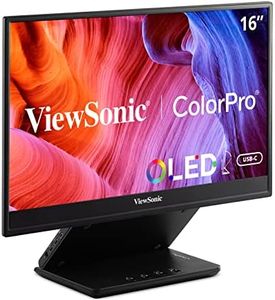
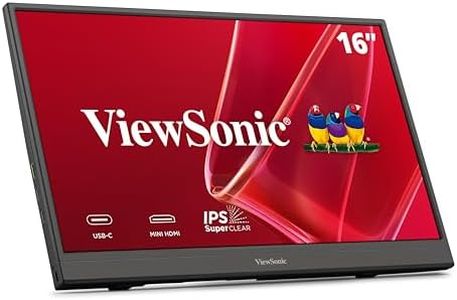
ViewSonic TD1656-2K 16 Inch WQXGA 1600p IPS Touchscreen Portable Monitor with 2 Way Powered 65W USB C, and Smart Cover with Built-in Stand

Rating
10.0
Chosen by1,235
Resolution
Connectivity
Weight

Most important from
1157 reviews

Resolution
The display delivers a crisp and detailed image with a sharp 16:10 aspect ratio that enhances productivity and viewing comfort.
Connectivity
The USB-C connection supports both data and power, simplifying cable management and enabling quick, reliable setups.
Weight
The monitor’s lightweight and slim design make it highly portable without sacrificing sturdiness or build quality.
Battery Life
Power must be supplied externally as there is no internal battery, which may limit truly mobile use but ensures consistent performance.
Touchscreen
Touch functionality is accurate and responsive, working seamlessly on MacOS with minimal setup required.
Brightness
Brightness and contrast settings start low out of the box but can be easily adjusted via the on-screen menu to improve visual quality.

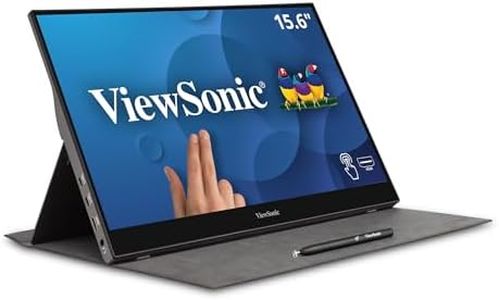
The ViewSonic TD1656-2K is a 16-inch portable monitor featuring a sharp WQXGA resolution (2560x1600 pixels), which provides a clear and detailed display. Its 16:10 aspect ratio makes the screen slightly taller than typical 16:9 screens. The 10-point touchscreen supports smooth interaction, allowing easy swiping, writing, and annotating, making it ideal for users seeking more than just a secondary display.

Weighing 2.8 pounds and measuring just under half an inch thick, the monitor is compact and easy to carry, suitable for users who need additional screen space on the go. It uses USB-C for both data and power, supporting 65W charging to help reduce cable clutter and enabling quick connection to many modern laptops, including Macs that benefit from full touch gestures via a special driver. A smart cover that doubles as a stand for both portrait and landscape modes adds convenience. The matte screen finish helps reduce glare in various lighting conditions.

Backed by a 3-year warranty and positive customer reviews, this monitor is an excellent choice for professionals and students seeking a touchscreen portable monitor with high resolution and solid build quality. However, it may not be the best option for those looking for a battery-powered or exceptionally bright display.

Rating
10.0
Chosen by1,235
Resolution
Connectivity
Weight

Most important from
1157 reviews

Resolution
The display delivers a crisp and detailed image with a sharp 16:10 aspect ratio that enhances productivity and viewing comfort.
Connectivity
The USB-C connection supports both data and power, simplifying cable management and enabling quick, reliable setups.
Weight
The monitor’s lightweight and slim design make it highly portable without sacrificing sturdiness or build quality.
Battery Life
Power must be supplied externally as there is no internal battery, which may limit truly mobile use but ensures consistent performance.
Touchscreen
Touch functionality is accurate and responsive, working seamlessly on MacOS with minimal setup required.
Brightness
Brightness and contrast settings start low out of the box but can be easily adjusted via the on-screen menu to improve visual quality.
#2

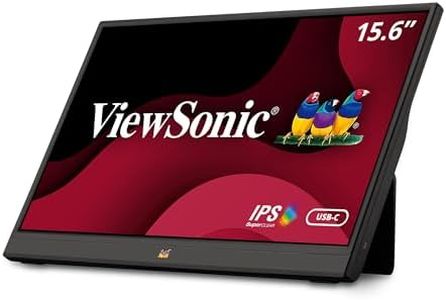
ViewSonic TD1655 15.6 Inch 1080p Portable Monitor with IPS Touchscreen, 2 Way Powered 60W USB C, Eye Care, Dual Speakers, Built-in Stand with Magnetic Cover

Rating
10.0
Touchscreen
Weight
Brightness

Most important from
1157 reviews

Touchscreen
The monitor delivers a crisp image with accurate touch functionality that works seamlessly, even on MacOS.
Weight
Its lightweight and compact design, paired with a handy travel sleeve, makes it extremely portable and easy to carry.
Brightness
The screen brightness is more than sufficient for use in bright, sun-lit rooms, maintaining clear visibility.

The ViewSonic TD1655 is a 15.6-inch portable monitor with a full HD (1920x1080) IPS screen, providing good image quality and wide viewing angles. Its matte screen surface reduces glare, making it suitable for various lighting conditions. The 10-point touchscreen adds convenience for interactive tasks like drawing or annotating, offering more functionality than a typical second display.

Weighing about 2.2 pounds and only 0.6 inches thick, this monitor is lightweight and slim, making it easy to carry in a backpack or bag. It primarily connects via USB-C, which simplifies setup by combining video, audio, and power delivery in one cable to reduce clutter. The monitor supports 60W power delivery, allowing it to charge some laptops while in use. It includes a built-in stand with a magnetic cover that supports both portrait and landscape modes, enhancing its versatility. Since it relies on USB-C power rather than a built-in battery, it generally requires connection to a laptop or power source. The screen refresh rate is 60Hz, suitable for everyday tasks but less optimal for gaming or fast-motion videos.

This portable monitor is a reliable option for professionals, students, or anyone needing an extra screen on the go, especially if touchscreen functionality is valued. However, those seeking a monitor with independent battery power or very high brightness for outdoor use might find it less suitable.

Rating
10.0
Touchscreen
Weight
Brightness

Most important from
1157 reviews

Touchscreen
The monitor delivers a crisp image with accurate touch functionality that works seamlessly, even on MacOS.
Weight
Its lightweight and compact design, paired with a handy travel sleeve, makes it extremely portable and easy to carry.
Brightness
The screen brightness is more than sufficient for use in bright, sun-lit rooms, maintaining clear visibility.
#3

ViewSonic IFP7550 75 Inch ViewBoard 4K Interactive Flat Panel Display with 40-Point Touch, Integrated Microphone and HDMI, VGA, RJ45

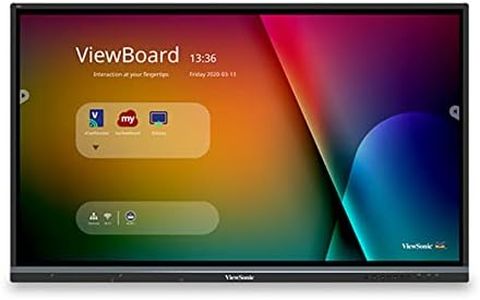
The ViewSonic IFP7550 is a 75-inch 4K Ultra HD interactive display designed for large conference rooms, classrooms, and similar settings. The 3840x2160 resolution ensures sharp and clear visuals, making it excellent for presentations and detailed content. The standout feature is its 20-point multi-touch capability, allowing multiple users to interact simultaneously, which is perfect for collaborative environments.

The built-in quad-core processor supports smooth operation, and the variety of connectivity options (HDMI, VGA, USB, and more) ensures compatibility with numerous devices. However, the monitor's weight of 167.2 pounds makes it less portable, and at 70 x 11 x 45 inches, it requires a significant amount of space. It lacks a built-in battery, which means it needs to be plugged in at all times, limiting its mobility further.

Despite these drawbacks, its high brightness levels and glossy screen surface provide a vibrant display suitable for well-lit rooms. This product is best for users who need a stationary, high-quality interactive display for group collaborations rather than those needing a portable monitor.

Buying Guide for the Best Viewsonic Portable Monitors

When choosing a portable monitor, it's important to consider how you plan to use it. Whether you need it for work, gaming, or general use, understanding the key specifications will help you make an informed decision. Portable monitors offer the convenience of an extra screen without the bulk, making them ideal for travel or small workspaces. Here are some key specs to consider and how to navigate them.
Screen SizeScreen size refers to the diagonal measurement of the monitor's display area, usually in inches. This spec is important because it affects how much screen real estate you have for your tasks. Smaller screens (around 13-15 inches) are more portable and easier to carry, making them ideal for travel. Larger screens (16-17 inches) provide more space for multitasking and can be better for productivity but may be less convenient to transport. Choose a screen size based on your need for portability versus workspace.
ResolutionResolution indicates the number of pixels on the screen, typically described as width x height (e.g., 1920x1080). Higher resolution means more detail and sharper images. For general use and office work, Full HD (1920x1080) is usually sufficient. If you need more clarity for tasks like photo editing or gaming, consider higher resolutions like 4K (3840x2160). Your choice should depend on how much detail you need and the type of content you will be viewing.
ConnectivityConnectivity options determine how you can connect the portable monitor to your devices. Common options include USB-C, HDMI, and DisplayPort. USB-C is popular for its versatility and ability to transmit power and data through a single cable, making it ideal for modern laptops and tablets. HDMI is widely used and compatible with many devices, including older models. DisplayPort offers high performance for gaming and professional use. Choose based on the ports available on your primary device and your need for convenience.
WeightWeight is a crucial factor for portability. Lighter monitors are easier to carry and handle, especially if you travel frequently or need to move the monitor around often. Monitors typically range from around 1 to 3 pounds. If you prioritize portability, aim for a lighter model. If you need a more stable setup and don't plan to move the monitor much, weight may be less of a concern.
Battery LifeBattery life is important if you plan to use the monitor without a constant power source. Some portable monitors come with built-in batteries, allowing you to use them on the go. Battery life can range from a few hours to over 10 hours. Consider how long you need the monitor to last between charges. If you often work in places without easy access to power outlets, a longer battery life will be beneficial.
TouchscreenA touchscreen feature allows you to interact with the monitor directly using your fingers, similar to a tablet. This can be useful for tasks that benefit from touch input, such as drawing, note-taking, or navigating presentations. If you need this functionality, look for monitors with responsive and accurate touchscreens. If you primarily use a keyboard and mouse, this feature may not be necessary.
BrightnessBrightness, measured in nits, affects how well you can see the screen in different lighting conditions. Higher brightness levels (300 nits or more) are better for use in bright environments, such as outdoors or well-lit rooms. Lower brightness levels may be sufficient for indoor use in controlled lighting. Consider where you will use the monitor most often and choose a brightness level that ensures clear visibility.

FAQ

Most Popular Categories Right Now