We Use CookiesWe use cookies to enhance the security, performance, functionality and for analytical and promotional activities. By continuing to browse this site you are agreeing to our privacy policy

10 Best Alienware Gaming Laptops 2026 in the United States
How do we rank products for you?

Our technology thoroughly searches through the online shopping world, reviewing hundreds of sites. We then process and analyze this information, updating in real-time to bring you the latest top-rated products. This way, you always get the best and most current options available.

headphones-stars

Our Top Picks

#1

Winner

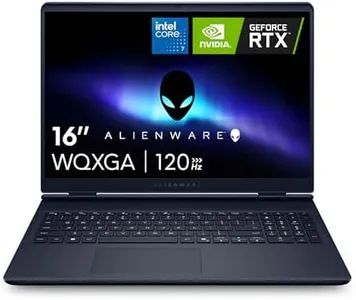
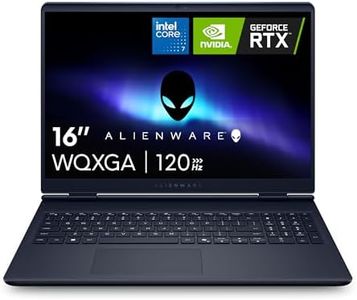
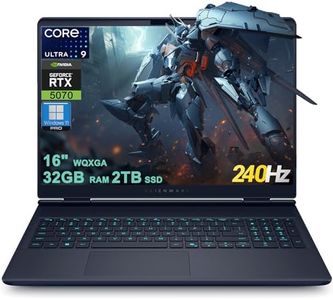
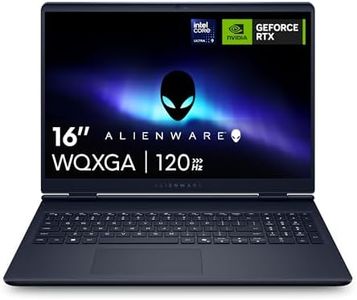
Alienware 16 Aurora Gaming Laptop AC16250-16" WQXGA 120Hz Display, Intel Core 7-240H Processor, 16GB DDR5 RAM, 1TB SSD, NVIDIA GeForce RTX 5050 8GB Graphics, Windows 11 Home, Onsite Service - Blue

Rating
10.0
Chosen by1,153
Processor (CPU)
Graphics Card (GPU)
Storage

Most important from
223 reviews

Processor (CPU)
Delivers outstanding performance for both demanding work tasks and high-end gaming.
Graphics Card (GPU)
Runs new games flawlessly, offering a smooth and enjoyable gaming experience.
Storage
Supports easy hardware upgrades, like adding extra storage without hassle.
Cooling System
Maintains excellent cooling when used with proper ventilation to avoid airflow obstruction.
Build Quality and Design
Arrives in perfect condition and impresses with its reliability and power.

The Alienware 16 Aurora is a strong contender for gamers who want a high-performance laptop with a sharp and immersive display. Its 16-inch WQXGA (2560x1600) screen runs at 120Hz with 300 nits brightness, providing smooth visuals and good clarity, which is great for gaming and media. The Intel Core i7 processor paired with 16GB of fast DDR5 RAM makes multitasking and demanding games run smoothly.

The NVIDIA GeForce RTX 5050 with 8GB VRAM is a modern graphics card that supports ray tracing and AI features, offering excellent graphics quality for current and upcoming games. Storage is generous with a 1TB SSD, ensuring quick load times and plenty of space for games and files. Alienware’s innovative Cryo-Chamber cooling system focuses airflow efficiently, helping maintain performance during extended sessions without bulky heat build-up. The design is sleek and focused on comfort, avoiding extra thermal shelves that can add bulk.

Weighing about 5.5 pounds, it’s somewhat heavy, which might limit portability for some users. The laptop comes with a 1-year onsite service from Dell, which adds convenience for troubleshooting or repairs. Priced at a premium, the Alienware 16 Aurora delivers a balanced package of power, display quality, and cooling that should satisfy serious gamers looking for a reliable and visually impressive gaming laptop.

Rating
10.0
Chosen by1,153
Processor (CPU)
Graphics Card (GPU)
Storage

Most important from
223 reviews

Processor (CPU)
Delivers outstanding performance for both demanding work tasks and high-end gaming.
Graphics Card (GPU)
Runs new games flawlessly, offering a smooth and enjoyable gaming experience.
Storage
Supports easy hardware upgrades, like adding extra storage without hassle.
Cooling System
Maintains excellent cooling when used with proper ventilation to avoid airflow obstruction.
Build Quality and Design
Arrives in perfect condition and impresses with its reliability and power.
#2

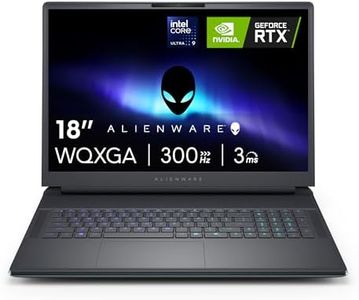
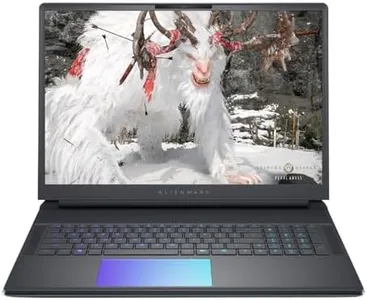
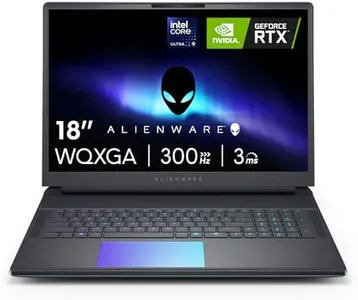
Dell Alienware 18 Area-51 Gaming Laptop 18" 2.5K WQXGA Anti-Glare Display (Intel Ultra 9 275HX, GeForce RTX 5090, 64GB DDR5, 2TB PCIe SSD, Wi-Fi 7, Backlit KYB, Bluetooth 5.4, Windows 11 Home)

Rating
8.8
Processor (CPU)
Graphics Card (GPU)
RAM

Most important from
8 reviews

Processor (CPU)
Delivers top-tier gaming performance with a powerful Intel Core Ultra 9 processor and GeForce RTX 5090, ensuring smooth gameplay even on demanding titles.
Graphics Card (GPU)
Delivers top-tier gaming performance with a powerful Intel Core Ultra 9 processor and GeForce RTX 5090, ensuring smooth gameplay even on demanding titles.
RAM
The 64GB DDR5 RAM and 2TB PCIe SSD provide seamless multitasking and fast load times for large game libraries.
Storage
The 64GB DDR5 RAM and 2TB PCIe SSD provide seamless multitasking and fast load times for large game libraries.
Display
An 18-inch 2.5K WQXGA display with anti-glare coating offers bright, detailed visuals that reduce eye strain during long gaming sessions.
Battery Life
Battery life is limited during high-performance use, so extended gaming sessions typically require access to a power outlet.
Cooling System
Advanced cooling technology effectively manages heat, maintaining peak performance without throttling.
Build Quality and Design
The solid, stylish Liquid Teal design combined with a backlit keyboard enhances the gaming experience in low-light environments.

The Dell Alienware 18 Area-51 is a high-end gaming laptop designed for serious gamers who want top-tier performance. It features a powerful Intel Core Ultra 9 processor running at 5.4 GHz, paired with the latest GeForce RTX 5090 graphics card. This combo ensures smooth gameplay, even with demanding games and settings, thanks to advanced ray tracing and AI-enhanced graphics that create stunning visuals and realistic lighting effects.

With 64GB of DDR5 RAM, multitasking and running memory-heavy games or streaming software won’t slow you down. The 2TB PCIe SSD offers plenty of fast storage for large game libraries and quick load times. The 18-inch screen has a sharp 2.5K WQXGA resolution with anti-glare coating, which means you get a bright, detailed display that reduces eye strain during long sessions.

Alienware includes advanced cooling technology to manage heat from heavy gaming, helping maintain performance without throttling. The build quality is solid and stylish, featuring a distinctive Liquid Teal design and a backlit keyboard for comfortable gaming in low light. The laptop is quite heavy at over 9.5 pounds and relatively thick, making it less portable than smaller gaming laptops. Battery life tends to be limited in high-performance machines like this, so expect to be near a power outlet for extended gaming. It also doesn’t include an optical drive, which isn’t a big issue for most but worth noting. This laptop is ideal for gamers who prioritize maximum power, great visuals, and multitasking ability, and who mainly use their device in one place rather than on the go.

Rating
8.8
Processor (CPU)
Graphics Card (GPU)
RAM

Most important from
8 reviews

Processor (CPU)
Delivers top-tier gaming performance with a powerful Intel Core Ultra 9 processor and GeForce RTX 5090, ensuring smooth gameplay even on demanding titles.
Graphics Card (GPU)
Delivers top-tier gaming performance with a powerful Intel Core Ultra 9 processor and GeForce RTX 5090, ensuring smooth gameplay even on demanding titles.
RAM
The 64GB DDR5 RAM and 2TB PCIe SSD provide seamless multitasking and fast load times for large game libraries.
Storage
The 64GB DDR5 RAM and 2TB PCIe SSD provide seamless multitasking and fast load times for large game libraries.
Display
An 18-inch 2.5K WQXGA display with anti-glare coating offers bright, detailed visuals that reduce eye strain during long gaming sessions.
Battery Life
Battery life is limited during high-performance use, so extended gaming sessions typically require access to a power outlet.
Cooling System
Advanced cooling technology effectively manages heat, maintaining peak performance without throttling.
Build Quality and Design
The solid, stylish Liquid Teal design combined with a backlit keyboard enhances the gaming experience in low-light environments.
#3

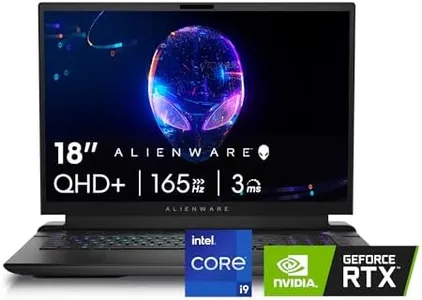
Alienware M18 R2 Gaming Laptop - 18 QHD+ 165Hz 3ms Display, Intel Core i9-14900HX, 32GB DDR5 RAM, 1TB SSD, NVIDIA GeForce RTX 4080 12 GB GDDR6, Windows 11 Home, Onsite Service - Dark Metallic Moon

Rating
8.5
Graphics Card (GPU)
RAM
Display

Most important from
227 reviews

Graphics Card (GPU)
The laptop's 165Hz display feels slow for a system with an RTX 4080, and the speakers lack quality compared to other gaming laptops.
RAM
The Alienware M18 R2 runs amazingly with 32GB of Kingston Fury Impact DDR5 at 6400 MT/s, making it stable even with hyperthreading and demanding gaming conditions.
Display
The laptop's 165Hz display feels slow for a system with an RTX 4080, and the speakers lack quality compared to other gaming laptops.
Cooling System
Despite initial hesitation due to mixed reviews, the laptop proved perfect for delivering a consistent, high-performance gaming experience without overheating or throttling.
Build Quality and Design
Alienware has an outstanding aesthetic and unparalleled build quality.

The Alienware M18 R2 is a premium gaming laptop designed for those who demand high performance. Its powerhouse 14th Gen Intel Core i9-14900HX processor and NVIDIA GeForce RTX 4080 graphics card ensure that it can handle demanding games with ease. With 32GB of DDR5 RAM and a 1TB SSD, it offers fast multitasking capabilities and ample storage space, although additional SSDs can be added for those who need more storage. The 18-inch QHD+ display delivers sharp, vibrant visuals, and the 165Hz refresh rate ensures smooth gameplay, making it ideal for fast-paced games. The design includes a robust cooling system, which helps in maintaining optimal performance without overheating, a critical aspect for gamers who play for extended periods.

The laptop's build quality is solid, with the Dark Metallic Moon finish giving it a sleek, modern appearance. The keyboard includes features such as a full NumPad and optional Cherry mechanical switches, providing comfort and precision for gaming. However, the size and weight (over 9 pounds) make it less portable and more suitable for a stationary setup.

A notable drawback is the relatively short battery life typically associated with high-performance gaming laptops, which means it will primarily be used plugged in. Additionally, there's no optical drive, reflecting a trend towards digital downloads. The Alienware M18 R2 is well-suited for serious gamers looking for top-tier performance and graphics in a laptop. While it excels in delivering powerful gaming experiences, it may not be the best choice for those needing portability or long battery life on the go.

Rating
8.5
Graphics Card (GPU)
RAM
Display

Most important from
227 reviews

Graphics Card (GPU)
The laptop's 165Hz display feels slow for a system with an RTX 4080, and the speakers lack quality compared to other gaming laptops.
RAM
The Alienware M18 R2 runs amazingly with 32GB of Kingston Fury Impact DDR5 at 6400 MT/s, making it stable even with hyperthreading and demanding gaming conditions.
Display
The laptop's 165Hz display feels slow for a system with an RTX 4080, and the speakers lack quality compared to other gaming laptops.
Cooling System
Despite initial hesitation due to mixed reviews, the laptop proved perfect for delivering a consistent, high-performance gaming experience without overheating or throttling.
Build Quality and Design
Alienware has an outstanding aesthetic and unparalleled build quality.

Buying Guide for the Best Alienware Gaming Laptops

When choosing an Alienware gaming laptop, it's important to consider several key specifications to ensure you get the best performance and experience for your gaming needs. Alienware laptops are known for their high performance and premium build quality, but the right model for you will depend on your specific gaming requirements and preferences. Here are the key specs to consider and how to navigate them.
Processor (CPU)The processor, or CPU, is the brain of your laptop and is crucial for overall performance. For gaming, a powerful CPU ensures smooth gameplay and the ability to handle complex game mechanics. CPUs are typically divided into segments like Intel Core i5, i7, and i9, or AMD Ryzen 5, 7, and 9. For casual gaming, an Intel Core i5 or AMD Ryzen 5 might suffice. For more demanding games or multitasking, an Intel Core i7 or Ryzen 7 is recommended. Hardcore gamers or those who stream and play simultaneously should consider an Intel Core i9 or Ryzen 9.
Graphics Card (GPU)The graphics card, or GPU, is responsible for rendering images and video. It's one of the most important specs for gaming as it directly affects the quality and smoothness of your visuals. GPUs range from entry-level to high-end. For basic gaming, a mid-range GPU like the NVIDIA GeForce GTX series will work. For more demanding games or VR, look for higher-end GPUs like the NVIDIA GeForce RTX series. The latest models offer better performance and support for advanced features like ray tracing.
RAMRAM, or Random Access Memory, is crucial for multitasking and running games smoothly. It temporarily stores data that your laptop needs quick access to. For gaming, 8GB of RAM is the minimum, but 16GB is recommended for better performance and future-proofing. If you plan to run very demanding games or use your laptop for other intensive tasks like video editing, 32GB might be beneficial.
StorageStorage determines how much data you can keep on your laptop. There are two main types: HDD (Hard Disk Drive) and SSD (Solid State Drive). SSDs are faster and more reliable but usually more expensive. For gaming, an SSD is highly recommended as it significantly reduces load times. A combination of a smaller SSD (for the operating system and frequently played games) and a larger HDD (for additional storage) can be a good balance. Aim for at least 512GB of SSD storage for a smooth gaming experience.
DisplayThe display affects your visual experience. Key factors include resolution, refresh rate, and size. A higher resolution (like 1080p or 4K) provides clearer and more detailed images. The refresh rate, measured in Hz, affects how smoothly motion appears; 60Hz is standard, but 120Hz or 144Hz is better for fast-paced games. Screen size is a personal preference, but 15 to 17 inches is common for gaming laptops. Consider what balance of portability and screen real estate works best for you.
Battery LifeBattery life is how long your laptop can run on a single charge. Gaming laptops are typically power-hungry, so they often have shorter battery life compared to regular laptops. If you plan to game mostly while plugged in, battery life may be less critical. However, if you need to game on the go, look for models with better battery performance. Keep in mind that more powerful hardware usually means shorter battery life.
Cooling SystemA good cooling system is essential to prevent overheating, which can throttle performance and damage components. Alienware laptops often come with advanced cooling solutions, but it's still important to consider. Look for features like multiple fans, heat pipes, and efficient airflow design. If you plan to game for extended periods, a robust cooling system will help maintain optimal performance.
Build Quality and DesignBuild quality and design affect the durability and aesthetics of your laptop. Alienware laptops are known for their premium build, often using materials like aluminum and magnesium alloy. Consider the overall design, including the keyboard layout, backlighting, and port selection. A well-built laptop will not only look good but also withstand the rigors of frequent use.

FAQ

Most Popular Categories Right Now