10 Best Audio Interface For Home Studio 2026 in the United States

Related Products
Up to 5% off




Our technology thoroughly searches through the online shopping world, reviewing hundreds of sites. We then process and analyze this information, updating in real-time to bring you the latest top-rated products. This way, you always get the best and most current options available.

Our Top Picks
Winner
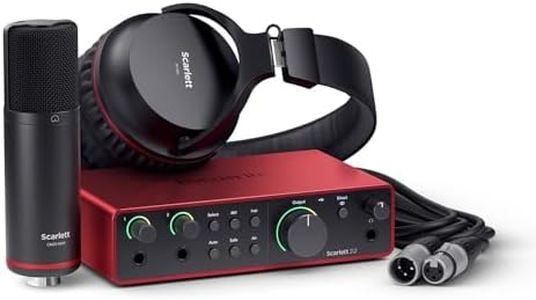
Focusrite Scarlett 2i2 Studio 4th Gen USB Audio Interface Bundle for the Songwriter with Condenser Microphone and Headphones for Recording, Streaming, and Podcasting
Most important from
643 reviews
The Focusrite Scarlett 2i2 Studio 4th Gen is a solid choice for anyone starting a home studio, especially songwriters, podcasters, and streamers. It offers two inputs and outputs, which is sufficient for recording vocals and instruments simultaneously. Its audio quality is impressive, supporting high-resolution 24-bit/192kHz sound, ensuring recordings are clear and detailed. The included condenser microphone and headphones make it a convenient all-in-one package. Connection is straightforward via USB, compatible with Mac, Windows, and iOS devices, making it versatile for various setups. It also provides phantom power needed to run condenser mics, so you’re ready to record right away.
One standout feature is the Auto Gain function, which automatically adjusts input levels to avoid distortions, and Clip Safe that prevents audio clipping, allowing beginners to focus on recording without technical issues. The preamps are high-quality, offering clean and natural sound with an 'Air' mode that brightens vocals and guitars to add presence. Latency is low, meaning the delay between playing and hearing the sound is minimal, which is important for smooth recording. The bundle includes popular recording software like Pro Tools Intro and Ableton Live Lite, along with useful plugins, making it easier to start producing music without extra purchases.
While having only two inputs might be limiting if you want to record larger groups or more instruments at once, this bundle remains a user-friendly and reliable setup that covers most needs for a compact home studio without being overwhelming. Additionally, the included microphone is suitable for beginners, though more experienced users might eventually want to upgrade for higher-end sound.
Most important from
643 reviews
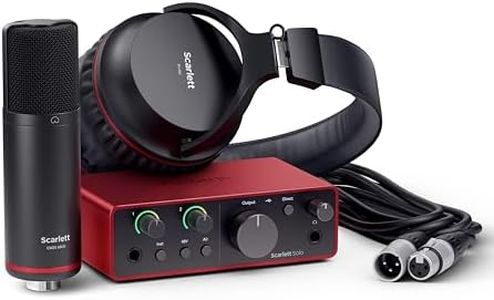
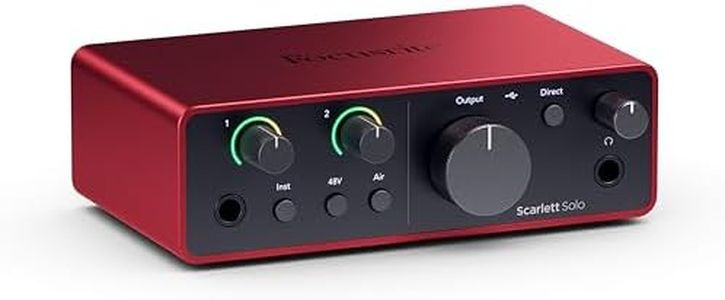
Focusrite Scarlett Solo Studio 4th Gen USB Audio Interface Bundle for the Songwriter, Guitarist or Vocalist with Condenser Microphone and Headphones for Recording, Songwriting, and Podcasting
Most important from
405 reviews
The Focusrite Scarlett Solo Studio 4th Gen USB Audio Interface is a great choice for songwriters, guitarists, or vocalists seeking a compact and effective home studio solution. One of its standout features is the studio-quality sound, boasting a 120dB dynamic range which is impressive for an interface in this category. This makes it suitable for anyone looking to achieve professional-level recordings from the comfort of their home. The device also includes a condenser microphone and headphones, which means you have everything you need to get started right away.
Connectivity options are solid, as it supports USB-C and is compatible with various operating systems including Mac, Windows, and even iOS. This versatility allows users to connect it to multiple devices easily. The interface also features Phantom Power, which is essential for using condenser microphones, adding to its appeal for vocalists and acoustic instrument players. However, the Scarlett Solo is limited to a single input channel, which might not be sufficient for those looking to record multiple instruments or vocals simultaneously. Additionally, while latency is generally low, some experienced users may find it slightly higher compared to more advanced models. The preamp quality is good, especially with the Air mode to enhance recordings, but those seeking top-tier preamps might consider higher-end options.
Lastly, the software compatibility is quite extensive, and the included recording software and plugins are a nice bonus for beginners. With a user-friendly Easy Start tool, new users will find it easy to set up and start recording. For more advanced users or those in need of a more extensive setup, this interface might feel a bit limiting.
Most important from
405 reviews
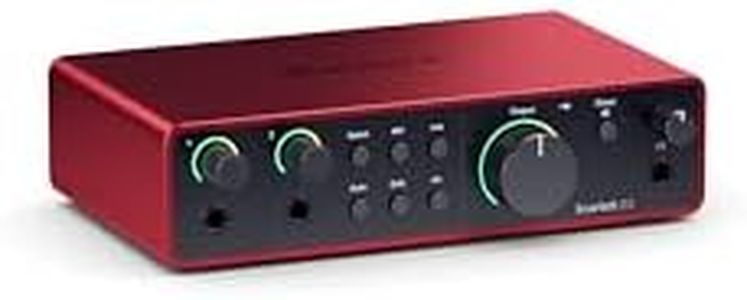
Focusrite Scarlett 2i2 4th Gen USB Audio Interface for Recording, Songwriting, Streaming and Podcasting — High-Fidelity, Studio Quality Recording, and All the Software You Need to Record
Most important from
2557 reviews
The Focusrite Scarlett 2i2 4th Gen USB Audio Interface is designed for musicians, podcasters, and streamers looking for a high-quality recording solution. With two inputs and a USB-C connection, it's straightforward to set up and use, making it perfect for home studios. The audio quality is impressive, boasting a dynamic range of 120dB and support for high sample rates, which is essential for capturing clear, professional-sounding recordings.
One of the standout features is the Auto Gain function, which automatically sets the input levels, and Clip Safe technology that prevents distortion, allowing users to focus on creating without worrying about technicalities. The Air mode is an excellent addition, enhancing vocals and instruments to make them pop in the mix.
In terms of software compatibility, the Scarlett 2i2 works seamlessly with all major recording software, providing flexibility for various audio editing needs. This makes it a versatile option for anyone from beginners to seasoned audio professionals. It has limitations, however; with just two inputs, it may not be suitable for larger recording sessions or for users who want to connect multiple microphones and instruments simultaneously. While it offers great sound quality, some may find the preamps less robust compared to more expensive models. Additionally, latency can vary depending on the system setup, which is something to consider if real-time monitoring is a priority.
Most important from
2557 reviews
Buying Guide for the Best Audio Interface For Home Studio
Choosing the right audio interface for your home studio is crucial for achieving high-quality sound recordings and smooth workflow. An audio interface is a device that connects your instruments, microphones, and other audio gear to your computer, converting analog signals to digital ones and vice versa. To find the best fit for your needs, consider the following key specifications and how they align with your recording goals and setup.FAQ
Most Popular Categories Right Now


