We Use CookiesWe use cookies to enhance the security, performance, functionality and for analytical and promotional activities. By continuing to browse this site you are agreeing to our privacy policy

10 Best Batch Slide Scanners 2026 in the United States

How do we rank products for you?

Our technology thoroughly searches through the online shopping world, reviewing hundreds of sites. We then process and analyze this information, updating in real-time to bring you the latest top-rated products. This way, you always get the best and most current options available.

headphones-stars

Our Top Picks

#1

Winner

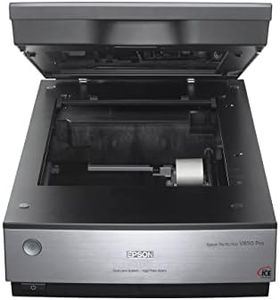
Epson Perfection V850 Pro Scanner

Rating
10.0
Chosen by1,297
Resolution
Batch Scanning Capacity
Software and Compatibility

Most important from
498 reviews

Resolution
Great resolution and scan quality, making it easy to use for color slides, prints, and negatives.
Batch Scanning Capacity
Scanning 12 slides at a time saves time and is more cost-effective than outsourcing the work.
Software and Compatibility
The scanner does a wonderful job copying and downloading negatives into folders on the computer, handling all sizes of negatives with great scanning capability.

The Epson Perfection V850 Pro scanner offers exceptional quality with a resolution of up to 9600 dpi, making it ideal for scanning slides and photos with great detail. The dual lens system ensures optimal results by selecting the appropriate lens based on the scanning requirements. Its 4.0 Dmax lets it handle smooth gradations and fine shadow details, enhancing the image quality.

However, it should be noted that while the resolution is impressive, the scanning speed might not be the fastest available which can be a drawback for bulk scanning tasks. Additionally, the scanner is fairly bulky, weighing around 20.9 pounds, which might be inconvenient for users requiring a more portable device. The batch scanning capacity is noteworthy but might not be suitable for high-volume professional settings where faster scanners are preferred.

Its compatibility with various operating systems, including multiple versions of Windows and Mac OS, adds versatility. Connectivity is limited to USB, which could be restrictive for users who prefer wireless options. Build quality seems robust, suggesting longevity and durability, although its size might require dedicated workspace. For those prioritizing high-resolution scans and comprehensive color depth, this scanner is a strong contender despite some limitations in speed and portability.

Rating
10.0
Chosen by1,297
Resolution
Batch Scanning Capacity
Software and Compatibility

Most important from
498 reviews

Resolution
Great resolution and scan quality, making it easy to use for color slides, prints, and negatives.
Batch Scanning Capacity
Scanning 12 slides at a time saves time and is more cost-effective than outsourcing the work.
Software and Compatibility
The scanner does a wonderful job copying and downloading negatives into folders on the computer, handling all sizes of negatives with great scanning capability.
#2

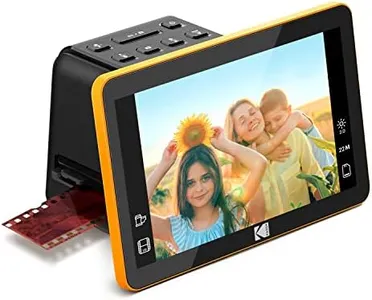
KODAK Slide N Scan Max Digital Film Scanner - Black/Yellow - Tiltable 7-Inch LCD with Gallery Mode & Photo Scanner Preview - Quick-Feed Tray for Slide Digitizer

Rating
9.4
Resolution
Scanning Speed
Connectivity

Most important from
1859 reviews

Resolution
Easy to use, portable, and functional! Works extremely fast and has great resolution!
Scanning Speed
Easy, speedy, and good quality scanning for many less important slides.
Connectivity
Connecting the scanner’s USB cable to my desktop computer allowed easy transfer of images to my hard drive.

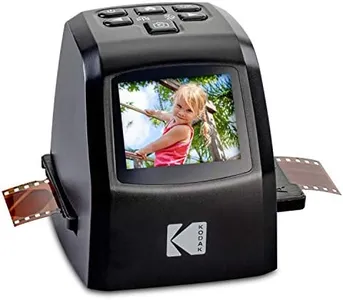
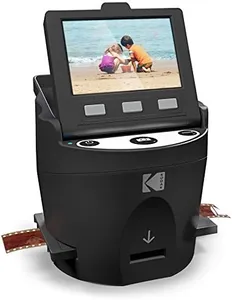
The KODAK 7" Digital Film Scanner is designed to help you convert old photo negatives and slides into digital files. One of its main strengths is its high resolution, offering up to 22MP, which should provide clear and detailed digital images. The large 7” LCD display is another great feature, allowing you to preview and edit photos directly on the device, making it user-friendly and convenient for sharing moments with friends and family.

Additionally, the easy-load film inserts and quick-feeding tray technology streamline the scanning process, making it efficient and straightforward to use. The scanner includes adapters for various film types and a cleaning brush, which adds to its versatility and ease of maintenance. It also supports SD or SDHC cards up to 32GB and connects via USB to Type-C enabled computers, ensuring good compatibility with modern devices.

The KODAK 7" Digital Film Scanner seems to be a solid option for those looking to digitize their old film negatives and slides with ease and flexibility. It is important to consider the total cost and potential additional purchases required, like the SD card.

Rating
9.4
Resolution
Scanning Speed
Connectivity

Most important from
1859 reviews

Resolution
Easy to use, portable, and functional! Works extremely fast and has great resolution!
Scanning Speed
Easy, speedy, and good quality scanning for many less important slides.
Connectivity
Connecting the scanner’s USB cable to my desktop computer allowed easy transfer of images to my hard drive.
#3

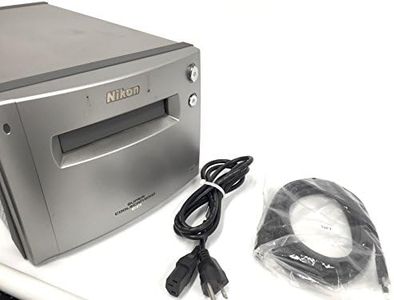
Nikon Super CoolScan 9000 ED Film Scanner

Rating
9.1
Resolution
Color Depth
Software and Compatibility

Most important from
9 reviews

Resolution
Scanning at 2400 dpi can be done in about 15 seconds, and while enabling ICE doubles the time, the results justify the wait.
Color Depth
The scanner delivers outstanding image quality with rich color restoration, even bringing faded slides back to life with impressive accuracy.
Software and Compatibility
The included software is straightforward and reliable, making the scanning process smooth and accessible.
Build Quality and Durability
Despite some setup challenges and long wait times to acquire the unit, the scanner proves to be a top-notch, durable device for serious film scanning needs.

The Nikon Super CoolScan 9000 ED is designed for serious film and slide scanning needs, offering a very high optical resolution of 4000 dpi, which is great for capturing fine details in your images. It supports 16-bit color depth, allowing rich color gradations for accurate scans. The scanner includes Digital ICE4 image correction technology, which helps fix dust and scratches automatically, saving time on editing.

Its scan speed is about 40 seconds per slide, which is reasonable but not the fastest for large batches. It connects mainly through FireWire, which is less common today and may require adapters or older computers, and it supports both PC and Mac, though the minimum system requirement is Windows 7, which might limit compatibility with more recent operating systems.

The scanner is quite solid and durable, weighing 20 pounds, so it's built for stable, long-term use but not very portable. It is better suited for moderate volumes rather than very large jobs. If you want high-quality scans with good color depth and image correction, and don’t mind the older connectivity, this model is reliable. However, if you need rapid batch scanning or plug-and-play compatibility with the latest computers, you might find it less convenient.

Rating
9.1
Resolution
Color Depth
Software and Compatibility

Most important from
9 reviews

Resolution
Scanning at 2400 dpi can be done in about 15 seconds, and while enabling ICE doubles the time, the results justify the wait.
Color Depth
The scanner delivers outstanding image quality with rich color restoration, even bringing faded slides back to life with impressive accuracy.
Software and Compatibility
The included software is straightforward and reliable, making the scanning process smooth and accessible.
Build Quality and Durability
Despite some setup challenges and long wait times to acquire the unit, the scanner proves to be a top-notch, durable device for serious film scanning needs.

Buying Guide for the Best Batch Slide Scanners

When choosing a batch-slide scanner, it's important to consider several key specifications to ensure you get the best fit for your needs. Batch-slide scanners are used to digitize multiple slides at once, making them ideal for archiving and preserving photographic memories. Understanding the key specs will help you make an informed decision and select a scanner that meets your requirements.
ResolutionResolution refers to the amount of detail the scanner can capture, measured in dots per inch (DPI). Higher resolution means more detail and larger file sizes. For general use, a resolution of 2400 DPI is usually sufficient. If you need to capture fine details for professional or archival purposes, look for a scanner with 4000 DPI or higher. Consider your end use: if you plan to print large photos or need high-quality digital archives, opt for higher resolution.
Batch Scanning CapacityBatch scanning capacity indicates how many slides the scanner can process at once. This is important for efficiency, especially if you have a large number of slides to digitize. Scanners with a capacity of 20-50 slides are suitable for moderate use, while those with capacities of 100 slides or more are ideal for heavy-duty scanning. Choose a capacity that matches the volume of slides you need to scan regularly.
Scanning SpeedScanning speed is the time it takes for the scanner to digitize each slide, usually measured in seconds per slide. Faster scanning speeds can save you a lot of time, especially when dealing with large batches. Entry-level scanners may take 30-60 seconds per slide, while high-end models can scan in under 10 seconds per slide. If time efficiency is crucial for you, opt for a scanner with a faster scanning speed.
Color DepthColor depth, measured in bits, determines the range of colors the scanner can capture. Higher color depth results in more accurate and vibrant images. Most scanners offer 24-bit color depth, which is sufficient for general use. For professional or archival purposes, look for scanners with 48-bit color depth to ensure the best color accuracy and detail. Consider the importance of color accuracy in your digitized images when choosing the color depth.
Software and CompatibilityThe software that comes with the scanner can greatly affect your user experience. Look for scanners that include user-friendly software with features like dust and scratch removal, color correction, and batch processing. Additionally, ensure the scanner is compatible with your operating system (Windows, macOS, etc.). If you need advanced editing features, check if the scanner software integrates well with programs like Adobe Photoshop. Choose a scanner with software that meets your editing and processing needs.
ConnectivityConnectivity options determine how the scanner connects to your computer. Common options include USB, Wi-Fi, and Ethernet. USB is the most straightforward and reliable, while Wi-Fi and Ethernet offer more flexibility and convenience, especially in a networked environment. Consider your workspace setup and whether you need the flexibility of wireless connectivity or the reliability of a wired connection.
Build Quality and DurabilityBuild quality and durability are important for ensuring the scanner can handle frequent use and last for years. Look for scanners made with high-quality materials and robust construction. If you plan to use the scanner heavily, choose a model known for its durability and reliability. Reading user reviews and checking the manufacturer's warranty can also give you an idea of the scanner's longevity.

FAQ

Most Popular Categories Right Now