10 Best Vinyl Cutters 2026 in the United States
Related Products

Recommended lists

Vinyl Tile Cutters
Our technology thoroughly searches through the online shopping world, reviewing hundreds of sites. We then process and analyze this information, updating in real-time to bring you the latest top-rated products. This way, you always get the best and most current options available.

Our Top Picks
Winner
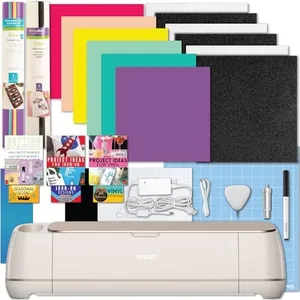
Cricut Maker 4 Machine with Vinyl and Iron-On Bundle - Beginner Friendly Craft Cutting Machine Set with Essential Materials, HTV and Adhesive Vinyl Variety Pack- DIY Decor Projects, Apparel and Decals
The Cricut Maker 4 is a smart, automatic vinyl cutting machine designed to be beginner-friendly while offering professional-level precision. It supports a generous cutting area of 144 square inches, which is ample for a variety of medium to large craft projects. One of its standout features is its speed—twice as fast as the previous model—helping you finish your designs quickly. It can cut over 300 materials, from vinyl and iron-on sheets to leather and balsa wood, thanks to compatibility with 13 different blades and tools. This versatility makes it well-suited for users who want to experiment with different craft projects beyond just vinyl decals. The machine also includes sensors to cut precisely around printed images, allowing for custom stickers and detailed designs.
Software-wise, it uses Cricut's own design platform, which is known for being intuitive and beginner-friendly, with plenty of project templates and tutorials included. Connectivity is handled automatically, making setup easy without complex wiring or additional devices. The bundle comes with essential materials like vinyl, iron-on sheets, transfer tape, and tools, so you can start crafting right away. On the downside, the machine is relatively large and weighs over 21 pounds, so it needs a dedicated workspace. Also, while the software is user-friendly, it does require an internet connection to access designs and updates.
For those just starting or looking for a versatile, reliable vinyl cutter that grows with your skills, the Cricut Maker 4 provides excellent value with a strong combination of power, speed, and ease of use.
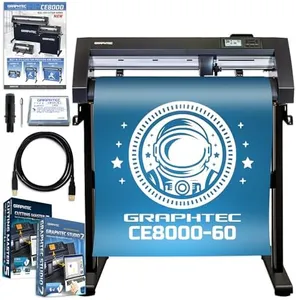
Graphtec CE8000-60 Plus - 24" Cutter Plotter with Bonus Software Package & Accessory Kit
The Graphtec CE8000-60 Plus is a robust 24-inch vinyl cutter designed for users who need reliable, industrial-grade performance. Its wide 24-inch cutting width is great for larger projects like signs and labels. It offers precise cutting with blades suitable for materials up to 0.25 mm thick, which covers most common vinyl types. The cutter is known for quiet operation and durability, making it ideal for small businesses or serious hobbyists who want a machine that can handle consistent work.
Connectivity options include USB and a wireless LAN connection, giving some flexibility in how you connect it to your computer. The included software package, featuring Graphtec Studio 2 and plugins for popular design programs like Adobe Illustrator and CorelDraw, ensures good software compatibility and helps streamline your workflow. Additionally, having design cards and training videos included makes getting started easier, even if you're new to vinyl cutting.
While the cutter offers a solid cutting speed and force suitable for most vinyl projects, it might not be the fastest or most powerful option for heavy-duty industrial use with very thick materials. Some users may find the initial setup and software learning curve a bit challenging without prior experience. The CE8000-60 Plus serves well as a dependable, mid-to-high-end vinyl cutter with good software support and connectivity, particularly suited for small business or advanced hobby use rather than heavy industrial production.
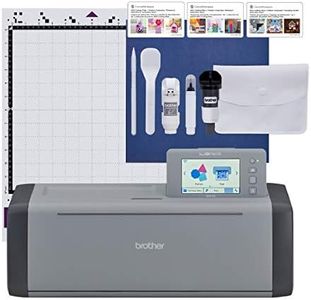
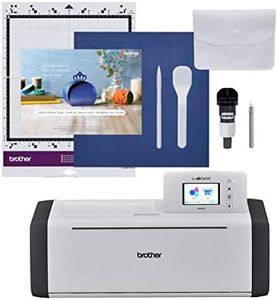
Brother ScanNCut SDX125EGY Electronic DIY Cutting Machine with Scanner, Make Custom Stickers, Vinyl Wall Art, Greeting Cards and More with 682 Included Patterns, Grey
Most important from
557 reviews
The Brother ScanNCut SDX125EGY is a versatile vinyl cutter that offers a generous cutting width of about 11.7 inches, which suits most hobby and small business projects. One of its strongest features is the built-in scanner, allowing you to scan your own designs or printed stickers directly and cut them precisely without complex setup. This feature is quite unique and helps with custom and detailed work. The cutter can handle materials up to 3 millimeters thick, including vinyl, paper, fabric, and even thin wood or foam, giving you flexibility for various crafts.
The automatic blade adjustment is a real time-saver since it senses material thickness and adjusts without manual input, reducing the chance of cutting errors. The machine comes with a good number of built-in designs (682), plus you can add more via USB or wireless connection, which adds to its creative potential. It features an easy-to-use 5-inch touchscreen that makes navigating settings straightforward, even if you're new to cutting machines. Connectivity includes USB and wireless, which are convenient for transferring patterns, but it doesn’t support direct app-based control like some competitors.
The cutting speed and force are suitable for typical DIY and small business needs but may not match industrial-grade machines if you require very fast or very heavy-duty cutting. The Brother ScanNCut SDX125EGY represents a strong choice for hobbyists and small entrepreneurs seeking a reliable, quiet, and easy-to-use vinyl cutter with added scanning capability, making it ideal for personalized projects and light to moderate use.
Most important from
557 reviews
Buying Guide for the Best Vinyl Cutters
Choosing the right vinyl cutter can be a game-changer for your crafting or business projects. Vinyl cutters are used to cut designs from vinyl sheets, which can then be used for various applications like signage, decals, and custom apparel. To find the best vinyl cutter for your needs, you should consider several key specifications. Understanding these specs will help you make an informed decision and ensure that the machine you choose meets your specific requirements.FAQ
Most Popular Categories Right Now


