We Use CookiesWe use cookies to enhance the security, performance, functionality and for analytical and promotional activities. By continuing to browse this site you are agreeing to our privacy policy

10 Best Cheap Android Tablets 2026 in the United States
How do we rank products for you?

Our technology thoroughly searches through the online shopping world, reviewing hundreds of sites. We then process and analyze this information, updating in real-time to bring you the latest top-rated products. This way, you always get the best and most current options available.

headphones-stars

Our Top Picks

#1

Winner

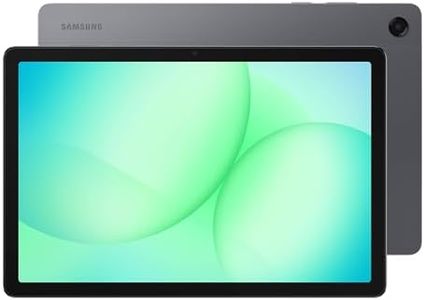
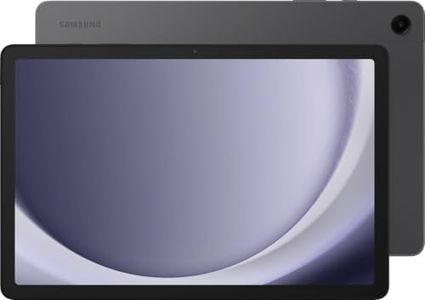
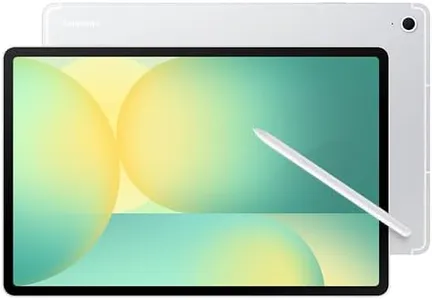
Samsung Galaxy Tab A9+ Plus 11” 128GB Android Tablet, Big Screen, Quad Speakers, Upgraded Chipset, Multi Window Display, Slim, Light, Durable, Kids Friendly Design, US Version, 2024, Silver

Rating
10.0
Chosen by1,413
Display Size and Resolution
Processor
Battery Life

Most important from
20924 reviews

Display Size and Resolution
The tablet delivers quick, smooth performance with bright, vivid colors and a highly responsive screen.
Processor
The device supports gaming and multitasking effortlessly, making it versatile for both entertainment and productivity.
Battery Life
Battery life impresses with long usage times, and charging speed improves significantly with a high-speed adapter.
Build Quality and Design
Lightweight and slim design paired with sturdy build quality suits everyday use and portability.

The Samsung Galaxy Tab A9+ is a solid choice if you're looking for a budget-friendly Android tablet with a large, bright screen. Its 11-inch display offers a sharp 1920x1200 resolution and a smooth 90Hz refresh rate, making it ideal for watching videos and casual gaming. The quad speakers with Dolby Atmos add a rich sound experience, which is a nice bonus for family entertainment.

Powered by a Qualcomm chipset and offering 128GB of storage (expandable via microSD), it provides decent performance and enough space for apps, games, and media. Multitasking is supported, allowing you to run several apps side-by-side, which is helpful for productivity or keeping kids entertained. The tablet runs Android with Samsung's software enhancements, including a kids-friendly mode that parents will appreciate for safe usage.

Its slim and light design makes it easy to carry around, and the device feels sturdy enough for everyday use. This model suits those who want a simple, reliable tablet with a good screen and sound on a budget, especially for families and casual users. If you need top performance or exceptional cameras, there are better options but likely at a higher price.

Rating
10.0
Chosen by1,413
Display Size and Resolution
Processor
Battery Life

Most important from
20924 reviews

Display Size and Resolution
The tablet delivers quick, smooth performance with bright, vivid colors and a highly responsive screen.
Processor
The device supports gaming and multitasking effortlessly, making it versatile for both entertainment and productivity.
Battery Life
Battery life impresses with long usage times, and charging speed improves significantly with a high-speed adapter.
Build Quality and Design
Lightweight and slim design paired with sturdy build quality suits everyday use and portability.
#2

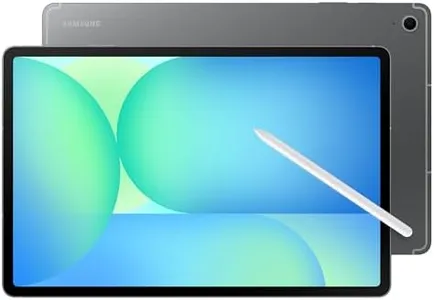
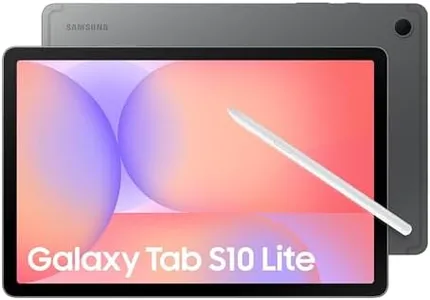
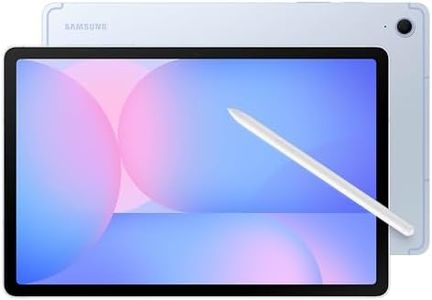
Samsung Galaxy Tab S10 Lite, 6GB RAM, 128GB, 2TB Expand, Long Battery Life, 10.9” LCD, S Pen for Note-Taking, Exynos 1380, Circle to Search, AI Tools, Gray

Rating
9.7
Display Size and Resolution
Battery Life
Build Quality and Design

Most important from
427 reviews

Display Size and Resolution
The bright, vibrant display is easy on the eyes and ideal for media consumption and reading.
Battery Life
Battery life stands out as superb, easily lasting through extended use without frequent charging.
Build Quality and Design
Lightweight and sleek design makes it comfortable to hold and carry around all day.

The Samsung Galaxy Tab S10 Lite stands out in the budget Android tablet category by offering a bright and fairly large 10.9-inch display with a sharp resolution (2112 x 1320 pixels), great for watching videos or reading. It comes with a solid 6GB of RAM and a modern Exynos 1380 processor, which together handle everyday tasks like scrolling, streaming, and note-taking smoothly. With 128GB of built-in storage and the option to add up to 2TB via a microSD card, it provides plenty of space for apps, photos, and files. One of its highlights is the included S Pen, which makes writing, drawing, and even solving math easier—great for students or creative users. The tablet runs on a recent Android version, ensuring access to many apps and features.

Battery life is impressive, lasting up to 16 hours on typical use, and it supports fast charging for quick power-ups. The build is slim and lightweight, making it easy to carry around, and the gray finish gives it a sleek look. On the downside, the camera quality isn’t emphasized, suggesting it might be basic compared to pricier models, and the tablet lacks cellular connectivity, limiting it to Wi-Fi use only. Also, while the display is sharp, it uses LCD technology rather than AMOLED, so colors might not be as vivid as on higher-end Samsung tablets.

For anyone seeking an affordable Android tablet with a good screen, solid performance, ample storage, and a handy stylus, the Galaxy Tab S10 Lite presents a compelling option—especially for note-taking, media consumption, and light multitasking.

Rating
9.7
Display Size and Resolution
Battery Life
Build Quality and Design

Most important from
427 reviews

Display Size and Resolution
The bright, vibrant display is easy on the eyes and ideal for media consumption and reading.
Battery Life
Battery life stands out as superb, easily lasting through extended use without frequent charging.
Build Quality and Design
Lightweight and sleek design makes it comfortable to hold and carry around all day.
#3

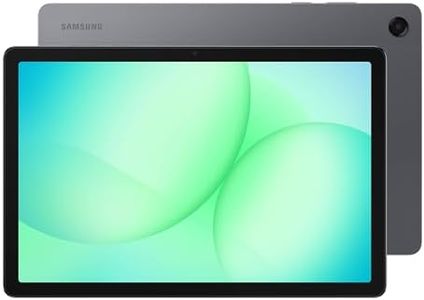
TCL NXTPAPER 11 Plus Android Tablet, 11.5" 120Hz 2.2K Drawing Pad & Digital Notebook, Stylus & Flip Case Included, NXTPAPER 4.0 Display, AI Tools, 8+8GB RAM, 256GB Storage, 8000mAh Battery, Onyx Black

Rating
9.1
Display Size and Resolution
Processor
RAM

Most important from
92 reviews

Display Size and Resolution
The large, smooth screen makes writing and drawing with the stylus feel natural and lag-free, perfect for extended note-taking and sketching sessions.
Processor
Powered by a chipset that handles everyday apps, multitasking, and large PDFs smoothly without noticeable lag at this price point.
RAM
Runs full Microsoft and Google app suites effortlessly, supporting split-screen multitasking and cloud-based workflows.
Battery Life
Battery life supports a full day of usage with fast charging and reverse charging capabilities, enhancing portability and convenience.
Camera Quality
Camera quality is sufficient for video calls but understandably not comparable to modern smartphone cameras.
Build Quality and Design
The included folding case is essential, providing a sturdy stand and protection that is hard to find in third-party options.

The TCL NXTPAPER 11 Plus is a versatile tablet featuring an 11.5-inch 2.2K display with a smooth 120Hz refresh rate, delivering crisp visuals and fluid animations. Its NXTPAPER 4.0 screen technology is designed to reduce eye strain through low blue light emission and an anti-glare coating, making it ideal for extended reading or drawing sessions. Included is a stylus that offers precise, pressure-sensitive input, which benefits artists and note-takers alike.

Powered by a MediaTek Helio G100 processor, complemented with 8GB of RAM plus an additional 8GB RAM expansion, this tablet handles everyday tasks and creative applications efficiently without noticeable lag. It provides 256GB of storage, ample for apps, files, and media. Running on the latest Android 15, it supports modern functionalities such as screen mirroring and split-screen multitasking. The 8000mAh battery offers solid endurance for a full day of use and supports both fast charging and reverse charging. The cameras include basic 8MP sensors on both the front and rear, suitable for video calls and casual photos but not intended for high-quality photography.

The design is sleek and lightweight, featuring a durable metal body and an included flip case that doubles as a stand, adding convenience and protection. While the processor is mid-range and may not perform optimally for heavy gaming or very demanding apps, and the LCD display lacks the deep blacks of an OLED, this tablet is well-suited for students, casual artists, and users seeking a comfortable reading and media device at an affordable price point.

Rating
9.1
Display Size and Resolution
Processor
RAM

Most important from
92 reviews

Display Size and Resolution
The large, smooth screen makes writing and drawing with the stylus feel natural and lag-free, perfect for extended note-taking and sketching sessions.
Processor
Powered by a chipset that handles everyday apps, multitasking, and large PDFs smoothly without noticeable lag at this price point.
RAM
Runs full Microsoft and Google app suites effortlessly, supporting split-screen multitasking and cloud-based workflows.
Battery Life
Battery life supports a full day of usage with fast charging and reverse charging capabilities, enhancing portability and convenience.
Camera Quality
Camera quality is sufficient for video calls but understandably not comparable to modern smartphone cameras.
Build Quality and Design
The included folding case is essential, providing a sturdy stand and protection that is hard to find in third-party options.

Buying Guide for the Best Cheap Android Tablets

When it comes to buying a cheap Android tablet, it's important to balance affordability with functionality. You want a device that meets your needs without breaking the bank. To make an informed decision, you should consider several key specifications. These specs will help you understand the tablet's performance, usability, and overall value. Here's a breakdown of the most important specs to look at and how to choose the right one for you.
Display Size and ResolutionThe display size and resolution determine how large and clear the screen will be. Display size is measured diagonally in inches, and common sizes range from 7 to 10 inches for budget tablets. A larger screen is better for watching videos and browsing, while a smaller screen is more portable. Resolution, measured in pixels, affects the sharpness of the display. Higher resolution means clearer images and text. For a budget tablet, aim for at least 1280x800 pixels to ensure a decent viewing experience.
ProcessorThe processor, or CPU, is the brain of the tablet and affects how smoothly it runs apps and performs tasks. Budget tablets typically have quad-core or octa-core processors. Quad-core processors are sufficient for basic tasks like web browsing and streaming, while octa-core processors offer better performance for multitasking and gaming. Consider your usage: if you plan to use the tablet for simple tasks, a quad-core processor will suffice. For more demanding applications, an octa-core processor is a better choice.
RAMRAM (Random Access Memory) is crucial for multitasking and running apps smoothly. More RAM allows the tablet to handle more tasks at once without slowing down. Budget tablets usually come with 2GB to 4GB of RAM. For basic use like reading, browsing, and streaming, 2GB of RAM is adequate. If you plan to use multiple apps simultaneously or play games, opt for a tablet with 3GB or 4GB of RAM for better performance.
StorageStorage capacity determines how much data you can store on your tablet, including apps, photos, videos, and documents. Budget tablets often come with 16GB to 64GB of internal storage. If you store a lot of media or download many apps, look for a tablet with at least 32GB of storage. Additionally, check if the tablet has a microSD card slot, which allows you to expand storage capacity easily and affordably.
Battery LifeBattery life indicates how long the tablet can be used on a single charge. It's usually measured in milliampere-hours (mAh) or estimated usage hours. For budget tablets, aim for a battery life of at least 6 to 8 hours of active use. This ensures you can use the tablet throughout the day without needing frequent recharges. Consider your usage patterns: if you plan to use the tablet for extended periods, prioritize longer battery life.
Operating System VersionThe operating system (OS) version affects the tablet's features, security, and compatibility with apps. Android tablets come with different versions of the Android OS. Newer versions offer better performance, security updates, and access to the latest apps. For a budget tablet, look for one running at least Android 9.0 (Pie) or later. This ensures you have a relatively up-to-date system with good app compatibility and security features.
Camera QualityCamera quality is important if you plan to take photos, video chat, or use the tablet for scanning documents. Budget tablets typically have basic cameras with lower megapixel counts. A rear camera with at least 5MP and a front camera with 2MP are common in budget models. If camera quality is a priority for you, look for higher megapixel counts and additional features like autofocus and flash. However, if you only need the camera for occasional use, basic specs will suffice.
Build Quality and DesignBuild quality and design affect the tablet's durability and how comfortable it is to use. Budget tablets may use plastic materials, which can be less durable than metal or glass. Look for a tablet with a solid build and a design that feels comfortable in your hands. Consider factors like weight and thickness, especially if you plan to carry the tablet around frequently. A well-built tablet will last longer and provide a better user experience.

FAQ

Most Popular Categories Right Now