We Use CookiesWe use cookies to enhance the security, performance, functionality and for analytical and promotional activities. By continuing to browse this site you are agreeing to our privacy policy

10 Best Cheap Gaming Keyboards 2026 in the United States
How do we rank products for you?

Our technology thoroughly searches through the online shopping world, reviewing hundreds of sites. We then process and analyze this information, updating in real-time to bring you the latest top-rated products. This way, you always get the best and most current options available.

headphones-stars

Our Top Picks

#1

Winner

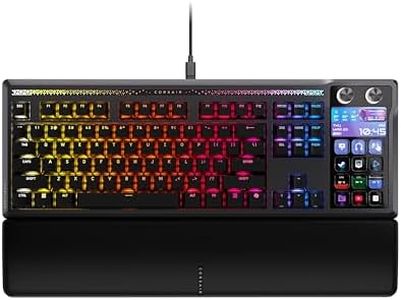
Corsair Galleon 100 SD RGB Mechanical Wired Gaming Keyboard – QWERTY US, Stream Deck-Integrated, Pre-Lubed MLX Pulse Thocky Hotswappable PBT Double-Shot Switches, FlashTap SOCD, 8,000Hz – Black

Rating
10.0
Chosen by1,419
Programmable Keys
Build Quality
Switch Type

Most important from
91 reviews

Programmable Keys
The built-in Stream Deck is a game-changer, making it easy to switch songs, open apps, and manage workflows without juggling tabs.
Build Quality
Durable PBT double-shot keycaps provide a nice texture, though they feel a bit cheap for the price point.
Switch Type
Random input errors such as unexpected capitalizations and incorrect characters appearing during typing have been reported, which can be frustrating.

The Corsair Galleon 100 SD is a mechanical gaming keyboard designed for gamers who want a lot of features without a high price tag. It uses pre-lubed MLX Pulse Thocky hot-swappable mechanical switches, allowing easy switch changes without soldering, which is great for customizing feel and sound. The keyboard supports full RGB backlighting, offering vibrant lighting options to personalize your setup. Its 8,000Hz polling rate and FlashTap SOCD support provide very fast and precise key inputs, enhancing competitive gaming and smooth gameplay.

A standout feature is the integration with Elgato Stream Deck, providing dedicated programmable keys and dials for quick access to apps like Discord and Spotify, as well as control over streaming tools. This unique addition for a keyboard in this price range adds versatility beyond gaming. Additionally, the 5-inch customizable LCD screen helps monitor system or streaming content without switching windows.

In terms of build quality, the keyboard uses durable PBT double-shot keycaps, which resist wear better than typical plastic caps, and includes a wrist rest for comfort during long sessions. With 99 keys, it remains compact while including essential keys for gaming and media control. Anti-ghosting and key rollover features ensure multiple key presses register correctly. Although it weighs over 3 pounds, which might feel bulky to some, the keyboard offers impressive speed, customization, and streaming integration, making it suitable for gamers seeking both gaming precision and advanced control features.

Rating
10.0
Chosen by1,419
Programmable Keys
Build Quality
Switch Type

Most important from
91 reviews

Programmable Keys
The built-in Stream Deck is a game-changer, making it easy to switch songs, open apps, and manage workflows without juggling tabs.
Build Quality
Durable PBT double-shot keycaps provide a nice texture, though they feel a bit cheap for the price point.
Switch Type
Random input errors such as unexpected capitalizations and incorrect characters appearing during typing have been reported, which can be frustrating.
#2

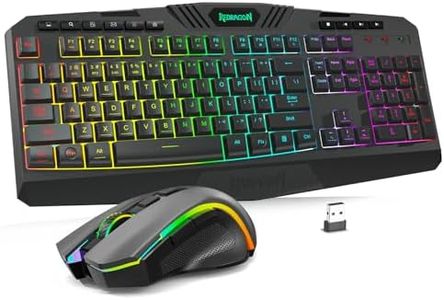
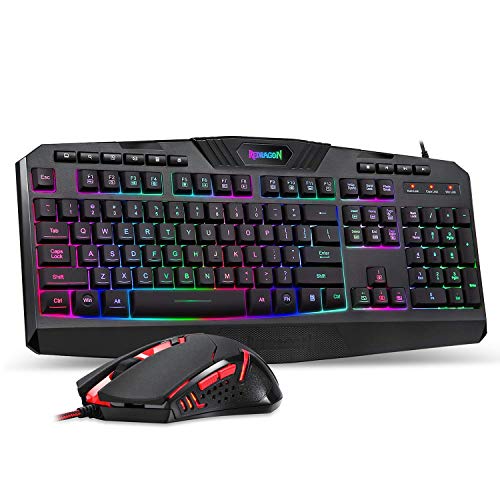
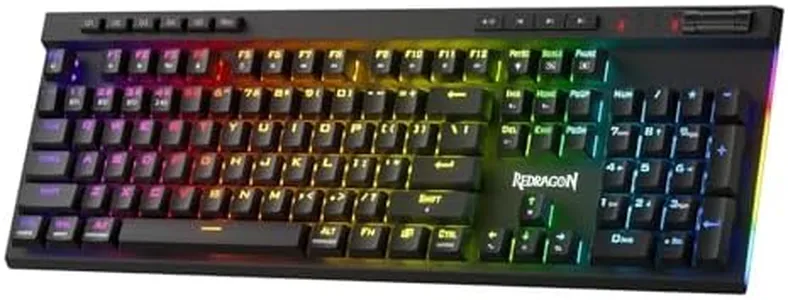
Redragon S101M-KS Gaming Keyboard and Mouse Wireless with Tri-Mode, RGB Keyboard and 4800 DPI Gaming Mouse, 10 Independent Multimedia Keys for Wins, PC, Computer, Wireless S101 Ideal for Gamer

Rating
9.7
Switch Type
Backlighting
Build Quality

Most important from
51405 reviews

Switch Type
The keys have a soft yet distinct feel that makes typing quiet and comfortable, ideal for working during calls without distracting noise.
Backlighting
Matte keys prevent light reflection, allowing clear visibility of each key even under RGB backlighting.
Build Quality
The build quality feels somewhat cheap, and the plastic finish shows oily marks after use, which may affect long-term aesthetics.
Programmable Keys
Macro functionality works well, adding valuable programmability to the keyboard.
Ergonomics
The mouse offers a comfortable grip, though it takes some time to get used to the grooves designed for finger placement.

The Redragon S101M-KS wireless keyboard and mouse combo offers a solid choice for gamers looking for affordable options without sacrificing essential features. Its tri-mode connectivity (wired, Bluetooth, and 2.4G wireless) provides flexibility and convenience, helping reduce cable clutter. The keyboard features RGB backlighting with 8 customizable patterns, enhancing the gaming atmosphere and allowing users to adjust lighting speed and brightness. The mouse supports up to 4800 DPI with five adjustable levels, good enough for varied gaming styles.

In terms of build, the keyboard includes splash resistance and an ergonomic design, making long gaming sessions more comfortable. It offers 10 independent multimedia keys plus additional combination shortcuts, which help with quick in-game controls. Programmability is a plus, allowing users to remap keys and customize backlighting and mouse DPI via Redragon’s software. However, the keyboard uses membrane switches rather than mechanical ones, which may feel less tactile and responsive to some gamers used to pricier models.

The included mouse is functional with programmable buttons but may not satisfy those wanting a high-end gaming mouse. The keyboard’s rechargeable battery can last up to 300 hours without backlighting, but with RGB on, expect shorter run times. The package also comes with a detachable USB-C cable for wired use or charging. This combo is well suited for casual and budget gamers who want wireless freedom, customizable lighting, and decent performance without breaking the bank. While it lacks mechanical switches, it delivers good value with programmable features and ergonomic comfort at a competitive price.

Rating
9.7
Switch Type
Backlighting
Build Quality

Most important from
51405 reviews

Switch Type
The keys have a soft yet distinct feel that makes typing quiet and comfortable, ideal for working during calls without distracting noise.
Backlighting
Matte keys prevent light reflection, allowing clear visibility of each key even under RGB backlighting.
Build Quality
The build quality feels somewhat cheap, and the plastic finish shows oily marks after use, which may affect long-term aesthetics.
Programmable Keys
Macro functionality works well, adding valuable programmability to the keyboard.
Ergonomics
The mouse offers a comfortable grip, though it takes some time to get used to the grooves designed for finger placement.
#3

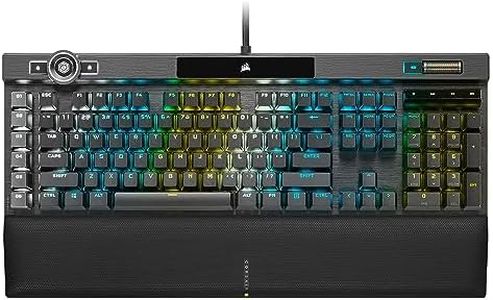
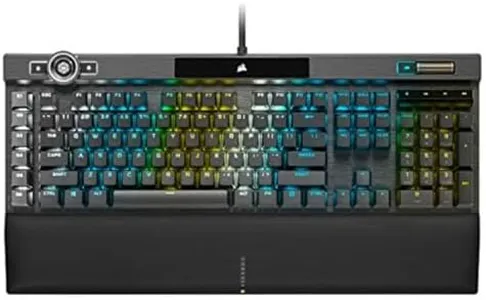
Corsair K100 RGB Optical-Mechanical Wired Gaming Keyboard - QWERTY US Layout, OPX Switches - PBT Double-Shot Keycaps - Elgato Stream Deck and iCUE Compatible - Black

Rating
9.4
Switch Type
Backlighting
Build Quality

Most important from
4662 reviews

Switch Type
The OPX switches are not only responsive but also therapeutic with their hollow and relaxing sound, making typing an enjoyable experience.
Backlighting
The edge lighting with Corsair's iCue software, especially the audio visualizer, adds a fantastic touch to the overall experience.
Build Quality
The Corsair K100 has superior build quality; the textured keys prevent hands from sliding off, and the wrist mount is comfortable.
Programmable Keys
The macro keys are useful but can sometimes get in the way, especially if you frequently use the escape key.

The Corsair K100 RGB Optical-Mechanical Gaming Keyboard stands out with its advanced features and robust build quality. The OPX switches provide a responsive and tactile experience, which is excellent for gaming. With key rollover and anti-ghosting, it ensures all your key presses are registered accurately, even during intense gaming sessions. The keyboard's dynamic per-key RGB backlighting and 44-zone LightEdge provide impressive visual customization, making your setup look fantastic.

However, while the extensive lighting options are a plus, they might be overkill for gamers looking for a simple and cheap keyboard. The aluminum frame adds to the durability, making it a long-lasting choice, but it does increase the weight, making it less portable. The programmable keys and iCUE control wheel offer a high level of customization for gaming and other applications, which is a significant advantage. This level of customization requires time to set up and might be overwhelming for users who prefer plug-and-play simplicity.

The braided cable ensures durability but adds to the overall bulkiness of the keyboard. Ergonomically, the keyboard is well-designed with a comfortable layout, but its size might be cumbersome for users with limited desk space. While the Corsair K100 excels in performance and features, it may be considered expensive for those seeking a budget-friendly option. It is best suited for serious gamers who value high performance and extensive customization options over affordability.

Rating
9.4
Switch Type
Backlighting
Build Quality

Most important from
4662 reviews

Switch Type
The OPX switches are not only responsive but also therapeutic with their hollow and relaxing sound, making typing an enjoyable experience.
Backlighting
The edge lighting with Corsair's iCue software, especially the audio visualizer, adds a fantastic touch to the overall experience.
Build Quality
The Corsair K100 has superior build quality; the textured keys prevent hands from sliding off, and the wrist mount is comfortable.
Programmable Keys
The macro keys are useful but can sometimes get in the way, especially if you frequently use the escape key.

Buying Guide for the Best Cheap Gaming Keyboards

Choosing the right gaming keyboard can significantly enhance your gaming experience. When selecting a gaming keyboard, it's important to consider various specifications that can impact your gameplay, comfort, and overall satisfaction. Here are some key specs to look out for and how to navigate them to find the best fit for you.
Switch TypeThe switch type refers to the mechanism beneath each key that registers a keypress. This is crucial because it affects the feel and responsiveness of the keyboard. There are three main types: membrane, mechanical, and hybrid. Membrane switches are quieter and cheaper but may feel less responsive. Mechanical switches are more tactile and durable, offering a variety of feels (like clicky, linear, or tactile) and are preferred by many gamers for their precision. Hybrid switches combine elements of both. Choose based on your preference for key feel and the type of games you play; for example, fast-paced games might benefit from the quick response of mechanical switches.
Key Rollover and Anti-GhostingKey rollover refers to the number of keys that can be pressed simultaneously and still be registered by the keyboard. Anti-ghosting ensures that additional unintended keys are not registered when multiple keys are pressed. These features are important for gaming, especially in fast-paced or complex games where multiple key presses are common. Keyboards can range from 6-key rollover to full N-key rollover. If you play games that require multiple simultaneous key presses, look for a keyboard with higher key rollover and anti-ghosting capabilities.
BacklightingBacklighting is the illumination of the keys, which can be a single color or RGB (multiple colors). This is important for visibility in low-light conditions and can also enhance the aesthetic appeal of your setup. Single-color backlighting is simpler and usually cheaper, while RGB backlighting offers customization options and can sync with other RGB devices. If you often game in the dark or enjoy customizing your setup, consider a keyboard with backlighting that suits your preferences.
Build QualityBuild quality refers to the materials and construction of the keyboard. This is important for durability and comfort. Keyboards can be made from plastic, metal, or a combination of both. Higher build quality often means a longer-lasting keyboard that can withstand intense gaming sessions. If you plan to use your keyboard heavily, look for one with a sturdy build and high-quality materials.
Programmable KeysProgrammable keys allow you to customize key functions and create macros for complex commands. This is important for enhancing gameplay efficiency and convenience. The number of programmable keys can vary, with some keyboards offering dedicated macro keys. If you play games that benefit from quick access to complex commands, look for a keyboard with programmable keys that can be customized to your needs.
ErgonomicsErgonomics refers to the design of the keyboard that ensures comfort during use. This is important to prevent strain and injury during long gaming sessions. Features like wrist rests, adjustable tilt, and key layout can impact ergonomics. If you spend long hours gaming, consider a keyboard with ergonomic features that provide comfort and reduce the risk of strain.

FAQ

Most Popular Categories Right Now