We Use CookiesWe use cookies to enhance the security, performance, functionality and for analytical and promotional activities. By continuing to browse this site you are agreeing to our privacy policy

10 Best Digital Picture Frames With WiFi 2025 in the United States

How do we rank products for you?

Our technology thoroughly searches through the online shopping world, reviewing hundreds of sites. We then process and analyze this information, updating in real-time to bring you the latest top-rated products. This way, you always get the best and most current options available.

headphones-stars

Our Top Picks

#1

Winner

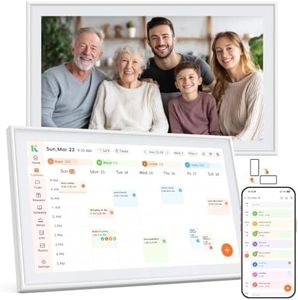
Dragon Touch 15.6 Inch Large Digital Picture Frame - WiFi Digital Photo Frame with 32GB Storage, FHD 1080P Touch Screen, Auto-Rotate, Share Photos/Videos Instantly via Free App Best Gifts for Mom

Rating
10.0
Chosen by1,182
Screen Size
Resolution
WiFi Connectivity

Most important from
318 reviews

Screen Size
The frame’s size strikes a good balance—large enough for vivid viewing but suitable for placement on shelves or desks.
Resolution
The frame displays beautiful, clear pictures with stunning, crisp, and vibrant image quality that makes photos truly pop.
WiFi Connectivity
Uploading photos remotely via the app or email keeps the display constantly refreshed with new memories, even from afar.
User Interface
Setup is incredibly easy and quick, allowing users to unbox, connect, and start a slideshow within minutes without hassle.
Compatibility with Photo Sources
Sharing photos with family members living far away is seamless, making it an ideal gift that connects loved ones effortlessly.
Additional Features
Besides photos, the frame offers multiple useful features like weather updates, calendar, time display, and music playback.

The Dragon Touch 15.6 Inch Digital Picture Frame is a strong choice for anyone looking to easily display and share photos with family and friends, especially those who appreciate a larger screen. Its 15.6-inch full HD (1080p) touchscreen offers clear and vibrant images, making your photos look sharp and colorful. The 32GB of built-in storage is generous, allowing you to save a substantial number of pictures and short videos right on the frame. Connecting to WiFi (2.4 GHz only) lets you instantly send new photos or videos via a free app, email, or cloud, which is great for keeping the display fresh without needing to use a USB or memory card.

The user interface is intuitive and touch-based, suitable even for less tech-savvy users, and setup is straightforward. Compatibility mainly focuses on smartphones, making it simple to share moments directly from your phone. Beyond showing pictures, the frame includes extra features like music playback, a calendar, weather updates, and customizable slideshow settings, adding useful touches to its functionality.

On the downside, the frame only supports 2.4 GHz WiFi, which might be slower or less stable if you have a modern dual-band router favoring 5 GHz. Also, while it supports video playback, this is limited to small clips rather than full movies. The frame is somewhat heavy and large, so it’s best suited for a stationary spot rather than frequent moving. This digital frame performs well for anyone wanting a large, easy-to-use display to keep memories alive and share instantly with loved ones, making it a thoughtful gift for family members of all ages.

Rating
10.0
Chosen by1,182
Screen Size
Resolution
WiFi Connectivity

Most important from
318 reviews

Screen Size
The frame’s size strikes a good balance—large enough for vivid viewing but suitable for placement on shelves or desks.
Resolution
The frame displays beautiful, clear pictures with stunning, crisp, and vibrant image quality that makes photos truly pop.
WiFi Connectivity
Uploading photos remotely via the app or email keeps the display constantly refreshed with new memories, even from afar.
User Interface
Setup is incredibly easy and quick, allowing users to unbox, connect, and start a slideshow within minutes without hassle.
Compatibility with Photo Sources
Sharing photos with family members living far away is seamless, making it an ideal gift that connects loved ones effortlessly.
Additional Features
Besides photos, the frame offers multiple useful features like weather updates, calendar, time display, and music playback.
#2

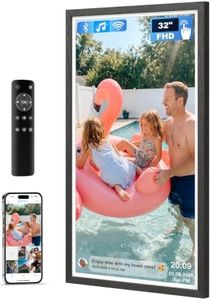
Nixplay Digital Touch Screen Picture Frame with WiFi - 15.6” Photo Frame, Connecting Families & Friends (Black/White Matte)

Rating
9.1
WiFi Connectivity

Most important from
21225 reviews

WiFi Connectivity
Uploading photos is seamless, with family members easily sharing images directly from their phones.

The Nixplay Digital Touch Screen Picture Frame with WiFi boasts a large 15.6-inch screen size and a resolution of 1080p, ensuring your photos are displayed with clear and vibrant quality. Its WiFi connectivity enables seamless photo and video uploads through the Nixplay app, which supports multiple users and devices, enhancing family and friend connections.

The user interface is designed to be intuitive, making setup and operation straightforward, even for those not particularly tech-savvy. Compatibility with various photo sources like Apple Photos, Facebook, Instagram, and Google Photos (subscription required) adds versatility to how you can display your memories.

Additional features like NixCast for casting to smart TVs and AI-driven smart-centering for perfectly aligned images provide a richer viewing experience. Some features such as advanced photo syncing and storage may require paid subscriptions, which could be a drawback depending on your budget. The product is praised for its security measures, keeping your photos safe with encrypted servers. Nixplay remains an industry leader recognized by reputable sources, making this frame a solid choice for those seeking a feature-rich, WiFi-enabled digital picture frame.

Rating
9.1
WiFi Connectivity

Most important from
21225 reviews

WiFi Connectivity
Uploading photos is seamless, with family members easily sharing images directly from their phones.
#3

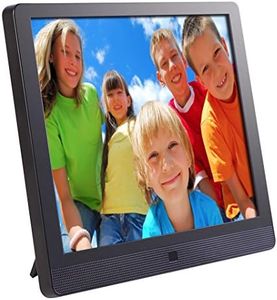
Nixplay AI-Enhanced Digital Picture Frame | Stunning HD Touch Screen Display | Perfect Digital Picture Frame for Gifting | Auto-Rotation Feature, Securely Share Photos/Videos via Email or App | 10.1"

Rating
7.9
WiFi Connectivity
User Interface and Controls
Additional Features

Most important from
21225 reviews

WiFi Connectivity
The Nixplay Digital Picture Frame is incredibly easy to set up and connect, with the app guiding you through the process seamlessly.
User Interface and Controls
The picture quality is good, and the user-friendly interface makes it accessible for everyone, including less tech-savvy family members.
Additional Features
The ability to have multiple users add photos to the frame is a standout feature, bringing joy and surprise to relatives who see new pictures appear.

The Nixplay Digital Picture Frame offers a 10.1-inch HD touchscreen display, making it a suitable option for showcasing photos and videos. With a resolution of 720p, the picture quality is decent but may not be as sharp as higher resolution frames. One of its standout features is the ease of setup and connectivity; you can easily upload content via the Nixplay app, available for both iOS and Android, or through a desktop browser.

Additionally, the frame supports multiple users and devices, allowing family members to contribute photos seamlessly. The auto-rotation feature ensures that your photos are always displayed correctly, whether in landscape or portrait mode. AI-driven smart-centering and customizable slideshow settings enhance the viewing experience.

For those concerned about privacy, Nixplay's cloud storage is encrypted and compliant with privacy regulations. The 720p resolution might be a drawback for users seeking the highest visual clarity. This frame is ideal for users who want a user-friendly, feature-rich digital picture frame that prioritizes ease of sharing and secure storage.

Rating
7.9
WiFi Connectivity
User Interface and Controls
Additional Features

Most important from
21225 reviews

WiFi Connectivity
The Nixplay Digital Picture Frame is incredibly easy to set up and connect, with the app guiding you through the process seamlessly.
User Interface and Controls
The picture quality is good, and the user-friendly interface makes it accessible for everyone, including less tech-savvy family members.
Additional Features
The ability to have multiple users add photos to the frame is a standout feature, bringing joy and surprise to relatives who see new pictures appear.

Buying Guide for the Best Digital Picture Frames With WiFi

Digital picture frames with WiFi are a fantastic way to display your favorite photos without the need for physical prints. They allow you to easily update and manage your photo collection from anywhere, making them a convenient and modern solution for showcasing memories. When choosing a digital picture frame, it's important to consider several key specifications to ensure you get the best fit for your needs.
Screen SizeScreen size refers to the diagonal measurement of the display area. This is important because it determines how large your photos will appear. Smaller screens (7-8 inches) are more compact and suitable for desks or small spaces, while larger screens (10-15 inches) are better for living rooms or areas where you want your photos to be more prominent. Consider where you plan to place the frame and how much space you have available.
ResolutionResolution indicates the number of pixels on the screen, which affects the clarity and detail of the images displayed. Higher resolutions (e.g., 1920x1080 or higher) provide sharper and more detailed images, making them ideal for larger frames or for users who want the best image quality. Lower resolutions (e.g., 800x600) may be sufficient for smaller frames or less critical viewing. Think about how important image quality is to you and choose accordingly.
Storage CapacityStorage capacity refers to how many photos the frame can hold. Some frames come with built-in storage, while others rely on external memory cards or cloud storage. Larger storage capacities (e.g., 8GB or more) allow you to store more photos directly on the frame, which is useful if you have a large photo collection. If you prefer to use cloud storage, ensure the frame supports it and consider how much cloud storage you might need.
WiFi ConnectivityWiFi connectivity allows the frame to connect to the internet, enabling features like remote photo uploads, syncing with online albums, and receiving photos from friends and family. This is important for convenience and ease of use, especially if you want to update your photo collection frequently or share photos with others. Look for frames with reliable WiFi capabilities and consider how often you'll be updating your photos.
User InterfaceThe user interface is how you interact with the frame, including the menu system and controls. A user-friendly interface is important for ease of use, especially if you're not tech-savvy. Some frames offer touchscreens, while others use physical buttons or remote controls. Consider your comfort level with technology and choose a frame with an interface that you find intuitive and easy to navigate.
Compatibility with Photo SourcesCompatibility with photo sources refers to the frame's ability to display photos from various sources, such as smartphones, computers, social media, and cloud services. This is important for flexibility and convenience, allowing you to easily access and display photos from different devices and platforms. Check if the frame supports the photo sources you use most frequently and ensure it can integrate seamlessly with your existing photo ecosystem.
Additional FeaturesAdditional features can enhance the functionality and enjoyment of your digital picture frame. These may include slideshow options, motion sensors, customizable display settings, and the ability to play videos or music. Consider which features are important to you and how they might enhance your experience. For example, motion sensors can save energy by turning the frame off when no one is around, while customizable settings allow you to tailor the display to your preferences.

FAQ

Most Popular Categories Right Now