We Use CookiesWe use cookies to enhance the security, performance, functionality and for analytical and promotional activities. By continuing to browse this site you are agreeing to our privacy policy

10 Best Dual Monitor Arms 2026 in the United States
How do we rank products for you?

Our technology thoroughly searches through the online shopping world, reviewing hundreds of sites. We then process and analyze this information, updating in real-time to bring you the latest top-rated products. This way, you always get the best and most current options available.

headphones-stars

Our Top Picks

#1

Winner

BenQ BDH01 Dual Monitor Arm -Gas Spring Monitor Stand for 2 Screens Up to 35'' & 44lbs, Heavy Duty, Quick Installation, No Sagging, Top Clamp and Grommet Base, Reinforcement Plate, VESA 75x75 &100x100

Rating
10.0
Chosen by1,121
Weight Capacity
Build Quality
Cable Management

Most important from
115 reviews

Weight Capacity
The arm is super sturdy and looks great, providing excellent support for monitors up to 27 inches and beyond.
Build Quality
Installation can be tedious but straightforward, especially when using the steel reinforcement plate which adds bulk but ensures stability.
Cable Management
The included cable management system struggles with multiple thick cables, particularly newer high-bandwidth DisplayPort cables, so cable length and routing require careful planning.
Adjustability
Adjusting the tension screws requires precision, as even slight turns significantly affect resistance and movement.

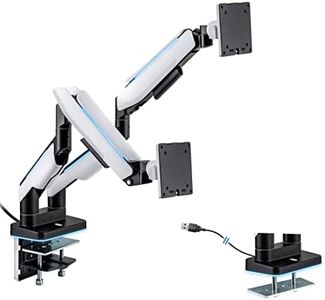
The BenQ BDH01 dual monitor arm is a strong choice if you want to hold two monitors up to 35 inches and 44 pounds each. It fits most popular brands like BenQ, Dell, Samsung, and LG, thanks to standard VESA mounting (75x75mm and 100x100mm). One of its main strengths is its gas spring system, tested for long-term use, which keeps monitors stable without sagging.

You get a lot of movement options — tilt, swivel, rotation, and height adjustments — so you can position your screens just right for comfort and productivity. The arm extends up to 19 inches, which helps with flexible desk setups. Installation is pretty straightforward with either a top clamp or a grommet base, and the included steel reinforcement plate protects delicate desks, including glass surfaces. Cable management is built-in, helping keep your workspace tidy.

The arm is somewhat heavy itself (almost 14 pounds), which might be a bit tricky for very thin desks or if you plan to move it frequently. While it supports monitors up to 44 pounds, very heavy or ultra-wide monitors beyond 35 inches will not fit. Given these considerations, this arm offers good build quality and solid functionality for a clutter-free, ergonomic workspace.

Rating
10.0
Chosen by1,121
Weight Capacity
Build Quality
Cable Management

Most important from
115 reviews

Weight Capacity
The arm is super sturdy and looks great, providing excellent support for monitors up to 27 inches and beyond.
Build Quality
Installation can be tedious but straightforward, especially when using the steel reinforcement plate which adds bulk but ensures stability.
Cable Management
The included cable management system struggles with multiple thick cables, particularly newer high-bandwidth DisplayPort cables, so cable length and routing require careful planning.
Adjustability
Adjusting the tension screws requires precision, as even slight turns significantly affect resistance and movement.
#2

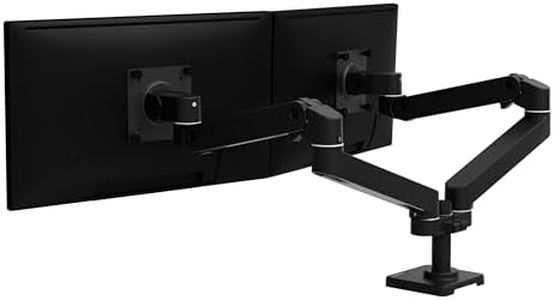
Amazon Basics Gas Spring Dual Computer Monitor Arm Mount, Adjustable, Holds up to 27" Monitors, Black

Rating
9.1
Weight Capacity
Adjustability
Mounting Options

Most important from
2936 reviews

Weight Capacity
The arm feels incredibly solid and well-made, holding a 27-inch monitor without any wobbling or sagging.
Adjustability
Excellent adjustability allows for easy height, tilt, and rotation adjustments, significantly reducing neck strain.
Mounting Options
Easy installation with clear instructions and all necessary hardware included, even for those not particularly handy.
Build Quality
The arm feels incredibly solid and well-made, holding a 27-inch monitor without any wobbling or sagging.

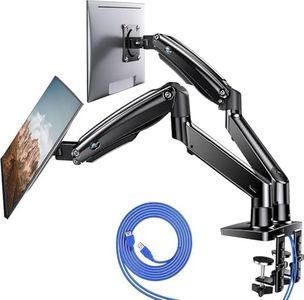
The Amazon Basics Gas Spring Dual Computer Monitor Arm Mount is a good solution for those looking to set up a dual monitor configuration. It can accommodate monitors ranging from 15 to 27 inches and supports weights between 4.4 to 15.4 pounds, making it versatile for different screen sizes and weights. The articulating gas spring arm offers excellent adjustability, allowing for tilt, swivel, and 360-degree rotation, which means you can position your monitors exactly how you want them.

Additionally, the arm extends up to 20.5 inches long and 18.25 inches high, providing ample flexibility in positioning the screens. The mounting options include a C-clamp and grommet base mount, suitable for desks with thicknesses from 0.39 to 4 inches and hole diameters from 1.5 to 2.36 inches, which should cover most desk setups. Build quality is solid with its aluminum construction, ensuring durability. The included cable management system helps to keep cables tidy, contributing to a cleaner workspace.

Weighing 7 pounds might be a bit heavy for some users, and it might not be suitable for very lightweight desks. It ranks well among similar products and is reasonably priced. This monitor arm is suitable for users who need a flexible, robust, and space-efficient solution for their dual monitor setups.

Rating
9.1
Weight Capacity
Adjustability
Mounting Options

Most important from
2936 reviews

Weight Capacity
The arm feels incredibly solid and well-made, holding a 27-inch monitor without any wobbling or sagging.
Adjustability
Excellent adjustability allows for easy height, tilt, and rotation adjustments, significantly reducing neck strain.
Mounting Options
Easy installation with clear instructions and all necessary hardware included, even for those not particularly handy.
Build Quality
The arm feels incredibly solid and well-made, holding a 27-inch monitor without any wobbling or sagging.
#3

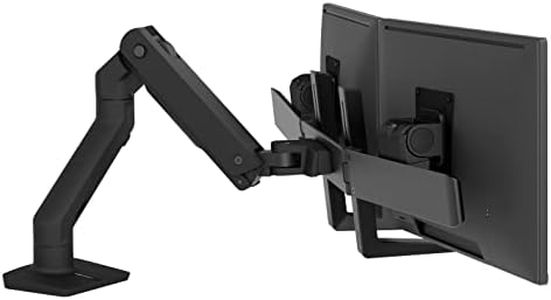
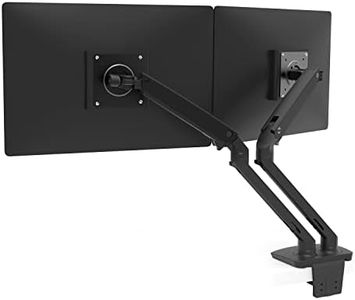
Ergotron – HX Dual Monitor Arm, VESA Desk Mount – for 2 Monitors Up to 32 Inches, 5 to 17.5 lbs Each – Matte Black

Rating
8.8
Weight Capacity
Adjustability
Build Quality

Most important from
100 reviews

Weight Capacity
Holds heavy Apple Studio Displays securely once properly aligned.
Adjustability
Easy to assemble with sturdy metal arms and simple adjustments.
Build Quality
Challenging to align initially, but worth the effort for a stable and reliable setup.

The Ergotron HX Dual Monitor Arm is a versatile and robust option for those looking to support two monitors, each up to 32 inches and weighing between 5 to 17.5 pounds. It stands out with its broad compatibility, fitting VESA patterns of 75x75mm and 100x100mm, and offers multiple mounting options, including a desk clamp and grommet mount, making it suitable for a variety of desk setups.

With 11.5 inches of lift and the ability to raise monitors up to 20.6 inches above the desk, it allows for significant adjustability. You can also rotate each monitor 360 degrees and tilt them up to 75 degrees, providing a comfortable viewing experience and supporting ergonomic needs, especially for tasks that require screen sharing or collaboration. The hinged bow design further enhances dual-monitor ergonomics by allowing the monitors to fold outward independently.

Constructed with professional-grade aluminum, the build quality is solid, ensuring stability and durability, backed by a 10-year warranty and expert tech support. The Ergotron HX is a high-quality, reliable option for dual-monitor setups.

Rating
8.8
Weight Capacity
Adjustability
Build Quality

Most important from
100 reviews

Weight Capacity
Holds heavy Apple Studio Displays securely once properly aligned.
Adjustability
Easy to assemble with sturdy metal arms and simple adjustments.
Build Quality
Challenging to align initially, but worth the effort for a stable and reliable setup.

Buying Guide for the Best Dual Monitor Arms

Choosing the right dual-monitor arms can significantly improve your workspace ergonomics and productivity. Dual-monitor arms allow you to position your monitors at the perfect height, angle, and distance, reducing strain on your neck, back, and eyes. When selecting dual-monitor arms, consider the key specifications to ensure they meet your needs and preferences.
Weight CapacityWeight capacity refers to the maximum weight each arm can support. This is important because monitors come in various weights, and you need to ensure that the arms can hold your monitors securely. Typically, weight capacity is divided into light (up to 10 lbs per arm), medium (10-20 lbs per arm), and heavy (over 20 lbs per arm). To pick the right one, check the weight of your monitors and choose arms that can comfortably support them.
AdjustabilityAdjustability refers to the range of motion the arms offer, including height, tilt, swivel, and rotation. This is crucial for achieving the most ergonomic setup. Some arms offer basic adjustability, while others provide full motion capabilities. If you need to frequently change your monitor positions or share your workspace, opt for arms with greater adjustability. Consider your work habits and how often you need to adjust your monitors to determine the best option.
Mounting OptionsMounting options refer to how the arms attach to your desk or wall. Common types include clamp mounts, grommet mounts, and wall mounts. Clamp mounts are versatile and easy to install, grommet mounts provide a cleaner look by using existing holes in your desk, and wall mounts save desk space. Choose the mounting option that best fits your workspace setup and installation preferences.
CompatibilityCompatibility involves ensuring the arms can accommodate the size and VESA pattern of your monitors. VESA patterns are standardized mounting hole patterns on the back of monitors. Most arms support common VESA patterns like 75x75mm and 100x100mm. Check your monitor's specifications for size and VESA pattern, and select arms that match these requirements to ensure a secure fit.
Build QualityBuild quality refers to the materials and construction of the monitor arms. High-quality arms are typically made from durable materials like steel or aluminum, which provide stability and longevity. Look for arms with solid construction and reliable joints to avoid sagging or wobbling. If you plan to use the arms for a long time or have heavy monitors, prioritize build quality to ensure lasting performance.
Cable ManagementCable management features help organize and hide the cables running to your monitors, creating a cleaner and more organized workspace. Some arms come with built-in cable channels or clips. Effective cable management can reduce clutter and make your setup look more professional. If you have multiple cables and want a tidy workspace, look for arms with good cable management solutions.

FAQ

Most Popular Categories Right Now