We Use CookiesWe use cookies to enhance the security, performance, functionality and for analytical and promotional activities. By continuing to browse this site you are agreeing to our privacy policy

10 Best Electronic Typewriters 2026 in the United States
How do we rank products for you?

Our technology thoroughly searches through the online shopping world, reviewing hundreds of sites. We then process and analyze this information, updating in real-time to bring you the latest top-rated products. This way, you always get the best and most current options available.

headphones-stars

Our Top Picks

#1

Winner

Freewrite Smart Typewriter | Digital Typewriter with E Ink Display for Distraction-Free Writing | WiFi-Enabled Word Processor Syncs Directly to The Cloud | Dedicated Drafting Machine for Authors

Rating
10.0
Chosen by1,295
Display Screen
Keyboard Layout

Most important from
90 reviews

Display Screen
Some users notice screen lag when documents get lengthy, but it's manageable by switching or downloading files.
Keyboard Layout
The mechanical keyboard with its tactile feedback is highly appreciated, though the loud keys are more suited for home use.

The Freewrite Smart Typewriter is designed to provide a distraction-free writing environment, making it ideal for authors and writers who need to focus on their work without the interruptions of modern technology. Its E Ink display is easy on the eyes and can be used in various lighting conditions, which is a big plus for extended writing sessions. The typing speed is enhanced by the mechanical keyboard with Kailh Box Brown switches, offering a satisfying tactile feedback that many typists enjoy. This can help in maintaining a steady flow of writing.

The typewriter also boasts a substantial internal memory, capable of storing up to 1,000,000 words, ensuring that you won't easily run out of space for your drafts. Additionally, the Wi-Fi connectivity allows seamless syncing to the cloud, making sure your work is always backed up and accessible for editing on other devices.

However, the Freewrite Smart Typewriter does have some limitations. The lack of correction features, which are common in traditional electronic typewriters, might be a drawback for some users who are accustomed to easy text editing. The device's relatively small display screen might be limiting for users who prefer a larger view of their text. Moreover, at nearly 4 pounds, it's not the most portable option available, which could be a concern for writers who need to travel frequently. The Freewrite Smart Typewriter excels in offering a dedicated, distraction-free writing experience with modern connectivity, but it may fall short for those looking for more traditional typewriter features and higher portability.

Rating
10.0
Chosen by1,295
Display Screen
Keyboard Layout

Most important from
90 reviews

Display Screen
Some users notice screen lag when documents get lengthy, but it's manageable by switching or downloading files.
Keyboard Layout
The mechanical keyboard with its tactile feedback is highly appreciated, though the loud keys are more suited for home use.
#2

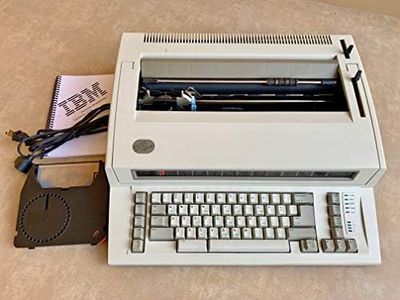
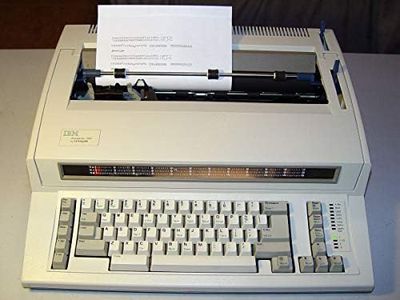
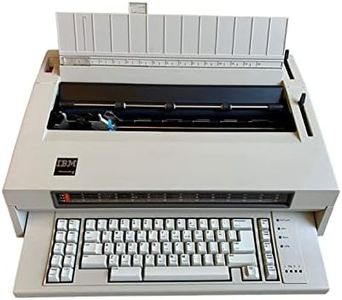
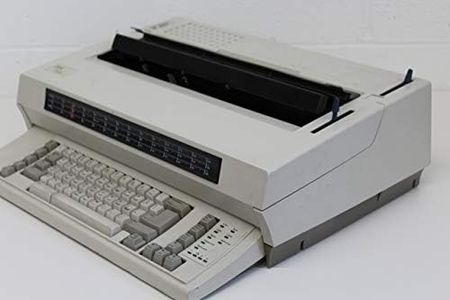
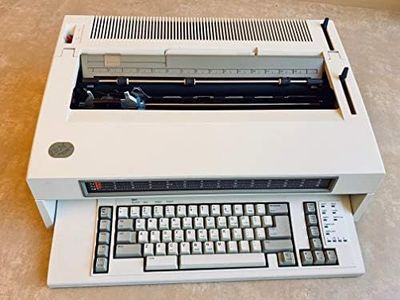
IBM Typewriter Wheelwriter III (3)

Rating
10.0
Typing Speed
Keyboard Layout
Correction Features

Most important from
12 reviews

Typing Speed
Delivers a dependable typing experience reminiscent of classic typewriters, perfect for routine tasks like checks and envelopes.
Keyboard Layout
Offers straightforward, tactile feedback that many find comfortable and familiar, making it easy to use without a digital screen.
Correction Features
Built-in correction features simplify fixing mistakes and formatting, enhancing productivity compared to traditional manual typewriters.
Portability
Sturdy construction ensures reliability in office or home settings, though its weight limits portability.
Print Quality
Print quality meets IBM's dependable standards, providing clear output suitable for everyday documents.

The IBM Wheelwriter III is a reliable electronic typewriter designed for users who want a solid typing experience without modern computer distractions. It offers adjustable typing pitch options (10, 12, and 15 characters per inch), which helps you customize the print density to suit different documents. Its built-in correction features, such as auto correction and auto center, make fixing mistakes and formatting easier than on traditional manual typewriters.

While it doesn’t have a digital display screen, which means you can’t preview text before printing, it compensates with straightforward, tactile feedback from the keyboard, which many people find comfortable and familiar. The machine weighs about 26 pounds, so it’s quite sturdy but not very portable if you need to carry it around frequently.

Print quality is dependable, typical of IBM’s standards, but it won’t match modern laser printers or word processors in sharpness or flexibility. Memory features are limited compared to electronic word processors, so it’s better suited to simple typing tasks rather than long, editable documents. The Wheelwriter III is well-suited for those who want a dependable, easy-to-use electronic typewriter with helpful correction tools, especially in office or home settings where portability isn’t a priority.

Rating
10.0
Typing Speed
Keyboard Layout
Correction Features

Most important from
12 reviews

Typing Speed
Delivers a dependable typing experience reminiscent of classic typewriters, perfect for routine tasks like checks and envelopes.
Keyboard Layout
Offers straightforward, tactile feedback that many find comfortable and familiar, making it easy to use without a digital screen.
Correction Features
Built-in correction features simplify fixing mistakes and formatting, enhancing productivity compared to traditional manual typewriters.
Portability
Sturdy construction ensures reliability in office or home settings, though its weight limits portability.
Print Quality
Print quality meets IBM's dependable standards, providing clear output suitable for everyday documents.
#3

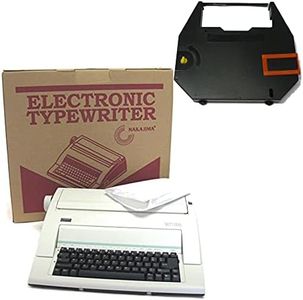
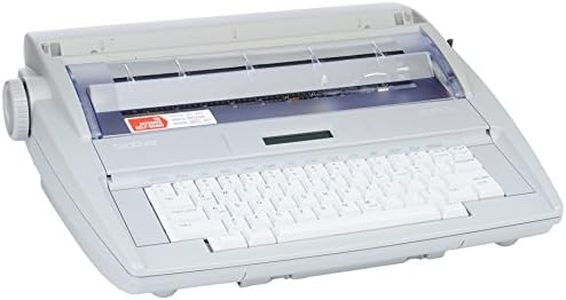
Nakajima WPT-150 Portable Electronic Typewriter Bundle with Correct Film Ribbon (2 Items)

Rating
9.7
Typing Speed
Print Quality

Most important from
695 reviews

Typing Speed
Typing speed and print quality meet expectations for straightforward document creation.
Print Quality
Typing speed and print quality meet expectations for straightforward document creation.

The Nakajima WPT-150 is a portable electronic typewriter designed for users who want a straightforward typing experience with some helpful correction features. It types at up to 12 characters per second, which is decent for this kind of device, and offers flexible print width options with a 13-inch carriage and a 9-inch print area. The typewriter supports different pitch settings (10, 12, and 15) and line spacing choices, so you can adjust the text appearance somewhat.

One of its useful features is the ability to erase mistakes by word or character, which can save time compared to older manual typewriters. It also includes automatic centering and underlining, making formatting easier. The keyboard layout is standard, so it should feel familiar to most users. Print quality is good for an electronic typewriter, especially with the included 100-character Prestige Pica 10 printwheel and the correct film ribbon in the bundle, which helps maintain clear and sharp text.

The unit weighs nearly 13 pounds and measures about 26 by 20 inches, so while it is called portable, it might be a bit bulky to carry around frequently. This model is well-suited for those who want a reliable electronic typewriter mainly for straightforward document creation with some ease of correction, rather than advanced editing or high portability for daily travel.

Rating
9.7
Typing Speed
Print Quality

Most important from
695 reviews

Typing Speed
Typing speed and print quality meet expectations for straightforward document creation.
Print Quality
Typing speed and print quality meet expectations for straightforward document creation.

Buying Guide for the Best Electronic Typewriters

Choosing the right electronic typewriter can be a rewarding experience, especially if you know what to look for. Electronic typewriters combine the simplicity of traditional typewriters with some of the conveniences of modern technology. When selecting an electronic typewriter, it's important to consider several key specifications to ensure you get a model that fits your needs. Here are the main specs to consider and how to navigate them.
Typing SpeedTyping speed, measured in characters per second (CPS), indicates how fast the typewriter can print characters. This is important because a higher typing speed can make your typing experience smoother and more efficient. Typing speeds typically range from 10 to 20 CPS. If you type quickly or have a lot of work to get through, a higher CPS will be beneficial. For casual or slower typists, a lower CPS may be sufficient.
MemoryMemory in an electronic typewriter refers to its ability to store text. This can be useful for repetitive tasks or for storing frequently used phrases. Memory capacity can vary from a few lines to several pages. If you need to store and recall text often, look for a typewriter with more memory. For basic typing tasks, minimal memory will suffice.
Display ScreenSome electronic typewriters come with a small display screen that shows a few lines of text. This can help you review and edit your work before printing. The size and clarity of the display can vary. If you need to make frequent edits or prefer to see your text before it prints, a typewriter with a larger, clearer display will be helpful. If you are comfortable with traditional typing and minimal editing, a smaller or no display might be adequate.
Correction FeaturesCorrection features allow you to fix mistakes without using correction fluid or tape. These features can include automatic correction, a correction key, or a built-in eraser. The extent of correction capabilities can vary. If you make frequent errors or want the convenience of easy corrections, look for a typewriter with robust correction features. If you are confident in your typing accuracy, basic correction features may be enough.
Keyboard LayoutThe keyboard layout of an electronic typewriter can affect your typing comfort and efficiency. Some typewriters offer a standard QWERTY layout, while others may have additional function keys or ergonomic designs. If you are used to a specific layout or need additional functions, choose a typewriter that matches your preferences. For general typing, a standard QWERTY layout will usually be sufficient.
Print QualityPrint quality refers to the clarity and sharpness of the characters printed on the paper. This can be influenced by the type of ribbon used and the typewriter's printing mechanism. Higher print quality is important for professional documents or if you want your work to look neat and legible. If print quality is less of a concern, a typewriter with standard print quality will be adequate.
PortabilityPortability is determined by the size and weight of the typewriter. If you need to move your typewriter frequently or have limited space, a more compact and lightweight model will be beneficial. For stationary use, a larger typewriter with more features might be preferable. Consider how and where you will use the typewriter to determine the right level of portability for you.

FAQ

Most Popular Categories Right Now