We Use CookiesWe use cookies to enhance the security, performance, functionality and for analytical and promotional activities. By continuing to browse this site you are agreeing to our privacy policy

10 Best Gps Units 2026 in the United States
How do we rank products for you?

Our technology thoroughly searches through the online shopping world, reviewing hundreds of sites. We then process and analyze this information, updating in real-time to bring you the latest top-rated products. This way, you always get the best and most current options available.

headphones-stars

Our Top Picks

#1

Winner

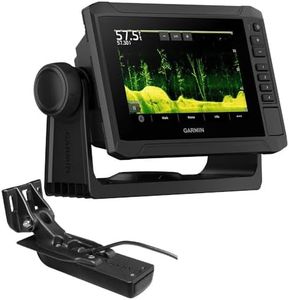
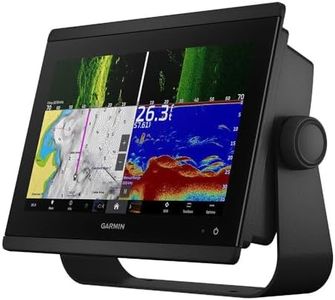
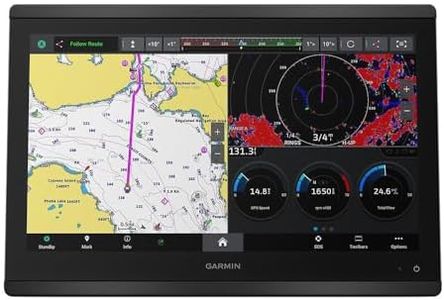
Garmin ECHOMAP UHD2 94sv with GT56 Transducer, 9" Touchscreen Chartplotter, Garmin Navionics+ U.S. Coastal

Rating
10.0
Chosen by1,260
User Interface
Display
Durability

Most important from
231 reviews

User Interface
The device offers a clear and easy-to-navigate interface that significantly improves the boating experience.
Display
The 9-inch touchscreen delivers bright, sharp visuals that remain easy to read even in sunlight.
Durability
Garmin continues to deliver dependable products that meet high expectations every time.

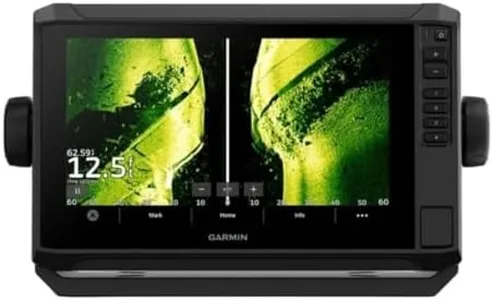
The Garmin ECHOMAP UHD2 94sv is a solid choice for boaters looking for reliable navigation and fish-finding in one device. Its 9-inch touchscreen is bright and easy to read even in sunlight, making it simple to view maps and sonar images clearly. The included GT56 transducer supports several sonar types, giving detailed underwater views that can help both casual anglers and serious fishermen. Garmin’s Navionics+ U.S. Coastal charts come built-in, offering good map detail and useful coastal data right out of the box.

Battery life is powered by the boat’s electrical system, so the device can run as long as you need during outings, but it doesn’t have a standalone internal battery to rely on when off the boat. In terms of connectivity, it shines with built-in Wi-Fi allowing wireless sharing of routes and waypoints with other units, and it can integrate with the Garmin Force trolling motor for easier route following and motor control. The user interface is straightforward thanks to the responsive touchscreen, making it accessible for users who may not be tech-savvy.

While the device is built for marine environments, its durability depends on proper installation and care, since it’s designed to be mounted on a dashboard or panel rather than completely waterproof if exposed. If you want a dependable, well-rounded marine GPS unit that combines detailed sonar, solid mapping, and smart connectivity, this model covers those bases well, though it requires power from the boat and some setup to get the most from its features.

Rating
10.0
Chosen by1,260
User Interface
Display
Durability

Most important from
231 reviews

User Interface
The device offers a clear and easy-to-navigate interface that significantly improves the boating experience.
Display
The 9-inch touchscreen delivers bright, sharp visuals that remain easy to read even in sunlight.
Durability
Garmin continues to deliver dependable products that meet high expectations every time.
#2

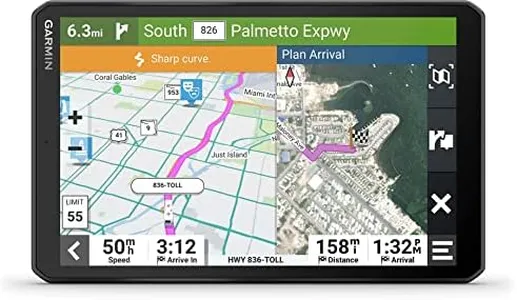
Garmin RV 1095, Extra-Large, Easy-to-Read 10” GPS Navigator, Custom Routing, High-Resolution Birdseye Satellite Imagery, Directory of Parks and Services, Landscape or Portrait View Display

Rating
8.8
Accuracy
Display
Mapping Software

Most important from
897 reviews

Accuracy
Despite some missing features like route comparison, it reliably gets users to their destinations.
Display
Mounting can be tricky due to the device's size, particularly in smaller RVs, but the screen is large and easy to use.
Mapping Software
The Garmin RV 795 is a lifesaver for RV or travel trailer navigation, directing users only on roads safe for towing.
User Interface
The interface takes some getting used to, but it prevents changing settings while driving, enhancing safety.
Connectivity
Sharing routes and GPX files over WiFi is seamless, enhancing trip planning and navigation.

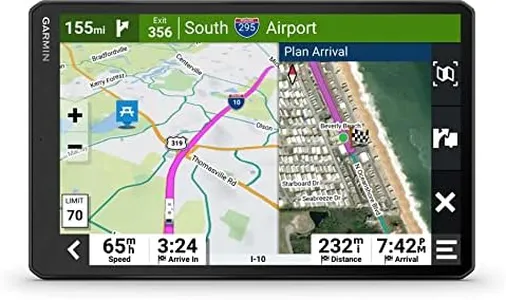
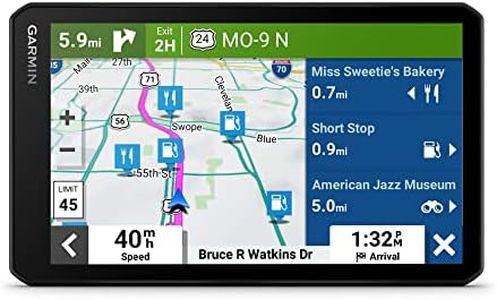
The Garmin RV 1095 is a GPS unit specifically designed for RVs, boasting a large 10-inch touchscreen display that is both bright and high-resolution. This makes it easy to view maps and route information, whether in landscape or portrait mode. The custom RV routing feature takes into account the size and weight of your RV to find suitable roads, though this functionality might not cover all areas.

The preloaded directory of RV parks and services, along with content from various sources like Tripadvisor and Foursquare, is a great tool for finding amenities and points of interest along your journey. Additionally, the high-resolution Birdseye satellite imagery offers detailed aerial views, which can be very useful for navigating to RV parks or campgrounds. Other strengths include road warnings for steep grades and sharp curves, suggestions for scenic routes, and real-time updates on shower and parking availability at certain travel plazas via the Garmin Drive app.

Connectivity is supported through Bluetooth, enhancing the user experience with real-time information and updates. On the downside, the bulk and weight of the device (1.22 pounds) might be considered cumbersome for some users. The battery life, dependent on a single lithium-ion battery, might require frequent recharging depending on usage. The user interface, while touchscreen, might take some time to get used to, especially for those not familiar with Garmin products. The Garmin RV 1095 is a solid choice for RV owners seeking a comprehensive and detailed navigation aid, with a few considerations regarding its physical size and battery dependency.

Rating
8.8
Accuracy
Display
Mapping Software

Most important from
897 reviews

Accuracy
Despite some missing features like route comparison, it reliably gets users to their destinations.
Display
Mounting can be tricky due to the device's size, particularly in smaller RVs, but the screen is large and easy to use.
Mapping Software
The Garmin RV 795 is a lifesaver for RV or travel trailer navigation, directing users only on roads safe for towing.
User Interface
The interface takes some getting used to, but it prevents changing settings while driving, enhancing safety.
Connectivity
Sharing routes and GPX files over WiFi is seamless, enhancing trip planning and navigation.
#3

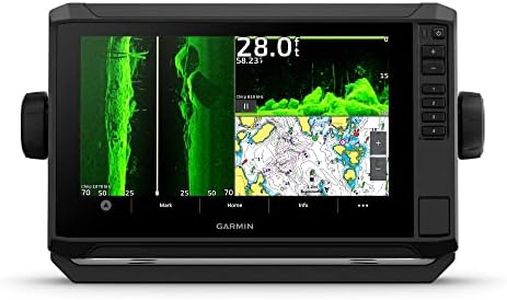
Garmin ECHOMAP UHD2 93sv with GT56 Transducer, 9" Touchscreen Chartplotter, Garmin Navionics+ U.S. Inland

Rating
8.5
Display
User Interface
Mapping Software

Most important from
231 reviews

Display
The display offers exceptional clarity, making navigation straightforward and visually clear even in bright conditions.
User Interface
The touchscreen interface is intuitive and easy to use, simplifying operation for users of all experience levels.
Mapping Software
Sonar functions provide precise depth finding and detailed underwater imaging, enhancing fishing and boating experiences.
Connectivity
Connectivity features enable seamless data sharing and control of compatible trolling motors directly from the device.
Durability
This unit is a dependable choice for anglers and boaters seeking advanced mapping and sonar in a sturdy, well-built package.

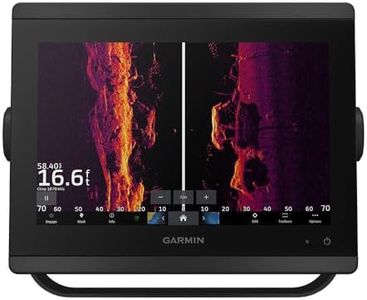
The Garmin ECHOMAP UHD2 93sv is a solid choice for boaters and anglers needing a reliable marine GPS with advanced sonar capabilities. It features a bright 9-inch touchscreen that’s easy to read even in sunlight, which makes navigation simple and clear. The included GT56 transducer offers excellent sonar imaging with Garmin’s traditional, ClearVü, and SideVü scanning, helping you see underwater details with good accuracy.

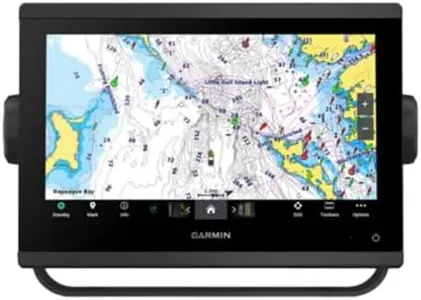
The built-in Garmin Navionics+ U.S. Inland maps cover over 18,000 lakes with detailed contours, which is great for freshwater fishing and navigation. Connectivity is another strong point: the device supports Wi-Fi for sharing data with other ECHOMAP units and can connect wirelessly to compatible trolling motors, allowing you to control routes and speed directly from the screen. The user interface is intuitive thanks to the touchscreen, making it friendly for users who are not tech experts.

Its size and weight are manageable for dashboard mounting, though it’s a bit bulky compared to smaller handheld units. One minor drawback is the 1-year limited warranty, which might feel short to some buyers given the device’s price. Garmin products are generally sturdy, and this unit stands out for those looking for detailed mapping, strong sonar functions, and wireless connectivity on the water.

Rating
8.5
Display
User Interface
Mapping Software

Most important from
231 reviews

Display
The display offers exceptional clarity, making navigation straightforward and visually clear even in bright conditions.
User Interface
The touchscreen interface is intuitive and easy to use, simplifying operation for users of all experience levels.
Mapping Software
Sonar functions provide precise depth finding and detailed underwater imaging, enhancing fishing and boating experiences.
Connectivity
Connectivity features enable seamless data sharing and control of compatible trolling motors directly from the device.
Durability
This unit is a dependable choice for anglers and boaters seeking advanced mapping and sonar in a sturdy, well-built package.

Buying Guide for the Best Gps Units

Choosing the right GPS unit can greatly enhance your navigation experience, whether you're hiking, driving, or sailing. The key is to understand the features that matter most for your specific needs and how to evaluate them. Here are some important specifications to consider when selecting a GPS unit.
AccuracyAccuracy refers to how close the GPS unit's reported position is to your actual location. This is crucial for activities where precise location data is essential, such as geocaching or surveying. Accuracy is typically measured in meters. High-accuracy units can pinpoint your location within a few meters, while standard units may have a margin of error of up to 10 meters. If you need precise location data, opt for a high-accuracy unit.
DisplayThe display is the screen where you view maps and other information. It’s important because it affects how easily you can read and interact with the device. Displays vary in size, resolution, and whether they are color or monochrome. Larger, high-resolution color displays are easier to read and can show more detail, which is useful for complex navigation. However, they may consume more battery power. Choose a display that balances readability with battery life based on your usage.
Battery LifeBattery life indicates how long the GPS unit can operate before needing a recharge or new batteries. This is critical for long trips where recharging may not be possible. Battery life can range from a few hours to several days. Units with longer battery life are ideal for extended outdoor activities like hiking or camping. Consider how long you typically use the device in one go and choose a unit with sufficient battery life to meet your needs.
Mapping SoftwareMapping software determines the type and detail of maps available on the GPS unit. This is important for navigation and planning routes. Some units come with preloaded maps, while others allow you to download or purchase additional maps. High-quality mapping software can provide detailed topographic maps, road maps, and points of interest. If you need detailed maps for specific regions or activities, ensure the unit supports the necessary mapping software.
DurabilityDurability refers to how well the GPS unit can withstand harsh conditions, such as water, dust, and impacts. This is important for outdoor activities where the device may be exposed to the elements. Look for units with high IP ratings (e.g., IPX7) for water resistance and robust construction for shock resistance. If you plan to use the GPS in rugged environments, choose a durable unit that can handle the conditions.
User InterfaceThe user interface is how you interact with the GPS unit, including buttons, touchscreens, and menu navigation. A user-friendly interface is important for ease of use, especially in challenging conditions. Some units have simple button controls, while others offer touchscreens with more complex menus. Consider how intuitive the interface is and whether it suits your preferences and the conditions in which you'll be using the device.
ConnectivityConnectivity features include the ability to connect to other devices or networks, such as smartphones, computers, or the internet. This is important for updating maps, sharing data, and accessing additional features. Some units offer Bluetooth, Wi-Fi, or USB connectivity. If you need to frequently update maps or share your location, choose a unit with the appropriate connectivity options.

FAQ

Most Popular Categories Right Now