We Use CookiesWe use cookies to enhance the security, performance, functionality and for analytical and promotional activities. By continuing to browse this site you are agreeing to our privacy policy

10 Best Logitech Wireless Keyboards 2026 in the United States
How do we rank products for you?

Our technology thoroughly searches through the online shopping world, reviewing hundreds of sites. We then process and analyze this information, updating in real-time to bring you the latest top-rated products. This way, you always get the best and most current options available.

headphones-stars

Our Top Picks

#1

Winner

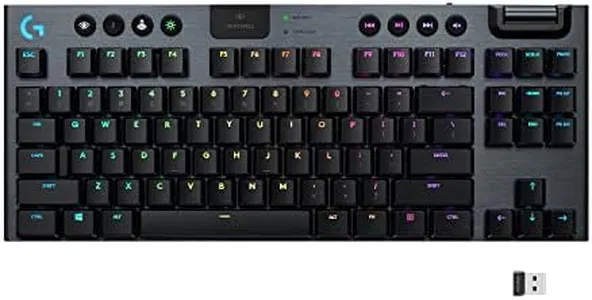
Logitech G915 X Lightspeed Wireless Mechanical Gaming Keyboard, Double-Shot PBT Keycaps, Fully Programmable Keys, RGB Backlit Mac/PC Gaming Keyboards, Aluminum Finish, GL Clicky Switches, Black

Rating
10.0
Chosen by1,378
Connectivity
Keyboard Layout
Key Switch Type

Most important from
696 reviews

Connectivity
Lightspeed wireless technology provides a lightning-fast 1ms response time, matching wired keyboards in speed and reliability.
Keyboard Layout
Macro keys positioned on the left side may cause accidental presses and can take some adjustment to avoid errors.
Key Switch Type
Low-profile GL Clicky and tactile switches offer a modern, responsive typing experience with quieter keystrokes and reduced travel distance.
Ergonomics
The keyboard’s lower profile keys and smooth edges reduce typos and improve comfort compared to traditional higher-profile mechanical keys.
Additional Features
Dedicated media controls and a volume roller are intuitively placed, enhancing both gaming and everyday productivity.

The Logitech G915 X Lightspeed is a full-size wireless mechanical keyboard designed mainly for gaming but also suitable for general use like programming or multimedia. It offers flexible connectivity options with Bluetooth, a 2.4 GHz LIGHTSPEED wireless connection, or USB-C wired mode, making it easy to switch between devices or charge while playing. The keyboard features GL Clicky low-profile mechanical switches that provide fast key response and comfortable typing with a short travel distance, benefiting gamers needing quick actions.

Its layout includes a full numeric keypad and media controls like a volume roller, making it practical for both gaming and everyday tasks. The double-shot PBT keycaps are durable and resistant to shine or wear, and the brushed aluminum finish adds a premium feel. The RGB backlighting is customizable with 16.8 million colors, allowing personalized lighting effects that can sync with other Logitech gear. At about 2.4 pounds, it is portable but not ultra-light, so it may suit a stationary setup better. Its programmable keys allow customization for advanced users who want to assign multiple commands, enhancing gaming or productivity.

This keyboard is a solid choice for gamers who want a wireless, responsive, and stylish mechanical keyboard with multiple connection options, though casual users who don’t need extensive customization might find it more feature-rich than necessary.

Rating
10.0
Chosen by1,378
Connectivity
Keyboard Layout
Key Switch Type

Most important from
696 reviews

Connectivity
Lightspeed wireless technology provides a lightning-fast 1ms response time, matching wired keyboards in speed and reliability.
Keyboard Layout
Macro keys positioned on the left side may cause accidental presses and can take some adjustment to avoid errors.
Key Switch Type
Low-profile GL Clicky and tactile switches offer a modern, responsive typing experience with quieter keystrokes and reduced travel distance.
Ergonomics
The keyboard’s lower profile keys and smooth edges reduce typos and improve comfort compared to traditional higher-profile mechanical keys.
Additional Features
Dedicated media controls and a volume roller are intuitively placed, enhancing both gaming and everyday productivity.
#2

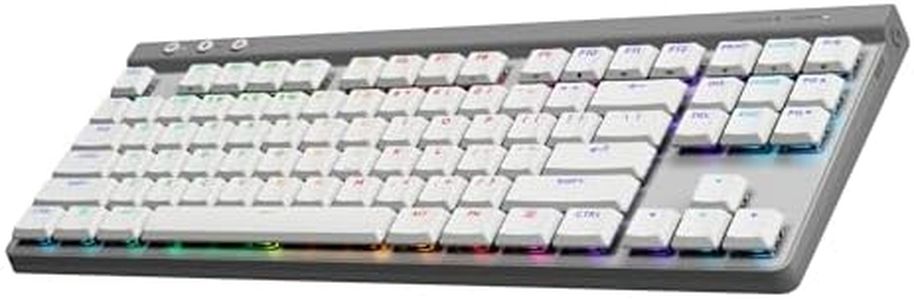
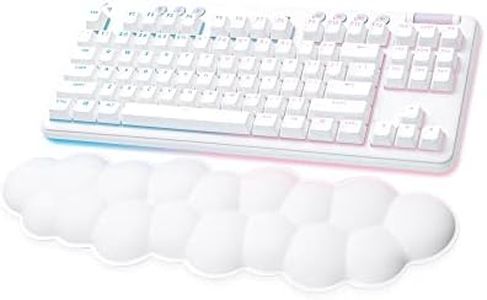
Logitech G515 Wireless Gaming Keyboard TKL, LIGHTSYNC RGB, Thin Tenkeyless Design, Double-Shot PBT Keycaps, Tactile Brown Mechanical Switches - White

Rating
9.7
Key Switch Type
Connectivity
Keyboard Layout

Most important from
691 reviews

Key Switch Type
The tactile brown switches deliver a snappy, satisfying feel that balances responsiveness with quietness, ideal for fast-paced gaming and smooth typing.
Connectivity
Connectivity options are versatile but could be improved by supporting multiple Bluetooth device pairings, similar to other Logitech models.
Keyboard Layout
Durable double-shot PBT keycaps have a pleasant textured surface that resists shine and wear, offering a premium typing experience.
Ergonomics
The keyboard’s weight and dampened typing noise make it stable on the desk and quieter than some higher-end aluminum-framed models.

The Logitech G515 Wireless Gaming Keyboard is a solid option for gamers and general users looking for a compact, tenkeyless (TKL) design without the number pad. This keyboard stands out with its slim and lightweight build, making it easy to carry and fitting well in smaller desk spaces. It offers versatile connectivity through three modes: Logitech's fast LIGHTSPEED wireless, Bluetooth, and wired USB, allowing you to switch based on your setup and preference. The battery life supports up to 36 hours of continuous wireless play, which is good for most users but may require regular charging if used heavily with RGB lighting on.

Speaking of lighting, the RGB customization with 16.8 million colors is a fun addition for gamers who enjoy visual flair and syncing lighting effects with other Logitech gear. The tactile brown mechanical switches provide a nice balance between typing feedback and quietness, suitable for both gaming and everyday use. Keycaps are made from durable double-shot PBT material, so they resist shine and wear over time, giving a premium feel. However, the keyboard’s tenkeyless layout means it lacks a dedicated number pad, which might be less convenient for users who frequently input numbers.

Additionally, while the keyboard is thin and portable, it might be less comfortable for users who prefer more ergonomic features like wrist rests or adjustable angles, which this model does not emphasize. The Logitech G515 is ideal for gamers and users seeking a stylish, responsive mechanical keyboard with flexible wireless options and strong build quality, though it may not suit those needing a full-sized keyboard or ergonomic enhancements.

Rating
9.7
Key Switch Type
Connectivity
Keyboard Layout

Most important from
691 reviews

Key Switch Type
The tactile brown switches deliver a snappy, satisfying feel that balances responsiveness with quietness, ideal for fast-paced gaming and smooth typing.
Connectivity
Connectivity options are versatile but could be improved by supporting multiple Bluetooth device pairings, similar to other Logitech models.
Keyboard Layout
Durable double-shot PBT keycaps have a pleasant textured surface that resists shine and wear, offering a premium typing experience.
Ergonomics
The keyboard’s weight and dampened typing noise make it stable on the desk and quieter than some higher-end aluminum-framed models.
#3

Logitech G PRO X 60 Lightspeed Wireless Gaming Keyboard, Ultra Compact TKL 60% Mechanical Keyboard for Windows PC, LIGHTSYNC RGB, Dual-Shot PBT Keycaps, GX Optical Tactile Switches - Black

Rating
9.7
Connectivity
Key Switch Type
Ergonomics

Most important from
5876 reviews

Connectivity
The wired connection ensures zero latency, making it ideal for serious gamers.
Key Switch Type
The mechanical switches are incredibly responsive, providing fast and accurate keystrokes, crucial for competitive gaming.
Ergonomics
The keys feel smooth and responsive, and the ergonomic design keeps comfortable even during long gaming sessions.

The Logitech G PRO X 60 Lightspeed Wireless Gaming Keyboard is an ultra-compact, tenkeyless (TKL) mechanical keyboard designed for gamers, especially those with a focus on esports. Its standout feature is the LIGHTSPEED wireless technology, offering a remarkably fast 1ms response time, which is crucial for competitive gaming. Additionally, it supports Bluetooth and USB-C connectivity, giving users flexible options depending on their needs.

The GX optical switches present in this keyboard offer fast actuation and zero debounce delay, making it ideal for gamers who need swift responsiveness. Users can choose between tactile and linear switches based on their preference, which is a nice customizable feature. The customizable LIGHTSYNC RGB backlighting allows for personalized aesthetics and improved key visibility in various lighting conditions. Ergonomically, the keyboard is designed to be portable, even including a carrying case, which is great for gamers who travel to events or tournaments.

With 61 keys, the keyboard is compact, saving desk space and providing more room for mouse movement. However, this reduced layout may be a downside for those who rely on a full-sized keyboard for non-gaming tasks. Its weight of 3.04 pounds might be considered heavy for a compact keyboard. The keyboard's design includes dual-shot PBT keycaps, known for their durability and high-quality feel. The Logitech G PRO X 60 is well-suited for serious gamers looking for a reliable, fast, and customizable wireless keyboard, but its compact size may not be ideal for every user.

Rating
9.7
Connectivity
Key Switch Type
Ergonomics

Most important from
5876 reviews

Connectivity
The wired connection ensures zero latency, making it ideal for serious gamers.
Key Switch Type
The mechanical switches are incredibly responsive, providing fast and accurate keystrokes, crucial for competitive gaming.
Ergonomics
The keys feel smooth and responsive, and the ergonomic design keeps comfortable even during long gaming sessions.

Buying Guide for the Best Logitech Wireless Keyboards

When choosing a Logitech wireless keyboard, it's important to consider your specific needs and preferences. Whether you're using it for work, gaming, or casual use, understanding the key specifications will help you make an informed decision. Here are some key specs to consider and how to navigate them to find the best fit for you.
ConnectivityConnectivity refers to how the keyboard connects to your device. Logitech wireless keyboards typically use either Bluetooth or a USB receiver. Bluetooth is great for devices without USB ports and offers more flexibility, while a USB receiver can provide a more stable connection. If you frequently switch between devices, a Bluetooth keyboard might be more convenient. However, if you prioritize a stable connection for tasks like gaming, a USB receiver might be better.
Battery LifeBattery life indicates how long the keyboard can operate before needing a recharge or new batteries. This is crucial for convenience and uninterrupted use. Some keyboards offer rechargeable batteries, while others use replaceable ones. For heavy users, a keyboard with a long battery life (several months to a year) is ideal. Casual users might be fine with shorter battery life, especially if the keyboard is easy to recharge or the batteries are easy to replace.
Keyboard LayoutThe keyboard layout includes the arrangement and size of keys. Common layouts include full-size, tenkeyless (without a number pad), and compact. A full-size keyboard is ideal for users who need a number pad for data entry or extensive typing. Tenkeyless keyboards save space and are great for users who don't need a number pad. Compact keyboards are highly portable and suitable for users who need to save desk space or travel frequently.
Key Switch TypeKey switch type affects the feel and sound of typing. Logitech offers various switch types, including membrane, scissor, and mechanical switches. Membrane switches are quiet and have a soft feel, suitable for general use. Scissor switches provide a more tactile feel and are often found in laptop keyboards, making them good for typing. Mechanical switches offer the best tactile feedback and durability, preferred by gamers and heavy typists. Choose based on your typing preference and noise tolerance.
ErgonomicsErgonomics refers to the design of the keyboard that promotes comfort and reduces strain during use. Features like wrist rests, adjustable tilt, and split keyboard designs can enhance comfort, especially for long typing sessions. If you spend a lot of time typing, an ergonomic keyboard can help prevent discomfort and repetitive strain injuries. Consider your typing habits and any existing discomfort when choosing an ergonomic design.
Additional FeaturesAdditional features can enhance the functionality and convenience of the keyboard. These may include backlighting, programmable keys, media controls, and multi-device pairing. Backlighting is useful for typing in low light conditions. Programmable keys can increase productivity by allowing custom shortcuts. Media controls provide quick access to volume and playback functions. Multi-device pairing is ideal for users who switch between multiple devices. Consider which features will enhance your user experience based on your specific needs.

FAQ

Most Popular Categories Right Now