10 Best mini PC for plex media server 2026 in the United States
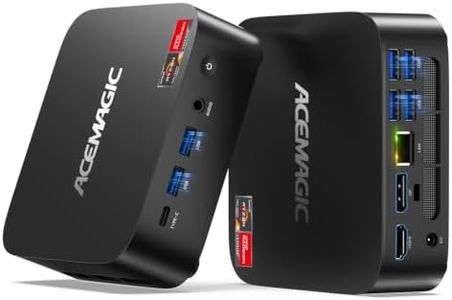

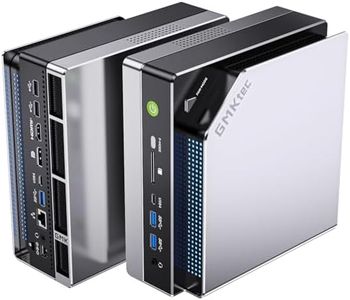
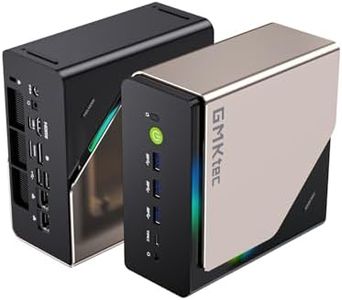
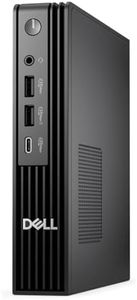
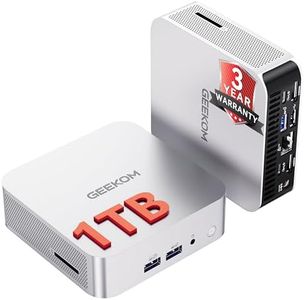
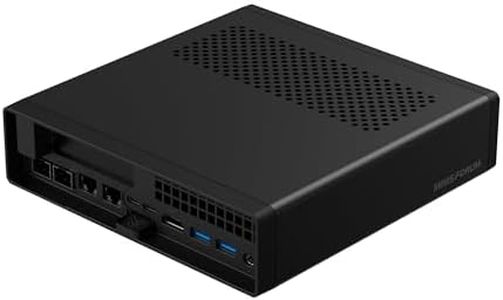
Related Products
Up to 14% off
Our technology thoroughly searches through the online shopping world, reviewing hundreds of sites. We then process and analyze this information, updating in real-time to bring you the latest top-rated products. This way, you always get the best and most current options available.

Our Top Picks
Winner
GMKtec EVO-X2 AI Mini PC Ryzen Al Max+ 395 (up to 5.1GHz) Mini Gaming Computers, 128GB LPDDR5X 8000MHz (16GB*8) 2TB PCIe 4.0 SSD, Quad Screen 8K Display, WiFi 7 & USB4, SD Card Reader 4.0
Most important from
93 reviews
The GMKtec EVO-X2 AI Mini PC is a powerful and compact machine featuring an AMD Ryzen AI Max+ 395 processor with 16 cores and 32 threads, reaching speeds up to 5.1 GHz. This enables it to handle demanding tasks effectively, including running a Plex media server with multiple streams smoothly. It boasts a massive 128GB LPDDR5X RAM, which is unusually large for a mini PC, allowing for heavy multitasking and management of large media libraries without lag. Storage includes a fast 2TB PCIe 4.0 SSD, providing quick access to media files and ample room for movies, shows, and other content.
Connectivity options are excellent, with the latest Wi-Fi 7 and a 2.5Gb Ethernet port ensuring fast and stable network connections critical for streaming high-quality videos. The PC supports up to four 4K or 8K displays, offering flexibility for multitasking or media editing beyond typical Plex usage. Windows 11 Pro comes pre-installed, giving a user-friendly interface and compatibility with Plex and other software. The triple cooling fans operate quietly, which benefits continuous server operation.
Some drawbacks include its weight and size, which are larger and heavier compared to typical mini PCs, and the need for external speakers. Additionally, the 1-year warranty might be considered short by some users. Designed with gaming and AI tasks in mind, the EVO-X2’s advanced specs and connectivity also make it an excellent choice for anyone looking for a high-performance mini PC for Plex media server use, especially for future-proofing setups or running additional tasks alongside media streaming.
Most important from
93 reviews
GMKtec AI Mini PC Ultra 9 285H (Turbo 5.4GHz) 64GB DDR5 1TB PCIe 4.0 SSD Mini Gaming Computer 3X M.2 Expansion Slots, Oculink, Quad Screen 8K Display EVO-T1
Most important from
908 reviews
The GMKtec AI Mini PC Ultra 9 285H is a powerful mini PC with a high-end Intel Core Ultra 9 processor boasting 16 cores and speeds up to 5.4 GHz. It comes with a substantial 64GB of DDR5 RAM and a fast 1TB PCIe 4.0 SSD, plus three more M.2 slots for storage expansion, which is excellent for storing large media libraries and handling multiple streams on a Plex server. Its Intel Arc 140T GPU supports modern video codecs and hardware acceleration, making it capable of smooth 4K and even 8K video playback and transcoding tasks.
Connectivity is strong with 2.5Gb Ethernet, Wi-Fi 6, Bluetooth 5.2, multiple USB ports, HDMI, DisplayPort, and a unique Oculink port for enhanced bandwidth, useful if you plan to connect external GPUs or fast storage. It supports up to four screens at 8K resolution, although this is more relevant for gaming or editing than Plex use. The compact mini PC form factor saves space and keeps noise low with dual fans.
This mini PC is ideal for users seeking a future-proof, high-performance Plex media server that can handle demanding streaming, AI tasks, and multitasking, while it may be more powerful and expensive than needed for basic Plex server setups.
Most important from
908 reviews
Dell Pro Micro Plus Desktop Computers (Next Gen OptiPlex 7000 MFF) Mini AI PC, Intel 20-Core Ultra 7 265, 64GB DDR5 RAM, 1TB PCIe SSD, WiFi 6, Bluetooth, 4 DisplayPort + 2 Type-C, Windows 11 Pro
Most important from
14 reviews
The Dell Pro Micro Plus is a compact and powerful mini PC equipped with an impressive Intel Core Ultra 7 265 processor featuring 20 cores and a max turbo speed of 5.3 GHz. This makes it well-suited for running a Plex media server smoothly, especially if you plan to stream to multiple devices or use AI-driven apps. With 32GB of DDR5 RAM, multitasking and handling large media libraries will be efficient, and the 1TB PCIe SSD offers fast storage for quick access to your files, though you might want to add extra storage if your media collection grows significantly.
Connectivity is strong, thanks to Wi-Fi 6, Bluetooth, an Ethernet port for stable wired connections, and a generous array of USB ports, including fast USB-C options, allowing easy connection of external drives and peripherals. The ability to connect up to four displays via DisplayPort is a nice bonus, though for a Plex server, this may be more than necessary. The mini form factor is space-saving and comes with flexible mounting options to keep your setup tidy. It runs Windows 11 Pro, which provides a familiar and stable environment but could be a bit more complex for those unfamiliar with Windows OS. One minor downside is the absence of HDMI ports, so you'll need adapters for certain monitors or TVs.
This mini PC is a great choice if you want a future-proof, durable, and fast system capable of handling not just Plex but also other demanding tasks, though its price and features might be more suited to users needing strong performance rather than just basic media streaming.
Most important from
14 reviews
Buying Guide for the Best mini PC for plex media server
Choosing a mini PC for a Plex media server involves understanding your needs and matching them with the right specifications. Plex media servers require a balance of processing power, storage, and connectivity to ensure smooth streaming and management of your media library. Here are the key specifications to consider when selecting a mini PC for this purpose.FAQ
Most Popular Categories Right Now


