10 Best Mobile Hotspots 2026 in the United States

Related Products
Up to 24% off

Recommended lists

Mobile Hotspots
Our technology thoroughly searches through the online shopping world, reviewing hundreds of sites. We then process and analyze this information, updating in real-time to bring you the latest top-rated products. This way, you always get the best and most current options available.

Our Top Picks
Winner
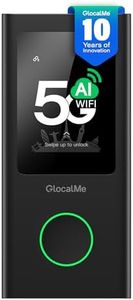
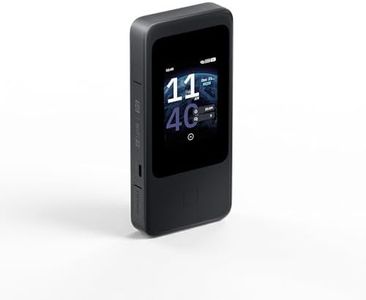
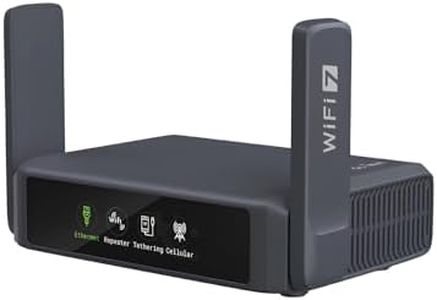
GL.iNet MUDI 7 (GL-E5800) Wi-Fi 7 5G Travel Router with eSIM & Dual SIM, 2.8" Touchscreen, Tri-Band up to 5.76 Gbps, 2.5G Ethernet, 700Mbps VPN, 13.5h Battery — Mobile Hotspot for Travel, Livestream
Most important from
27 reviews
The GL.iNet MUDI 7 (GL-E5800) is a powerful travel mobile hotspot designed for users who need fast, reliable internet on the go. It supports ultra-fast 5G downloads up to 4.67 Gbps and the latest Wi-Fi 7 with tri-band speeds reaching up to 5.76 Gbps, allowing up to 64 devices to connect smoothly—ideal for streaming, gaming, or work meetings without lag. Its flexibility to use an onboard eSIM plus two physical SIM cards makes switching carriers easy while traveling internationally, avoiding the hassle of swapping SIM cards. The 13.5-hour battery life is generous for a day of mobile use, and quick 30W charging means you can recharge fast during breaks. Portability is good, with a compact size and useful 2.8" touchscreen for quick control, so you don’t need to fuss with apps for everyday settings.
It also offers strong security with support for modern WPA3 encryption and a pre-installed VPN capable of up to 700 Mbps, which helps protect your data on public Wi-Fi. The inclusion of a 2.5G Ethernet port and 10 Gbps USB-C port adds versatility for users needing wired connections or fast file transfers, appealing especially to remote workers and content creators. On the downside, the device might be a bit more complex than simple plug-and-play hotspots, and its price could be higher than basic models due to advanced features. Also, real-world speeds may vary depending on carrier coverage and network conditions.
For those who travel frequently for business or need a feature-rich, high-speed hotspot with extended connectivity options and strong security, the GL.iNet MUDI 7 represents a solid choice.
Most important from
27 reviews
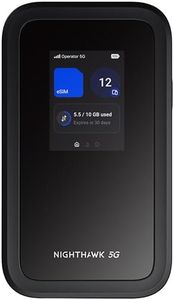
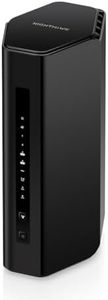
NETGEAR Nighthawk 5G Mobile Hotspot M7 | eSIM or SIM | Portable WiFi 7 Router for Travel in 140+ Countries | 32 Devices | Unlocked 5G/4G LTE | 3.6Gbps Speed | AT&T, T-Mobile, Verizon (MH7150)
Most important from
5077 reviews
The NETGEAR Nighthawk 5G Mobile Hotspot M7 is a strong choice if you need fast, reliable internet on the go, especially for travel across many countries. It supports major US carriers like AT&T, T-Mobile, and Verizon and works unlocked, giving you the flexibility to pick your preferred network or use local 5G/4G connections in over 140 countries. The option to use an eSIM or physical SIM card makes switching carriers easy. With WiFi 7 technology and speeds up to 3.6 Gbps, it delivers fast internet that can support activities like streaming, video calls, or gaming for up to 32 devices simultaneously. This is useful for families, small groups, or business trips. The battery life offers around 10 hours of continuous use, which covers a typical day without needing a recharge.
Portability is well addressed since it's a compact device designed for travel, and it can connect via USB-C or even Ethernet (with an adapter) for wired connections. Security-wise, it includes modern protections such as WPA3 encryption, firewall, and automatic updates to keep your network safe. On the downside, while it supports many carriers and countries, you still need to manage data plans through either your carrier or the NETGEAR app, which could be a bit complex for some users. Also, the device is not smart home compatible, so it won’t directly integrate with smart assistants or home automation systems. Some users might find the 10-hour battery life limiting if they need longer use without access to power.
This hotspot is especially well-suited for travelers or remote workers who want fast, secure internet for multiple devices with good carrier flexibility, but it might be more than needed if you only require a simple or short-term hotspot.
Most important from
5077 reviews
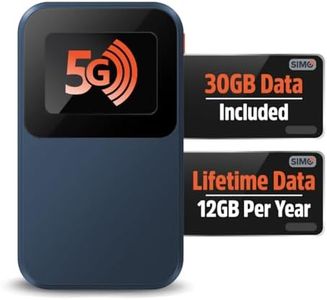
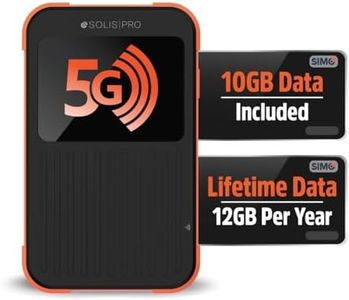
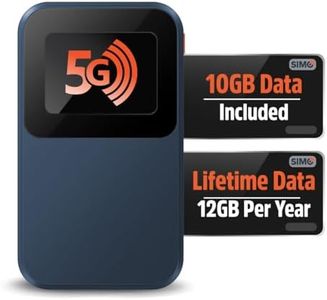
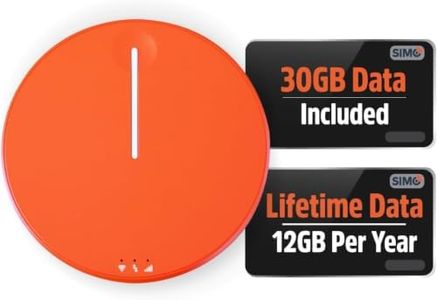
Solis Edge 5G Hotspot Device, Bundle Includes Lifetime Data (12GB Per Year) and 30GB Global Data, WiFi in 140+ Countries, Access 300+ Mobile Carriers, Portable Internet by SIMO
Most important from
3339 reviews
The Solis Edge 5G Hotspot is a strong choice for travelers and anyone needing reliable internet on the go. It supports fast 5G and WiFi 6 technology, offering speeds up to 15 times faster than older 4G devices, which means smoother streaming and quicker downloads. You don’t need a SIM card or contract, as it comes with a unique lifetime data plan providing 1GB per month (12GB yearly) plus an additional 30GB of global data. This makes it especially useful for frequent travelers who visit many countries, since it connects to over 300 mobile carriers in 140+ countries worldwide.
The device is very lightweight and pocket-sized (about 2.8 ounces), making it easy to carry without adding bulk. Battery life is sufficient to last multiple days, which is convenient when away from power sources. Security-wise, it supports the latest WPA3 encryption, helping keep your connection safe. It also features SignalScan to automatically find the strongest available signal, a handy feature for those on road trips or in areas with varying coverage.
With just 1GB of monthly lifetime data included, users with heavy internet needs may find this limit restrictive, and the bundled 30GB global data may be used quickly if streaming or downloading large files. Additionally, it does not support smart home devices directly, and warranty details should be reviewed with the seller. This hotspot suits light to moderate data users seeking global coverage and portability without contracts, whereas users needing large or unlimited data should consider other options.
Most important from
3339 reviews
Buying Guide for the Best Mobile Hotspots
Choosing the right mobile hotspot can significantly enhance your internet experience, especially when you're on the go. A mobile hotspot allows you to connect multiple devices to the internet using a cellular data connection. To find the best fit for your needs, it's important to understand the key specifications and how they impact performance and usability.FAQ
Most Popular Categories Right Now


