We Use CookiesWe use cookies to enhance the security, performance, functionality and for analytical and promotional activities. By continuing to browse this site you are agreeing to our privacy policy

10 Best Negative Photo Scanners 2026 in the United States

How do we rank products for you?

Our technology thoroughly searches through the online shopping world, reviewing hundreds of sites. We then process and analyze this information, updating in real-time to bring you the latest top-rated products. This way, you always get the best and most current options available.

headphones-stars

Our Top Picks

#1

Winner

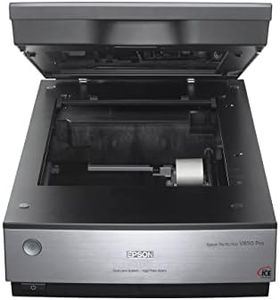
Epson Perfection V850 Pro scanner

Rating
10.0
Chosen by1,340
Resolution
Software Compatibility

Most important from
486 reviews

Resolution
Exceptional resolution and scan quality, easy to use for color slides, prints, and negatives.
Software Compatibility
VueScan software is recommended over Epson Scan 2, despite the latter's auto-turnoff feature.

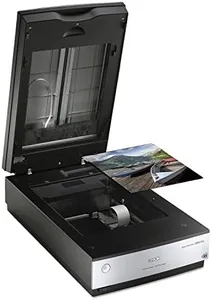
The Epson Perfection V850 Pro is a high-quality negative-photo scanner renowned for its exceptional resolution and color depth. Its 6400 dpi resolution ensures sharp and detailed scans, which is ideal for those looking to digitize negatives with professional-level clarity. The 4.0 Dmax dynamic range allows for remarkable tonal gradations and fine shadow details, making it suitable for capturing the full spectrum of colors and shades in photos.

Additionally, its dual lens system optimizes results by selecting the perfect lens for each scan type, enhancing image quality. This scanner supports various operating systems including multiple versions of Windows and Mac OS X, ensuring broad software compatibility for different users' setups. Connectivity is straightforward with USB technology, facilitating easy connection to most computers.

However, the V850 Pro is relatively large and heavy, with dimensions of 12.1 x 19.8 x 6 inches and a weight of 20.9 pounds, which might limit portability and require more space on your desk. The scanning speed is reasonable, but not the fastest in its category, which could be a consideration for high-volume scanning needs. It stands out as a robust choice for those prioritizing scan quality and detail in their photo digitization projects.

Rating
10.0
Chosen by1,340
Resolution
Software Compatibility

Most important from
486 reviews

Resolution
Exceptional resolution and scan quality, easy to use for color slides, prints, and negatives.
Software Compatibility
VueScan software is recommended over Epson Scan 2, despite the latter's auto-turnoff feature.
#2

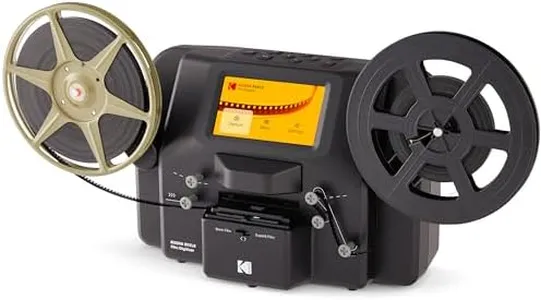
KODAK Slide N SCAN Film & Slide Scanner Digitizer with 5” LCD Screen, Quickly Convert Negatives & Slides to Digital 22MP JPEG Photos, Compatible with 135, 126 and 110 Film & Slides

Rating
9.4
Resolution
Connectivity
Size and Portability

Most important from
11816 reviews

Resolution
Scanning over 1,000 old slides from the 1950s was seamless, and the digital results look fantastic.
Connectivity
You need an SD card to use this scanner, despite the description suggesting it might be optional.
Size and Portability
This device solves the problem of cumbersome old slide viewers by being compact, stable, and efficient.

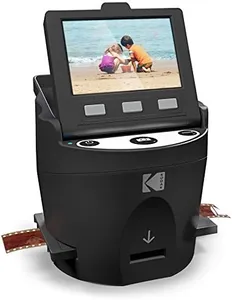
The KODAK SLIDE N SCAN Film and Slide Scanner stands out with its high resolution of 22MP, which is excellent for converting old photo negatives and slides into digital format. This ensures that even small details in your old photos are captured clearly. The large 5” LCD screen is a user-friendly feature, allowing you to preview and edit photos easily and even use the device as a digital picture frame.

This scanner supports multiple film types, including 35mm, 126, and 110 formats, making it versatile for various old film collections. Its convenient easy-load film inserts can facilitate quick scanning, making the process less tedious. The device's compact size and lightweight build (just 1 pound) make it portable and easy to store when not in use. Connectivity is solid with both USB and HDMI options, allowing for flexible use with different devices.

It requires an SD or SDHC card for storage, which is not included, meaning you will have to purchase one separately. The software compatibility is largely seamless with easy editing options, but if you need more advanced photo editing, you might find it somewhat limited. Despite these few drawbacks, the KODAK SLIDE N SCAN seems to be a reliable and effective device for digitizing old photo memories.

Rating
9.4
Resolution
Connectivity
Size and Portability

Most important from
11816 reviews

Resolution
Scanning over 1,000 old slides from the 1950s was seamless, and the digital results look fantastic.
Connectivity
You need an SD card to use this scanner, despite the description suggesting it might be optional.
Size and Portability
This device solves the problem of cumbersome old slide viewers by being compact, stable, and efficient.
#3

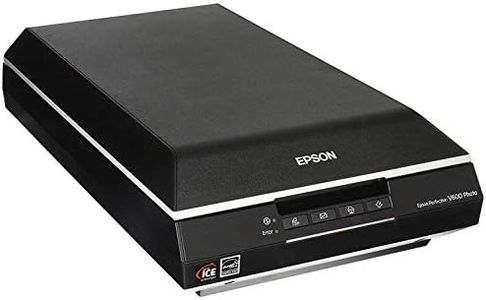
Epson Perfection V600 Photo Wired USB Connectivity Color Scanner - 6400 x 9600 dpi, Enlargements up to 17" x 22" Flatbed Image Scanner

Rating
8.5
Resolution
Color Depth
Dynamic Range

Most important from
739 reviews

Resolution
Scanning 35mm slides at high resolution with color correction and Digital ICE for dust removal delivers exceptionally detailed and clean images, though the process is quite time-consuming.
Color Depth
Color restoration works like magic, effectively correcting the magenta tint common in aged slides and bringing old photos back to life.
Dynamic Range
The Digital ICE technology makes a dramatic difference by completely eliminating dust specs, far surpassing the basic dust removal setting.
Scanning Speed
Scanning a full 60-slide magazine can take over two and a half hours, making patience and ample free time essential for large projects.
Connectivity
Despite its capabilities, the scanner is not plug-and-play; some users experienced frustrating connectivity issues and poor customer service, including a hefty 50% restocking fee on returns for defective units.

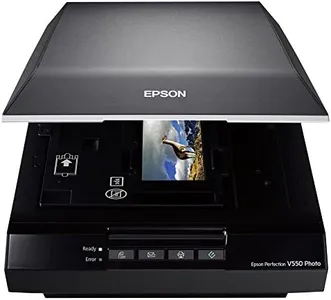
The Epson Perfection V600 is a solid choice for converting old negatives, slides, or photos into detailed digital images. It offers an impressive maximum resolution of 6400 x 9600 dpi, enabling very large, sharp enlargements up to about 17" x 22", which is ideal for preserving small photo negatives or slides with a lot of detail. The scanner supports 48-bit color depth, helping it capture rich and accurate colors.

It features DIGITAL ICE technology, which automatically reduces dust and scratches on your scans, enhancing image quality without extra effort. The built-in Transparency Unit lets you scan multiple slides or negatives at once, including medium format film, providing flexibility if you have different types of film to digitize. Connectivity is via USB 2.0, which is reliable though slower compared to newer options like USB 3.0. The scanner uses ReadyScan LED technology, so it doesn't need warm-up time and consumes less power, speeding up your scanning sessions somewhat.

Software compatibility is strong, including useful tools for fixing faded photos and creating PDFs, which makes editing and organizing your scans easier. The scanner is somewhat bulky and heavier than portable models, making it better suited for a dedicated workspace rather than on-the-go use. If you’re looking for a dependable, high-quality photo scanner that handles negatives well and includes helpful restoration software, the Epson V600 is worth considering, though it’s not the most compact or fastest option available.

Rating
8.5
Resolution
Color Depth
Dynamic Range

Most important from
739 reviews

Resolution
Scanning 35mm slides at high resolution with color correction and Digital ICE for dust removal delivers exceptionally detailed and clean images, though the process is quite time-consuming.
Color Depth
Color restoration works like magic, effectively correcting the magenta tint common in aged slides and bringing old photos back to life.
Dynamic Range
The Digital ICE technology makes a dramatic difference by completely eliminating dust specs, far surpassing the basic dust removal setting.
Scanning Speed
Scanning a full 60-slide magazine can take over two and a half hours, making patience and ample free time essential for large projects.
Connectivity
Despite its capabilities, the scanner is not plug-and-play; some users experienced frustrating connectivity issues and poor customer service, including a hefty 50% restocking fee on returns for defective units.

Buying Guide for the Best Negative Photo Scanners

Choosing the right negative photo scanner can be a game-changer for preserving and digitizing your old film negatives. The right scanner will help you achieve high-quality digital images that can be easily stored, shared, and edited. When selecting a negative photo scanner, it's important to consider several key specifications to ensure you get the best fit for your needs.
ResolutionResolution refers to the amount of detail a scanner can capture, measured in dots per inch (DPI). Higher resolution means more detail and sharper images. For general use, a resolution of 2400 DPI is usually sufficient. If you plan to make large prints or need professional-quality scans, look for scanners with 4800 DPI or higher. Consider your end use: if you need high-quality prints or detailed digital archives, opt for higher resolution.
Color DepthColor depth indicates the number of colors a scanner can capture, measured in bits. Higher color depth results in more accurate and vibrant colors. Scanners typically offer 24-bit or 48-bit color depth. For everyday scanning, 24-bit is adequate, but for professional use or if you want the best color accuracy, 48-bit is preferable. Think about how important color accuracy is for your scans when choosing the color depth.
Dynamic RangeDynamic range measures a scanner's ability to capture the range of tones from the darkest shadows to the brightest highlights. It's often represented by a Dmax value. A higher Dmax value means better detail in both dark and light areas. For general use, a Dmax of around 3.0 is sufficient. For professional use or if you have negatives with a lot of contrast, look for a Dmax of 4.0 or higher. Consider the quality of your negatives and how much detail you want to preserve.
Scanning SpeedScanning speed refers to how quickly a scanner can digitize your negatives. Faster scanning speeds can save you time, especially if you have a large number of negatives to scan. Scanning speed is usually measured in seconds per scan. If you have many negatives, look for a scanner with faster speeds. If you only scan occasionally, speed may be less critical. Think about your volume of work and how much time you want to spend scanning.
Software CompatibilitySoftware compatibility refers to the scanner's ability to work with different operating systems and image editing software. Good software can enhance your scanning experience with features like dust removal, color correction, and batch scanning. Ensure the scanner is compatible with your computer's operating system and any software you plan to use. Consider what software features are important to you and check compatibility before purchasing.
ConnectivityConnectivity options determine how you connect the scanner to your computer or other devices. Common options include USB, Wi-Fi, and Bluetooth. USB is standard and reliable, while Wi-Fi and Bluetooth offer wireless convenience. Choose a connectivity option that fits your setup and preferences. If you prefer a clutter-free workspace, wireless options might be better. Consider how you plan to connect and use the scanner in your environment.
Size and PortabilitySize and portability refer to the physical dimensions and weight of the scanner. If you have limited space or need to move the scanner frequently, a compact and lightweight model is ideal. Larger scanners may offer more features but require more space. Think about where you will use the scanner and how often you need to move it. Choose a size that fits your workspace and lifestyle.

FAQ

Most Popular Categories Right Now