10 Best Rugged Tablet 2026 in the United States

Related Products
Up to 13% off

Our technology thoroughly searches through the online shopping world, reviewing hundreds of sites. We then process and analyze this information, updating in real-time to bring you the latest top-rated products. This way, you always get the best and most current options available.

Our Top Picks
Winner
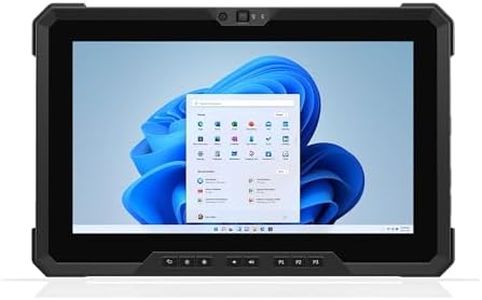
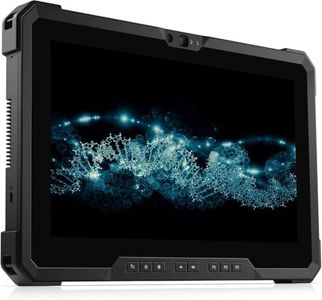
Dell Latitude 7220 Rugged Extreme Tablet PC, 11.6" FHD, Core i7-8665U up to 4.80GHz vPro, Outdoor-Readable, 16GB RAM, 512GB SSD, USB-C, Dedicated GPS, Smart Card Reader, Webcam, Win 11 Pro (Renewed)
Most important from
4 reviews
The Dell Latitude 7220 Rugged Extreme Tablet is designed for users who need a tough device that can handle demanding environments. Its MIL-STD-810G certification means it’s built to withstand drops, shocks, and harsh conditions, making it a solid choice for outdoor or industrial use. The 11.6-inch full HD display shines brightly at 1000 nits and includes anti-glare and glove-friendly touch technology, so visibility and usability remain strong even in direct sunlight or while wearing gloves.
Powered by a capable Intel Core i7 processor with 16GB of RAM and a fast 512GB SSD, this tablet handles multitasking and business applications smoothly without lag. The Windows 11 Pro operating system supports familiar software and security features, including fingerprint login for added protection. Connectivity is well covered with USB-A and USB-C ports, HDMI, dedicated GPS, smart card reader, and Wi-Fi, making it versatile for various work setups.
The battery life is around 4 hours, which is shorter than many might hope for in a rugged tablet, so carrying a charger or spare battery is advisable for extended use. The tablet weighs just under 3 pounds, which is fairly portable but slightly heavier than standard consumer tablets due to its rugged build. It also lacks a stylus, which some users may miss for note-taking or drawing tasks. This tablet is well suited for professionals needing a durable, high-performance device for tough conditions with excellent outdoor screen visibility and solid security options, though its modest battery life and absence of an included stylus could be limitations depending on your specific daily needs.
Most important from
4 reviews
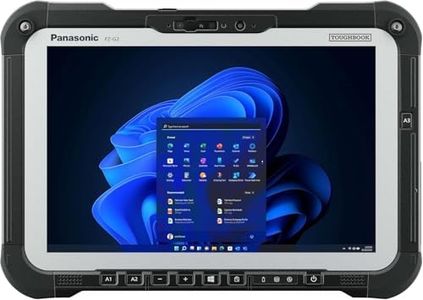
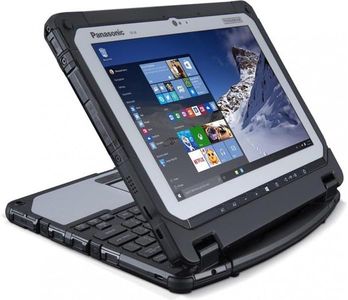
Panasonic Toughbook FZ-G2 MK1 Rugged 10.1-Inch i5 16GB, 512GB LTE (Renewed)
The Panasonic Toughbook FZ-G2 MK1 is a solid choice for those who need a tough, reliable tablet for demanding outdoor or field work. Its MIL-STD-810H rating means it handles drops, dust, and harsh conditions well, which is essential for construction, field service, or similar jobs. The 10.1-inch display stands out with a bright 1920x1200 resolution and sunlight-readable, anti-reflective touchscreen, making it easy to use even in bright outdoor settings. It also supports glove touch and a stylus, which helps when working in rugged environments.
Performance-wise, the Intel Core i5 10th Gen processor combined with 16GB of RAM and a fast 512GB SSD ensures smooth multitasking and quick data access, suitable for most business applications. Battery life is decent with a 68Wh lithium-ion battery, generally enough for a full workday without needing a charge. Connectivity is strong, offering Wi-Fi 6E, Bluetooth 5.1, LTE cellular, and multiple ports including USB-C, USB-A, Ethernet, and a SIM card slot — great for staying connected in the field. Windows 11 Pro provides a familiar and versatile operating system for business use.
At about 2.9 pounds and 1.1 inches thick, it’s reasonably portable for a rugged device but might feel bulky compared to regular tablets. One limitation is the integrated Intel UHD graphics, which won’t handle heavy graphics tasks or games but suits typical work needs. This Toughbook is well-suited for professionals needing durability, reliable performance, and connectivity in tough environments.
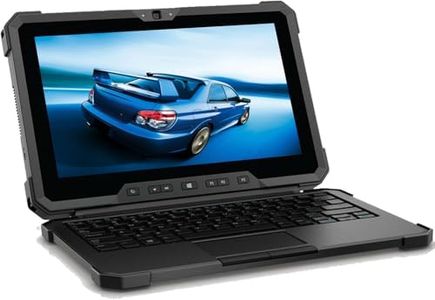
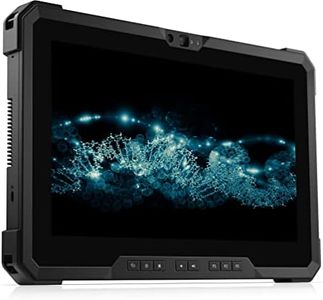
Dell Lattitude 7212 Rugged Extreme Tablet, Intel Core i7 8th Gen, 1920x1080 Touchscreen, Detachable Keyboard, 512GB SSD 16GB RAM, Windows 11 Pro (Renewed)
The Dell Latitude 7212 Rugged Extreme Tablet is designed for tough environments like construction sites or outdoor work, meeting military-grade MIL-STD-810G standards that ensure it can handle shocks, drops, and harsh conditions. Its 11.6-inch Full HD touchscreen is bright and clear even in sunlight, making it easy to use outside. Under the hood, the tablet packs a powerful 8th Gen Intel Core i7 processor and 16GB RAM, which means it can smoothly run demanding applications and multitask without lag.
Storage is generous with a 512GB SSD, offering quick access to files and plenty of space. It runs Windows 11 Pro, providing a familiar and secure platform for business use. Connectivity options are versatile, including USB 3.1, USB-C, HDMI, micro-SD, 4G cellular support, and Bluetooth, which is ideal for staying connected in the field and connecting wireless accessories. The detachable, backlit keyboard adds flexibility, allowing you to switch between tablet and laptop modes comfortably.
Battery life is around 5 hours, which might require carrying a charger for long workdays, especially outdoors. The tablet is somewhat on the heavier side and thicker compared to standard tablets, which is expected given its rugged build but could affect portability for users moving around a lot. The Dell Latitude 7212 Rugged Extreme Tablet offers strong durability, performance, and connectivity, making it a solid choice for professionals needing a robust device for demanding work in challenging environments. Its moderate battery life and weight may be considerations depending on your specific needs.
Buying Guide for the Best Rugged Tablet
When choosing a rugged tablet, it's important to consider the specific needs and environments in which you'll be using the device. Rugged tablets are designed to withstand harsh conditions, making them ideal for outdoor work, industrial environments, and other demanding settings. To ensure you select the best rugged tablet for your needs, focus on key specifications that impact durability, performance, and usability.FAQ
Most Popular Categories Right Now


