10 Best Slide Photo Scanners 2026 in the United States

Related Products
Recommended lists

Slide Scanners
Our technology thoroughly searches through the online shopping world, reviewing hundreds of sites. We then process and analyze this information, updating in real-time to bring you the latest top-rated products. This way, you always get the best and most current options available.

Our Top Picks
Winner
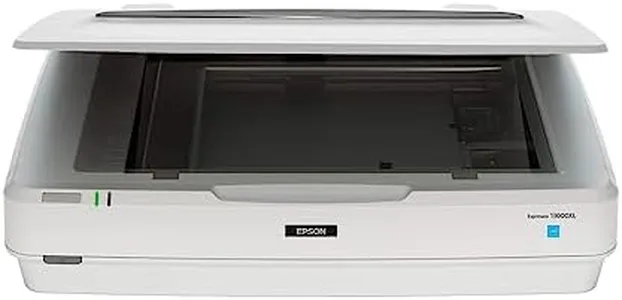
Epson Expression 13000XL Archival Photo and Graphics Flatbed Scanner
Most important from
6 reviews
The Epson Expression 13000XL Archival Photo and Graphics Flatbed Scanner is designed for professional large-format scanning, making it ideal for users who need to scan reflective media up to 12.2" x 17.2". It offers exceptional image quality with a resolution of 2400 x 4800 dpi, thanks to Epson's Micro Step Drive technology and a 3.8 Dmax which ensures brilliant clarity and detail in scans. The scanner also excels in color accuracy, utilizing Epson MatrixCCD and ReadyScan LED technologies for vibrant and true-to-original colors.
One of the standout features is the Easy Photo Fix technology that restores faded colors and automatically removes dust, which is highly beneficial for preserving old photos. Users can also perform batch scanning to save time and increase productivity. The bundled LaserSoft Imaging SilverFast Ai software, along with TWAIN driver compatibility, ensures seamless integration with various imaging software. However, it is important to note that the optional transparency scanning feature requires a separate purchase of the Transparency Unit, which might be a downside for those looking to scan film regularly.
In terms of connectivity, it uses USB technology, which is standard but may not be as fast as modern alternatives like USB 3.0. The scanner is quite bulky and heavy, weighing 31.5 pounds, and consuming 20 watts of power, which might be a consideration for those with limited space or energy concerns. This scanner is well-suited for professionals needing high-quality, large-format scan capabilities with excellent color restoration and dust removal features.
Most important from
6 reviews
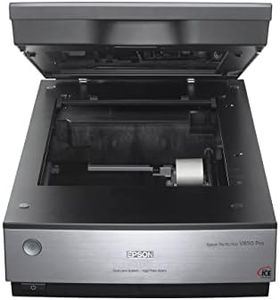
Epson Perfection V850 Pro Scanner
Most important from
498 reviews
The Epson Perfection V850 Pro scanner is an excellent choice for those seeking high-quality slide and photo scans. Its standout feature is its impressive 6400 dpi resolution, which ensures that scans are exceptionally detailed. Additionally, the scanner boasts a remarkable tonal range with a 4.0 Dmax, providing smooth gradations and fine shadow detail, making it ideal for professional photographers and archivists who require high fidelity in their scans.
The dual lens system is another highlight, automatically selecting the optimal lens for the best scan results, whether you are scanning photos or film negatives. This scanner is compatible with a range of operating systems, including various versions of Windows and Mac OS X, ensuring broad usability. Connectivity is handled via USB, which is standard and straightforward to use.
One notable drawback is the scanning speed, which, while not explicitly mentioned, is typically slower for high-resolution scans, potentially making it less suitable for those needing quick batch processing. The lack of modern connectivity options like Wi-Fi might also be a downside for some users. On the plus side, the scanner includes essential features such as film holders and dust and scratch removal, enhancing the quality and ease of scanning old film negatives and slides. Weighing 20.9 pounds, it is relatively heavy, which might be a consideration for those with limited space. However, its sturdy build can be viewed as a positive aspect for durability. The Epson Perfection V850 Pro is a high-quality, professional-grade slide-photo scanner with excellent resolution and color depth, though it comes with some limitations in speed and modern connectivity options.
Most important from
498 reviews
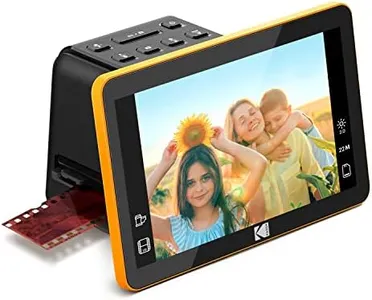
KODAK Slide N Scan Max Digital Film Scanner - Black/Yellow - Tiltable 7-Inch LCD with Gallery Mode & Photo Scanner Preview - Quick-Feed Tray for Slide Digitizer
Most important from
1859 reviews
The KODAK 7" Digital Film Scanner is designed for those looking to preserve old photo memories by converting various formats of negatives and slides into 22MP JPEGs. One of its standout features is the 7” LCD display, which allows you to instantly preview and even edit photos before saving them. This large, clear screen also doubles as a digital picture frame, adding a touch of elegance to your home or office decor.
The scanner supports multiple film types, including 35mm, 126mm, and 110mm, with convenient easy-load film inserts for quick and continuous scanning. This makes it efficient and user-friendly, especially with its single-touch editing options that allow basic adjustments without the need for complex software. However, the device doesn't include an SD card or an HDMI cable, which means you'll need to purchase these separately.
In terms of connectivity, it uses USB Type-C, making it compatible with most modern computers. The scanner handles up to 32GB SD or SDHC cards, giving you ample space for your scanned images. While the product does offer good resolution and basic dust and scratch removal capabilities, it may not meet the professional standards of more advanced users who require higher color depth and faster scanning speeds. Its lightweight and compact design make it highly portable, but this might come at the cost of durability.
Most important from
1859 reviews
Buying Guide for the Best Slide Photo Scanners
Choosing the right slide-photo scanner can be a game-changer for preserving and digitizing your precious memories. When selecting a scanner, it's important to consider various specifications that will impact the quality and ease of your scanning experience. Understanding these key specs will help you make an informed decision that best suits your needs.FAQ
Most Popular Categories Right Now


