We Use CookiesWe use cookies to enhance the security, performance, functionality and for analytical and promotional activities. By continuing to browse this site you are agreeing to our privacy policy

10 Best Smartboards 2025 in the United States

How do we rank products for you?

Our technology thoroughly searches through the online shopping world, reviewing hundreds of sites. We then process and analyze this information, updating in real-time to bring you the latest top-rated products. This way, you always get the best and most current options available.

headphones-stars

Our Top Picks

#1

Winner

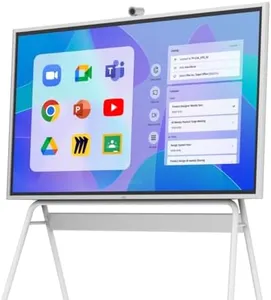
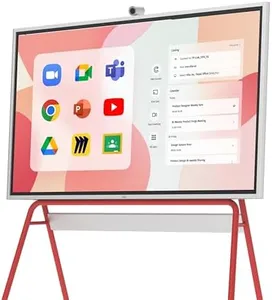
Vibe S1 4K UHD Smart Board, 75 Inch Digital Whiteboard for Office and Classroom, Electronic Presentation Meeting Device for Hybrid Work, Interative Touchscreen Display, Chrome OS and 250+ Free Apps

Rating
10.0
Chosen by1,332
Screen Size
Resolution
Touch Technology

Most important from
53 reviews

Screen Size
The large touch screen transforms brainstorming and collaboration, making idea sharing seamless in both virtual and in-person meetings.
Resolution
The 4K UHD display and multi-touch support create a sharp, responsive workspace ideal for detailed presentations and annotations.
Touch Technology
The 4K UHD display and multi-touch support create a sharp, responsive workspace ideal for detailed presentations and annotations.
Connectivity
Connectivity options like wireless projection and HDMI inputs offer versatile device integration without hassle.
Software Compatibility
Interactive lessons on the board significantly boost engagement, especially in homeschooling environments with compatible educational apps.
Durability and Maintenance
The matte screen reduces glare and fingerprints, ensuring clear visibility and durability during frequent use.

The Vibe S1 4K UHD Smart Board is a solid choice for offices and classrooms needing a large, clear interactive display. Its 75-inch matte screen offers a sharp 4K resolution (3840x2160), providing plenty of workspace with minimal glare, which is great for group presentations and detailed visuals. The touchscreen supports multi-touch input, making it intuitive to write, draw, and annotate directly on documents or images during meetings or lessons.

Running on Chrome OS, it supports seamless integration with popular apps like Zoom, Google Meet, Microsoft 365, and Slack, enabling smooth remote collaboration and easy access to over 250 apps for productivity. Connectivity options include wireless projection and HDMI inputs, which give flexibility to connect various devices without hassle. The board’s hardware, including 8GB RAM and 128GB storage, ensures responsive performance and ample space for saving work.

Durability-wise, the matte screen helps reduce fingerprints and reflections, and the device is designed for long-term use with enterprise-level security and centralized IT management features, making maintenance straightforward for organizations. On the downside, at 128 pounds, it’s heavy and might need professional installation or a sturdy mount. Also, since it runs Chrome OS, users tied to other platforms may face some compatibility limits. It is especially suitable for hybrid work environments and educational settings that prioritize interactive, cloud-connected collaboration with a high-quality display.

Rating
10.0
Chosen by1,332
Screen Size
Resolution
Touch Technology

Most important from
53 reviews

Screen Size
The large touch screen transforms brainstorming and collaboration, making idea sharing seamless in both virtual and in-person meetings.
Resolution
The 4K UHD display and multi-touch support create a sharp, responsive workspace ideal for detailed presentations and annotations.
Touch Technology
The 4K UHD display and multi-touch support create a sharp, responsive workspace ideal for detailed presentations and annotations.
Connectivity
Connectivity options like wireless projection and HDMI inputs offer versatile device integration without hassle.
Software Compatibility
Interactive lessons on the board significantly boost engagement, especially in homeschooling environments with compatible educational apps.
Durability and Maintenance
The matte screen reduces glare and fingerprints, ensuring clear visibility and durability during frequent use.
#2

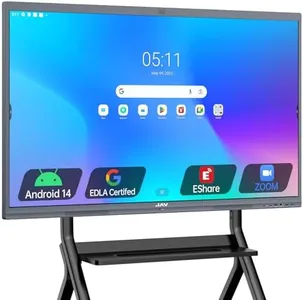
SAMSUNG Pro 85” 4K WMB Interactive Display, SmartView+, Built-in Speakers, Wi-Fi and Bluetooth Embedded, Durable Screen, Universal Pairing, LH85WMBWLGCXZA

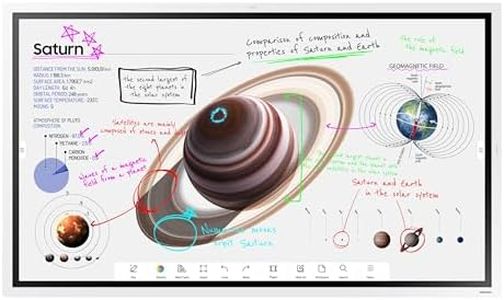
The Samsung Pro 85” 4K WMB Interactive Display is a large 85-inch smartboard with a crisp 4K resolution, offering a sharp and vibrant viewing experience ideal for both business and home use. It features a glossy screen surface with a 16:9 aspect ratio, supporting up to 20 touchpoints simultaneously, which makes it great for group collaboration, brainstorming, or interactive entertainment. The touch technology is responsive and supports use with fingers or a stylus, enhancing creativity for drawing or note-taking.

Connectivity options are strong, including built-in Wi-Fi and Bluetooth, plus universal pairing with devices from Apple, Google, and more, allowing easy content sharing and wireless connection of up to 50 devices. You can even view up to six screens at once with SmartView, which boosts productivity for multitasking scenarios. The included software compatibility supports popular apps and customizable templates, making it flexible for a variety of tasks.

The screen is built to be durable and family-friendly, designed to handle everyday use without much maintenance. However, the display is quite large and heavy (202 pounds), which may require careful installation and space planning. The glossy screen could also lead to reflections in bright environments. This smartboard is a strong choice for families, educators, or small businesses looking for a versatile, interactive, and easy-to-connect large display that encourages collaboration and creativity.

#3

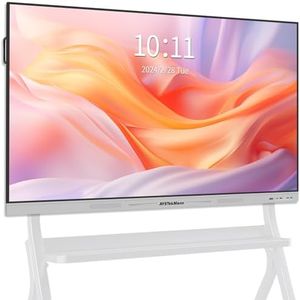
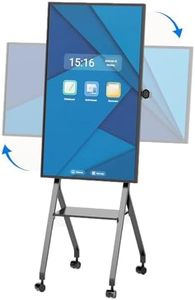
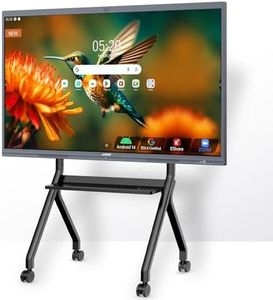
JASZDOT 86'' Smart Board, 4K UHD Interactive Touchscreen Whiteboard, Android13 Wireless Smartboard for Classroom Home Office Studio

Rating
7.9
Screen Size
Resolution
Touch Technology

Most important from
10 reviews

Screen Size
The smart board has revolutionized classroom engagement by combining a wide, clear display with intuitive touch controls that boost student participation and comprehension.
Resolution
The 4K UHD display delivers breathtaking clarity and vibrant colors that transform presentations and educational content into engaging, visually striking experiences.
Touch Technology
The touchscreen interface is exceptionally responsive and user-friendly, enabling smooth multi-touch interaction that enhances collaboration and creativity.
Connectivity
Integrating video conferencing and versatile connectivity options supports real-time collaboration and flexible device integration, ideal for modern work and learning environments.
Software Compatibility
Access to cloud storage and easy file sharing from devices like phones greatly simplifies workflow and content management in teaching and professional settings.

The JASZDOT 86'' Smart Board is a large, high-resolution interactive display ideal for classrooms, offices, or studios needing a modern digital whiteboard. Its 86-inch screen offers a sharp 4K UHD resolution with bright, vibrant colors and eye-care technology, making it comfortable for long sessions. The board uses advanced 20-point infrared touch technology with fast 6ms response and precise ±1mm accuracy, supporting smooth multi-touch interaction and smart handwriting conversion.

Running on Android 13 with 8GB RAM and 128GB storage, it delivers strong performance and supports a wide range of educational or productivity apps, making it very flexible. Connectivity is a standout feature, featuring multiple ports including USB, HDMI, VGA, LAN, and audio options, which allow easy connection to various devices and networks. The smart board also integrates video conferencing tools for real-time collaboration and cloud sharing.

It’s designed to be wall-mounted and built with durable metal materials, but it is quite heavy at 154 pounds, which may require sturdy installation. Customer feedback is positive, though the relatively high price and weight might be a consideration for smaller spaces or tighter budgets. If you need a reliable, high-performing smart board with excellent touch accuracy and versatile features for interactive learning or professional presentations, the JASZDOT is a strong choice.

Rating
7.9
Screen Size
Resolution
Touch Technology

Most important from
10 reviews

Screen Size
The smart board has revolutionized classroom engagement by combining a wide, clear display with intuitive touch controls that boost student participation and comprehension.
Resolution
The 4K UHD display delivers breathtaking clarity and vibrant colors that transform presentations and educational content into engaging, visually striking experiences.
Touch Technology
The touchscreen interface is exceptionally responsive and user-friendly, enabling smooth multi-touch interaction that enhances collaboration and creativity.
Connectivity
Integrating video conferencing and versatile connectivity options supports real-time collaboration and flexible device integration, ideal for modern work and learning environments.
Software Compatibility
Access to cloud storage and easy file sharing from devices like phones greatly simplifies workflow and content management in teaching and professional settings.

Buying Guide for the Best Smartboards

Smartboards are interactive whiteboards that combine the functionality of a traditional whiteboard with the power of a computer. They are widely used in educational settings, corporate environments, and for presentations. When choosing a smartboard, it's important to consider several key specifications to ensure it meets your needs and enhances your interactive experience.
Screen SizeScreen size refers to the diagonal measurement of the smartboard's display. This spec is important because it determines how much content can be displayed and how visible it will be to the audience. Smaller screens (under 55 inches) are suitable for small rooms or personal use, medium screens (55-75 inches) are ideal for standard classrooms or meeting rooms, and larger screens (over 75 inches) are best for large conference rooms or auditoriums. Choose a size that fits your space and ensures everyone can see the content clearly.
ResolutionResolution indicates the number of pixels on the screen, affecting the clarity and detail of the displayed content. Higher resolution means sharper images and text. Common resolutions include Full HD (1920x1080), 4K (3840x2160), and even 8K (7680x4320). For most educational and business purposes, 4K resolution is sufficient, providing clear and detailed visuals. If you need extremely high detail for design or technical work, consider 8K. Choose a resolution that matches the level of detail you need for your presentations.
Touch TechnologyTouch technology determines how the smartboard detects and responds to touch inputs. Common types include infrared, capacitive, and resistive touch. Infrared touch is durable and works well with multiple users, capacitive touch offers high precision and responsiveness (similar to smartphones), and resistive touch is cost-effective but less responsive. If you need precise touch for detailed work, go for capacitive. For general use and multiple users, infrared is a good choice. Consider how you will interact with the board and choose the technology that best suits your needs.
ConnectivityConnectivity options refer to the ports and wireless capabilities of the smartboard, allowing it to connect to other devices. Important connectivity options include HDMI, USB, Bluetooth, and Wi-Fi. HDMI and USB ports are essential for connecting computers and other peripherals, while Bluetooth and Wi-Fi enable wireless connections for easy sharing and collaboration. Ensure the smartboard has the necessary ports and wireless capabilities to connect with your existing devices and support your interactive needs.
Software CompatibilitySoftware compatibility refers to the smartboard's ability to work with various software applications. This is important because it determines the range of functionalities and tools you can use. Some smartboards come with proprietary software, while others are compatible with popular applications like Microsoft Office, Google Workspace, and educational software. Choose a smartboard that supports the software you plan to use, ensuring it integrates seamlessly with your workflow and enhances your interactive experience.
Durability and MaintenanceDurability and maintenance involve the smartboard's build quality and the ease of keeping it in good working condition. A durable smartboard will withstand frequent use and last longer, while easy maintenance ensures it remains functional with minimal effort. Look for features like scratch-resistant surfaces, sturdy frames, and reliable touch technology. Consider the environment where the smartboard will be used and choose one that can handle the expected wear and tear, ensuring it remains a valuable tool for years to come.

FAQ

Most Popular Categories Right Now