We Use CookiesWe use cookies to enhance the security, performance, functionality and for analytical and promotional activities. By continuing to browse this site you are agreeing to our privacy policy

10 Best Tablet 2025 in the United States

How do we rank products for you?

Our technology thoroughly searches through the online shopping world, reviewing hundreds of sites. We then process and analyze this information, updating in real-time to bring you the latest top-rated products. This way, you always get the best and most current options available.

headphones-stars

Our Top Picks

#1

Winner

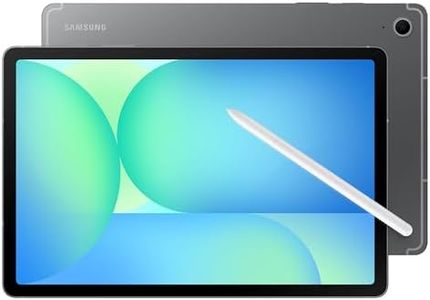
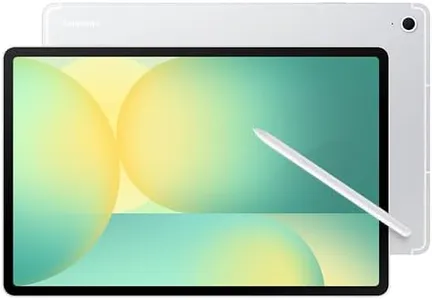
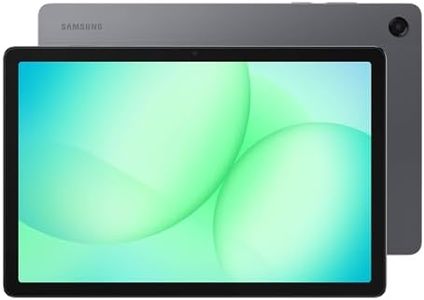
Samsung Galaxy Tab A9+ Plus 11” 64GB Android Tablet, Big Screen, Quad Speakers, Upgraded Chipset, Multi Window Display, Slim, Light, Durable, Kids Friendly Design, US Version, 2024, Silver

Rating
10.0
Chosen by1,301
Display Size
Resolution
Processor

Most important from
19608 reviews

Display Size
Offers a larger screen compared to previous tablets, making it appealing for both kids and adults.
Resolution
The 1920x1200 display offers crisp, bright visuals that avoid the washed-out look typical of budget tablets.
Processor
Delivers surprisingly smooth and snappy performance uncommon at this price point, handling everyday apps and some games with ease.
RAM
The 4GB RAM model performs well for light use, but upgrading to higher RAM improves multitasking and gaming smoothness.
Storage
Expandable storage via microSD is a useful feature, especially for media files, though it doesn't extend internal app storage.
Battery Life
Intelligent battery management helps prolong battery health by allowing users to limit maximum charge and disable fast charging.
Camera Quality
Camera quality is basic and not suited for users seeking high-quality photos, reflecting a focus on performance over imaging.

The Samsung Galaxy Tab A9+ Plus is a solid choice for anyone looking for a mid-range tablet with a big, bright screen and good sound. Its 11-inch display with 1920 x 1200 resolution offers clear and vibrant visuals, and the 90Hz refresh rate makes scrolling and videos feel smooth. The quad speakers with Dolby Atmos provide a rich audio experience, great for watching movies or playing games. Powered by a Qualcomm 2.2 GHz processor and backed by 4GB of RAM, it handles everyday tasks like browsing, streaming, and multitasking smoothly, though it may not be ideal for very heavy apps or intense gaming. Storage comes with 64GB built-in, which is modest but can be expanded with a microSD card, giving you flexibility for apps, videos, or photos.

Battery life is impressive, lasting about a full day on typical use, so you can use it through work or play without frequent charging. Running Android, it gives access to a wide range of apps and customization options. The tablet’s slim, lightweight design makes it easy to carry around, and its kid-friendly features with Samsung Kids add value for families. Connectivity options cover Wi-Fi and easy file sharing, plus the ability to cast to a Samsung TV is a nice bonus for media viewing.

On the downside, the 64GB storage may feel limiting if you keep many large files or apps, and the 4GB RAM might restrict performance during heavy multitasking or gaming. Cameras are not highlighted as a key feature, so photo quality may be basic compared to higher-end tablets. In essence, this tablet is great for media consumption, light productivity, and family use, but if you want top-tier speed, large storage out-of-the-box, or advanced cameras, you might want to explore more premium options.

Rating
10.0
Chosen by1,301
Display Size
Resolution
Processor

Most important from
19608 reviews

Display Size
Offers a larger screen compared to previous tablets, making it appealing for both kids and adults.
Resolution
The 1920x1200 display offers crisp, bright visuals that avoid the washed-out look typical of budget tablets.
Processor
Delivers surprisingly smooth and snappy performance uncommon at this price point, handling everyday apps and some games with ease.
RAM
The 4GB RAM model performs well for light use, but upgrading to higher RAM improves multitasking and gaming smoothness.
Storage
Expandable storage via microSD is a useful feature, especially for media files, though it doesn't extend internal app storage.
Battery Life
Intelligent battery management helps prolong battery health by allowing users to limit maximum charge and disable fast charging.
Camera Quality
Camera quality is basic and not suited for users seeking high-quality photos, reflecting a focus on performance over imaging.
#2

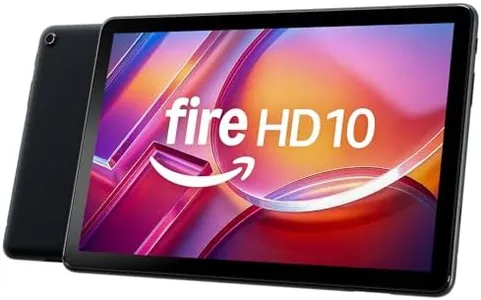
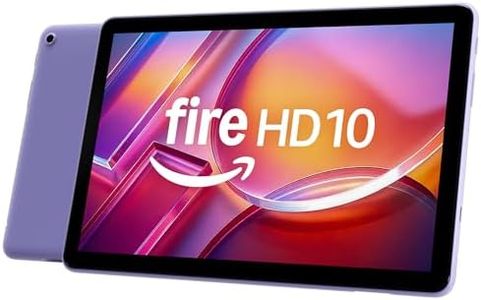
Amazon Fire HD 10 tablet (newest model) built for relaxation, 10.1" vibrant Full HD screen, octa-core processor, 3 GB RAM, 32 GB, Ocean

Rating
9.1
Display Size
Battery Life
Storage

Most important from
37047 reviews

Display Size
The tablet runs smoothly with fast performance and a bright, clear screen ideal for movies, reading, and browsing.
Battery Life
Long battery life supports extended streaming sessions without frequent charging.
Storage
Expandable storage via microSD card provides plenty of room for apps, videos, and books.

The Amazon Fire HD 10 tablet offers a bright and sharp 10.1-inch Full HD display, making it great for watching movies, reading, and casual gaming. Its octa-core processor paired with 3 GB of RAM delivers smooth performance for everyday tasks like streaming and browsing, though it may feel a bit limited for very intensive apps or multitasking. Storage options start at 32 GB, which can be expanded significantly with a microSD card, giving you plenty of room for apps, videos, and books. The battery life is a strong point, lasting up to 13 hours, so you can enjoy long sessions without frequent charging.

It runs on Amazon’s Fire OS, which is user-friendly but more limited than Android or iPadOS in terms of app selection. Connectivity with dual-band Wi-Fi and Bluetooth 5.3 ensures stable wireless connections, but it lacks the latest Wi-Fi 6 support. The tablet includes basic 5 MP front and rear cameras suitable for video calls and simple photos but won’t replace a dedicated camera. Lightweight and durable with a reinforced glass screen, this tablet is designed for everyday use at home or on the go.

Additional features like Alexa voice control, parental controls through Amazon Kids, and stylus compatibility add versatility. The Fire HD 10 serves as a solid choice for those looking for an affordable, easy-to-use tablet mainly for entertainment and light productivity, though it may fall short if you need top-tier performance or a wide app ecosystem.

Rating
9.1
Display Size
Battery Life
Storage

Most important from
37047 reviews

Display Size
The tablet runs smoothly with fast performance and a bright, clear screen ideal for movies, reading, and browsing.
Battery Life
Long battery life supports extended streaming sessions without frequent charging.
Storage
Expandable storage via microSD card provides plenty of room for apps, videos, and books.
#3

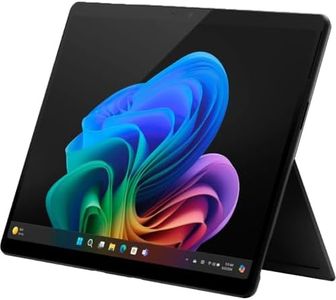
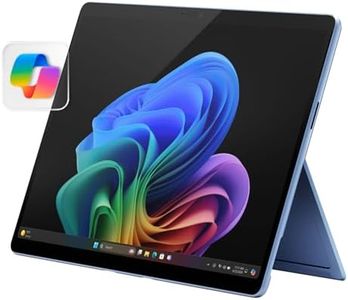
Microsoft Surface Pro 2-in-1 Laptop/Tablet (2024), 13" OLED Touchscreen Display, 16GB RAM, 512GB Storage | Windows 11 Copilot+ PC, Snapdragon X Elite (12 Core), Black

Rating
9.1
Display Size
Battery Life
Operating System

Most important from
747 reviews

Display Size
The 13-inch size perfectly balances portability and functionality, making it feel like an ideal laptop that truly fits in your lap.
Battery Life
Battery life is genuinely impressive, lasting longer than any laptop I've owned, easily powering through a full day without charging.
Operating System
Windows 11 with AI-powered Copilot brings smart features like real-time multilingual conversations that work seamlessly without manual language settings.
Processor
The ARM-based Snapdragon processor boosts battery life and performance, though some legacy programs may not be compatible yet.

The Microsoft Surface Pro 2-in-1 is a strong choice if you're looking for a tablet that can also work like a laptop. Its 13-inch OLED touchscreen offers vibrant colors and sharp details with a high resolution of 2880 x 1920 pixels, making it great for watching videos, browsing, or drawing. Powered by a Snapdragon X Elite 12-core processor and paired with 16GB of RAM, this device handles everyday tasks smoothly and even some demanding apps, while its 512GB SSD provides plenty of storage for documents and media.

Running Windows 11 Home, it supports a full PC experience, which is handy if you need software beyond typical tablet apps. Battery life is impressive, lasting up to 14 hours, so you can use it through a full workday without charging, and it offers fast charging options. The Surface Pro’s flexibility shines with its detachable keyboard (sold separately), turning the tablet into a laptop or a sketchbook thanks to its adjustable kickstand. The AI-powered Copilot+ features add smart tools like improved video calls and real-time translation, enhancing productivity and communication.

It has only one USB port, which might require adapters if you use multiple peripherals. Also, the keyboard and some accessories come at an extra cost. The integrated camera is decent for video calls but not designed for high-end photography. For business users or creatives who value a portable, versatile device with solid performance and excellent display quality, this Surface Pro model is a worthwhile consideration.

Rating
9.1
Display Size
Battery Life
Operating System

Most important from
747 reviews

Display Size
The 13-inch size perfectly balances portability and functionality, making it feel like an ideal laptop that truly fits in your lap.
Battery Life
Battery life is genuinely impressive, lasting longer than any laptop I've owned, easily powering through a full day without charging.
Operating System
Windows 11 with AI-powered Copilot brings smart features like real-time multilingual conversations that work seamlessly without manual language settings.
Processor
The ARM-based Snapdragon processor boosts battery life and performance, though some legacy programs may not be compatible yet.

Buying Guide for the Best Tablet

Choosing the right tablet can greatly enhance your digital experience, whether it's for work, entertainment, or education. To make an informed decision, it's important to understand the key specifications and how they align with your needs. Here are the main specs to consider when selecting a tablet, along with explanations to help you navigate through them.
Display SizeThe display size of a tablet is measured diagonally in inches and determines how large the screen is. This spec is important because it affects the portability and usability of the device. Smaller tablets (7-8 inches) are more portable and easier to hold with one hand, making them ideal for reading and casual browsing. Medium-sized tablets (9-10 inches) offer a balance between portability and screen real estate, suitable for watching videos and light productivity tasks. Larger tablets (11 inches and above) provide a more immersive experience and are better for multitasking and professional use. Choose a size that fits your primary use case and comfort.
ResolutionResolution refers to the number of pixels on the screen and is usually denoted as width x height (e.g., 1920x1080). Higher resolution means sharper and clearer images. This spec is important for activities like watching videos, reading, and graphic design. Standard resolution (around 1280x800) is sufficient for basic tasks. Full HD (1920x1080) offers better clarity for media consumption. Higher resolutions like 2K or 4K are ideal for professional work and high-quality media viewing. Consider your visual needs and how much detail you require in your display.
ProcessorThe processor, or CPU, is the brain of the tablet and determines how fast and efficiently it can run applications. This spec is crucial for overall performance. Entry-level processors are suitable for basic tasks like browsing and reading. Mid-range processors handle multitasking and media consumption well. High-end processors are designed for demanding tasks such as gaming, video editing, and professional applications. Think about the types of activities you'll be doing on your tablet and choose a processor that can handle them smoothly.
RAMRAM (Random Access Memory) affects how well a tablet can handle multitasking and run applications smoothly. More RAM allows for better performance, especially when running multiple apps simultaneously. Tablets with 2-3GB of RAM are adequate for basic use. 4-6GB of RAM is suitable for moderate multitasking and more demanding apps. Tablets with 8GB or more are ideal for heavy multitasking, gaming, and professional use. Consider how many apps you typically use at once and choose a tablet with enough RAM to keep things running smoothly.
StorageStorage capacity determines how much data you can store on your tablet, including apps, photos, videos, and documents. This spec is important for managing your files and media. Tablets with 32GB of storage are suitable for light use and cloud storage reliance. 64-128GB is a good middle ground for most users, providing ample space for apps and media. Tablets with 256GB or more are ideal for heavy media consumption, large app libraries, and professional use. Think about your storage needs and whether you prefer to store data locally or use cloud services.
Battery LifeBattery life indicates how long a tablet can run on a single charge and is usually measured in hours. This spec is important for portability and convenience, especially if you use your tablet on the go. Tablets with 6-8 hours of battery life are suitable for casual use. 8-10 hours provide a good balance for most users, allowing for a full day of use. Tablets with 10+ hours of battery life are ideal for heavy use and travel. Consider how often you'll be using your tablet away from a power source and choose one with sufficient battery life to meet your needs.
Operating SystemThe operating system (OS) determines the user interface and available apps for your tablet. The main options are iOS (Apple), Android, and Windows. iOS offers a smooth, user-friendly experience with a wide range of high-quality apps, ideal for users who prefer a seamless ecosystem. Android provides more customization options and a variety of devices, suitable for users who like flexibility. Windows tablets are great for productivity and compatibility with desktop applications, ideal for professional use. Choose an OS that aligns with your preferences and the type of apps you need.
ConnectivityConnectivity options include Wi-Fi, cellular (4G/5G), Bluetooth, and various ports (USB, HDMI). This spec is important for how you plan to use your tablet. Wi-Fi-only tablets are sufficient for home use and places with reliable internet access. Tablets with cellular connectivity are ideal for on-the-go use, allowing you to stay connected without relying on Wi-Fi. Bluetooth is essential for connecting peripherals like keyboards and headphones. Consider your connectivity needs and choose a tablet that offers the necessary options for your lifestyle.
Camera QualityCamera quality is measured in megapixels (MP) and affects the clarity of photos and videos. This spec is important for users who plan to take photos, video chat, or use the tablet for creative work. Basic cameras (5-8MP) are sufficient for casual photos and video calls. Mid-range cameras (8-12MP) offer better quality for more detailed photos and videos. High-end cameras (12MP and above) are ideal for professional photography and videography. Consider how often you'll use the camera and for what purposes, and choose a tablet with a camera that meets your needs.

FAQ

Most Popular Categories Right Now