10 Best Vinyl Cutting Machines 2026 in the United States
Related Products
Up to 8% off


Our technology thoroughly searches through the online shopping world, reviewing hundreds of sites. We then process and analyze this information, updating in real-time to bring you the latest top-rated products. This way, you always get the best and most current options available.

Our Top Picks
Winner
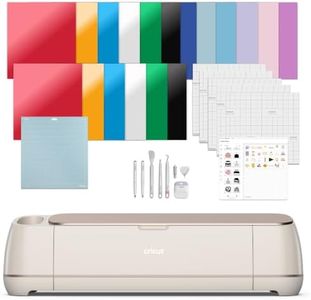
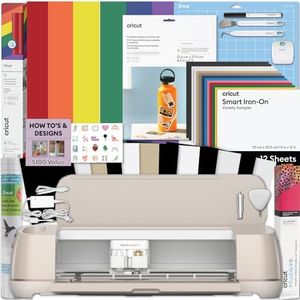
Cricut Maker 4 - Smart Cutting Machine (Seashell) | Engagement Bundle - Includes Smart Vinyl, Cardstock, Transfer Tape, Iron On HTV, Mat, Pens, Tool Kit, & 30 Images in Design Space App
Most important from
273 reviews
The Cricut Maker 4 is a versatile smart cutting machine well suited for people interested in crafting with vinyl, cardstock, iron-on materials, and even more advanced mediums like leather and matboard. It offers a wide cutting width and strong cutting force, allowing you to handle over 300 different materials, making it a great fit for hobbyists and small business owners who want a machine that can do more than just cut vinyl. The included essentials bundle is a bonus, providing plenty of starter materials and tools so you can begin creating right away.
Using the Cricut Design Space app, which is compatible with iOS, Android, Windows, and Mac, makes designing and cutting projects straightforward, even for beginners. Connectivity options include USB and Bluetooth, so you can connect easily to your devices. One standout feature is the Print-Then-Cut option, letting you print full-color designs with an inkjet printer and then cut them precisely. The machine also supports drawing, foiling, scoring, engraving, and debossing, adding to its creative potential.
The Cricut Maker 4 is somewhat heavy at 22.5 pounds, and its plastic build might not feel as rugged as some metal-bodied competitors. While it covers many materials, some specialty materials may require additional tools or settings. Additionally, accessing the full library of images and projects requires a subscription to Cricut Access, which adds ongoing costs. This machine is notable for its ease of use, material versatility, and bundled extras, making it an excellent choice for anyone serious about crafting and personalized projects.
Most important from
273 reviews
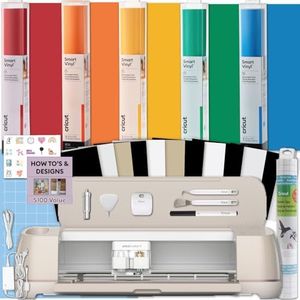
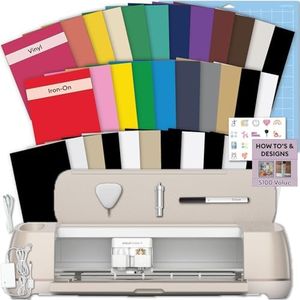
Cricut Maker 4 Vinyl Cutting Bundle - Smart Cutting Machine with Rainbow Smart Adhesive Vinyl Rolls & Tools for Decals, Labels & DIY Projects
The Cricut Maker 4 Vinyl Cutting Bundle is a strong choice for anyone interested in crafting with vinyl, especially hobbyists and DIY enthusiasts. It stands out for its ability to cut over 300 types of materials, which means it’s very versatile beyond just vinyl. One key benefit here is the included Smart Vinyl rolls that don’t require a cutting mat, making the cutting process faster and less fussy. With a cutting width of up to 13 inches and precise cutting capabilities, it’s suitable for detailed decals, labels, and custom designs.
The bundle also includes tools and transfer tape to help with applying your projects, making it user-friendly for beginners. Software compatibility with Cricut’s design app allows you to create personalized designs easily, though some users might find the software somewhat limiting compared to professional design programs. Connectivity options are modern and convenient, supporting wireless connections for simple setup and use.
The machine is made of plastic, which might feel less durable if used heavily or in a workshop setting. The cutting speed is good but not the fastest on the market, so very large projects might take some time. Customer reviews indicate solid satisfaction but also mention a learning curve for first-time users. This bundle suits those focused on colorful, precise vinyl crafts and home projects but may be less ideal if you need a heavy-duty or industrial-grade cutter.
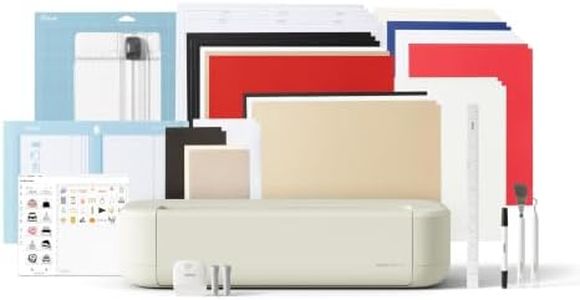
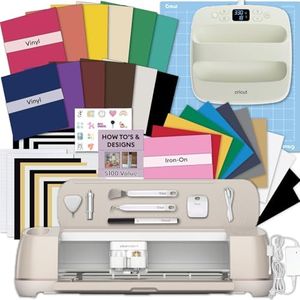
Cricut Explore® 5 Deluxe Bundle + Digital Content, Taupe - Precise Cutting Machine - Works with 100+ Materials - Sleek, Simplified Design - Includes Supplies for 100 Projects + Bonus Digital Content
Most important from
229 reviews
The Cricut Explore 5 Deluxe Bundle is a user-friendly vinyl cutting machine ideal for hobbyists and crafters who want to create personalized projects like decals, apparel, stickers, and cards. It offers a solid 12-inch cutting width, which suits a wide range of standard craft materials. This machine stands out for working with over 100 types of materials, including vinyl, iron-on, cardstock, and printable media, making it versatile for many creative needs. It also supports six different tools (though some, like the Deep Cutting Tool for thicker materials, are sold separately), enhancing its flexibility.
The cutting force and speed are well-balanced for precise, detailed work without overwhelming complexity, suitable for those new to vinyl cutting or casual users. Connectivity is straightforward via Bluetooth to the free Design Space app, available on both computers and mobile devices, making design creation and machine control convenient. The app includes many ready-to-use images, fonts, and project templates, which help beginners get started without needing design skills.
One notable feature is its compact, sleek design, which saves workspace and adds a modern look. The bundle includes supplies for up to 100 projects and bonus digital content, offering good value for those starting out or wanting a complete kit. While the machine handles a broad range of materials, it might struggle with very thick or specialty substrates without additional accessories. Some advanced tools for thicker materials require extra purchases, and it may not suit users needing very fast or industrial-level cutting performance. The Cricut Explore 5 is a reliable, versatile choice for most crafting enthusiasts who want high precision combined with ease of use.
Most important from
229 reviews
Buying Guide for the Best Vinyl Cutting Machines
Choosing the right vinyl cutting machine can be a game-changer for your crafting or business needs. Whether you're a hobbyist looking to create custom designs or a professional needing precise cuts for large projects, understanding the key specifications of vinyl cutting machines will help you make an informed decision. Here are the essential specs to consider and how to navigate them to find the best fit for your needs.FAQ
Most Popular Categories Right Now


