We Use CookiesWe use cookies to enhance the security, performance, functionality and for analytical and promotional activities. By continuing to browse this site you are agreeing to our privacy policy

10 Best VR headsets 2025 in the United States

#4
Meta Quest
How do we rank products for you?

Our technology thoroughly searches through the online shopping world, reviewing hundreds of sites. We then process and analyze this information, updating in real-time to bring you the latest top-rated products. This way, you always get the best and most current options available.

headphones-stars

Our Top Picks

#1

Winner

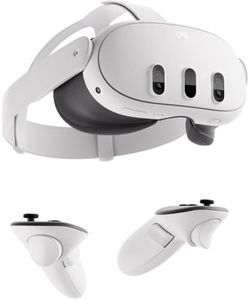
Meta Quest 3 512GB | VR Headset — Thirty Percent Sharper Resolution — 2X Graphical Processing Power — Virtual Reality Without Wires — Access to 40+ Games with a 3-Month Trial of Meta Horizon+ Included

Rating
10.0
Chosen by1,152
Display Resolution
Tracking System
Wired vs. Wireless

Most important from
4128 reviews

Display Resolution
Its dual 4K color displays offer vibrant colors and sharp visuals, making it easier to find the perfect viewing comfort by adjusting the lenses to your eye distance.
Tracking System
The Meta Quest 3 delivers a significant leap in mixed reality with fast environmental detection and intuitive hand-tracking gestures, eliminating the need for fixed sensors.
Wired vs. Wireless
Wireless gameplay provides freedom of movement anywhere, with the option to connect to a PC for access to a broader game library via SteamVR.
Comfort and Fit
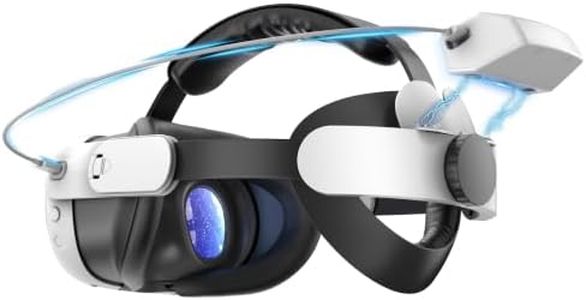
Comfort can be improved by upgrading the head strap and adding accessories like a charging dock, especially for longer sessions.
Content Compatibility
The headset supports a wide range of apps beyond gaming, including media streaming and virtual desktop access, enhancing its versatility.

The Meta Quest 3 is a solid choice for anyone looking to jump into wireless virtual reality gaming and experiences. Its nearly 30% sharper resolution and dual 4K color displays create clear and vivid visuals, making games and virtual environments look more lifelike. The headset emphasizes improved graphics powered by a Snapdragon XR2 Gen 2 processor, suggesting smooth and responsive performance with less lag. Being fully wireless adds a lot of freedom, letting you move around comfortably without getting tangled in cords. Comfort has been considered with an adjustable headband and a relatively lightweight design (just over 14 ounces), making it easier to wear during longer sessions, though individual comfort can vary.

The device offers around 2+ hours of battery life, which is decent for typical VR playtimes, but heavy users may want to plan for breaks or charging. The dual RGB cameras enable a good passthrough experience, blending virtual and real worlds, which is great for mixed reality features. The Quest 3 comes with 512GB storage and 8GB RAM, providing plenty of space and smooth multitasking or gaming. It supports a broad range of content, highlighted by a 3-month free trial to 40+ games, making it beginner-friendly for exploring VR.

While the headset supports smartphones, tablets, and TVs, it may not offer the highest-end tracking systems found in more expensive PC-tethered VR setups, which could limit precision for very demanding users. The battery life, though improved, might feel short during extended play sessions. The Meta Quest 3 strikes a good balance between performance, comfort, and wireless convenience, making it a great fit for casual to enthusiast VR gamers who want an accessible and versatile standalone headset.

Rating
10.0
Chosen by1,152
Display Resolution
Tracking System
Wired vs. Wireless

Most important from
4128 reviews

Display Resolution
Its dual 4K color displays offer vibrant colors and sharp visuals, making it easier to find the perfect viewing comfort by adjusting the lenses to your eye distance.
Tracking System
The Meta Quest 3 delivers a significant leap in mixed reality with fast environmental detection and intuitive hand-tracking gestures, eliminating the need for fixed sensors.
Wired vs. Wireless
Wireless gameplay provides freedom of movement anywhere, with the option to connect to a PC for access to a broader game library via SteamVR.
Comfort and Fit
Comfort can be improved by upgrading the head strap and adding accessories like a charging dock, especially for longer sessions.
Content Compatibility
The headset supports a wide range of apps beyond gaming, including media streaming and virtual desktop access, enhancing its versatility.
#2

PlayStation VR2 (PSVR2)

Rating
8.2
Display Resolution
Refresh Rate
Platform Compatibility

Most important from
2373 reviews

Display Resolution
At a sale price of $350, the PSVR2 offers fantastic value, with good and crisp graphics thanks to foveated rendering.
Refresh Rate
The PSVR2 runs at a consistent 120 fps in games like Arizona Sunshine, GT7, Metro: Awakening, Beat Saber, and No Man's Sky, effectively preventing motion sickness.
Platform Compatibility
Ease of use and installation are highlighted, with virtually zero setup required when used with PlayStation.
Content Library
The content library is robust and expected to grow, although the absence of Half-Life: Alyx is noted.

The PlayStation VR2 (PSVR2) stands out with its impressive 4K HDR display resolution and a wide 110º field of view, which promise an immersive visual experience. The advanced graphical rendering ensures sharp and realistic images, enhancing gaming enjoyment. The PSVR2 Sense technology integrates eye tracking, 3D audio, and headset feedback, providing a more interactive and responsive experience, making games feel more real.

Haptic feedback and adaptive triggers on the controllers add another layer of immersion by delivering tangible responses to in-game actions. Comfort and fit are significant for extended gaming sessions, and while the product's weight of 5.33 pounds is on the heavier side, it should be balanced by thoughtful ergonomic design. Platform compatibility is limited to PlayStation devices, which might be a drawback for those looking for a more versatile VR headset.

The content library on PlayStation is robust, offering many dedicated VR titles, ensuring that users have a wide range of games to choose from. The PSVR2 is a strong contender for PlayStation gamers seeking a cutting-edge VR experience, though its heavier weight and platform exclusivity may be limiting factors for some users.

Rating
8.2
Display Resolution
Refresh Rate
Platform Compatibility

Most important from
2373 reviews

Display Resolution
At a sale price of $350, the PSVR2 offers fantastic value, with good and crisp graphics thanks to foveated rendering.
Refresh Rate
The PSVR2 runs at a consistent 120 fps in games like Arizona Sunshine, GT7, Metro: Awakening, Beat Saber, and No Man's Sky, effectively preventing motion sickness.
Platform Compatibility
Ease of use and installation are highlighted, with virtually zero setup required when used with PlayStation.
Content Library
The content library is robust and expected to grow, although the absence of Half-Life: Alyx is noted.
#3

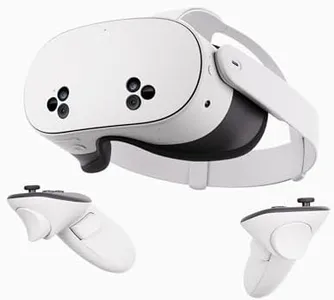
Meta Quest 2 — Advanced All-In-One Virtual Reality Headset — 128 GB

Rating
7.9
Display Resolution
Tracking System
Wired vs. Wireless

Most important from
77945 reviews

Display Resolution
Graphics are sharp and immersive, providing detailed visuals that make virtual environments feel vivid and engaging.
Tracking System
Motion tracking is smooth and accurate, enhancing the sense of presence in games, fitness apps, and virtual social spaces.
Wired vs. Wireless
Setup is straightforward and the wireless design keeps the experience clutter-free and highly portable, perfect for quick sessions or longer play.
Comfort and Fit
The headset is lightweight and comfortable for extended wear, with adjustable straps fitting a wide range of head sizes without discomfort or pinching.
Content Compatibility
The device supports a broad variety of content, from high-energy games and fitness apps to social experiences and virtual field trips.

The Meta Quest 2 is a wireless, all-in-one VR headset designed for users looking for a hassle-free and immersive experience without needing a PC or console. It offers a high-resolution display and smooth graphics supported by a fast processor, making gameplay feel detailed and fluid. Thanks to a wide field of view and 3D positional audio, it enhances immersion, whether you’re gaming, exercising, or socializing in virtual spaces. The headset uses inside-out tracking with built-in sensors, so no external cameras are required, which simplifies setup and makes it portable.

Comfort-wise, it is lightweight and designed for extended wear, though some users might find the fit less ideal without additional accessories. The Quest 2 supports over 500 titles across diverse categories, including exclusive games and social experiences, appealing broadly from casual players to fitness enthusiasts and multiplayer fans. While wireless freedom is a big plus, battery life limits long continuous sessions, and the device relies heavily on a Facebook/Meta account, which may be a drawback for privacy-conscious users.

This headset is a strong choice for beginners and intermediate VR users seeking convenience, content variety, and solid performance in a standalone device.

Rating
7.9
Display Resolution
Tracking System
Wired vs. Wireless

Most important from
77945 reviews

Display Resolution
Graphics are sharp and immersive, providing detailed visuals that make virtual environments feel vivid and engaging.
Tracking System
Motion tracking is smooth and accurate, enhancing the sense of presence in games, fitness apps, and virtual social spaces.
Wired vs. Wireless
Setup is straightforward and the wireless design keeps the experience clutter-free and highly portable, perfect for quick sessions or longer play.
Comfort and Fit
The headset is lightweight and comfortable for extended wear, with adjustable straps fitting a wide range of head sizes without discomfort or pinching.
Content Compatibility
The device supports a broad variety of content, from high-energy games and fitness apps to social experiences and virtual field trips.

Buying Guide for the Best VR headsets

Choosing the right VR headset is about matching your interests and your comfort with the kind of technology you want to use. Whether you're interested in gaming, watching immersive videos, or exploring virtual spaces for work or education, your main focus should be on how comfortable the headset will be for longer sessions, how easily it will connect to your computer or console (if needed), and what you're hoping to experience most often. Always consider where and how you’ll use it—from sitting in your living room to standing and moving around—and check if you’ll need extra equipment like controllers or tracking sensors.
Display ResolutionDisplay resolution determines how sharp and clear the image appears inside the headset. Higher resolution means that individual pixels are less noticeable, leading to a more realistic and pleasing image. VR headsets usually list this as pixels per eye, and resolutions range from lower (less sharp, with some noticeable pixelation) to higher (very crisp, almost like looking at a high-quality monitor). If you are prone to noticing blurry images or want to read fine details in virtual spaces, look for higher resolutions. Casual users or those just trying out VR may find lower resolutions acceptable, especially if the experiences they want don't require detailed visuals.
Refresh RateThe refresh rate is how many times per second the image inside the headset updates, measured in hertz (Hz). A higher refresh rate leads to smoother motion and less likelihood of feeling dizzy or nauseated. Typical VR headsets range from 60Hz to 120Hz or more. For most people, anything 90Hz and above feels very smooth, while lower refresh rates can feel a bit choppy during fast movements. If you plan to play fast action games or use VR for long periods, prioritize a higher refresh rate; for slower activities like exploring artwork or watching videos, a lower refresh rate may be fine.
Field of View (FOV)Field of view describes how wide the image appears across your eyes, usually measured in degrees. A wider field of view feels more immersive, like you’re seeing the world around you naturally, while a narrower FOV can feel like looking through binoculars. Standard VR headsets range from about 90 to 120 degrees. If maximum immersion is important, look for a wider FOV. If you’re more focused on simple experiences and don’t mind a slightly boxed-in feel, a narrower FOV is acceptable.
Tracking SystemTracking system refers to how the headset follows your head and hand movements. There are two main types: inside-out tracking (cameras built into the headset) and outside-in tracking (external sensors around your room). Inside-out tracking is easier to set up and more portable, suitable for casual users or those with limited space. Outside-in tracking can be more precise and is favored by enthusiasts who want the best experience, especially in room-scale VR. Choose based on whether you want portability and ease or maximum precision and performance.
Wired vs. WirelessSome VR headsets are completely wireless and self-contained, while others require a wire connecting to a computer or gaming console. Wireless models are more convenient and let you move freely, but may be heavier or have limited processing power. Wired headsets can use more powerful hardware for better graphics but limit your movement with cables. If freedom of movement is crucial—like for active games or exercise—wireless makes sense. If graphic quality matters most and you don’t mind being tethered, a wired solution is better.
Comfort and FitComfort and fit depend on the headset’s weight, the materials used for the face padding and straps, and how easily you can adjust it for your head shape. A lighter, well-padded headset with adjustable straps will be more comfortable for long sessions and for people who wear glasses. If you plan to use VR for extended periods or share it with family members with different head sizes, prioritize comfort and easy adjustment features.
Content CompatibilityNot all VR headsets work with all VR games or apps. Some are limited to certain platforms, like PC, PlayStation, or their own built-in app stores. Check what platform you want to use—do you need it to work with your PC, gaming console, or just on its own? If you’re excited about specific games or apps, make sure the headset you pick supports them.

FAQ

Most Popular Categories Right Now