We Use CookiesWe use cookies to enhance the security, performance, functionality and for analytical and promotional activities. By continuing to browse this site you are agreeing to our privacy policy

10 Best Wifi Mesh Networks 2025 in the United States

How do we rank products for you?

Our technology thoroughly searches through the online shopping world, reviewing hundreds of sites. We then process and analyze this information, updating in real-time to bring you the latest top-rated products. This way, you always get the best and most current options available.

headphones-stars

Our Top Picks

#1

Winner

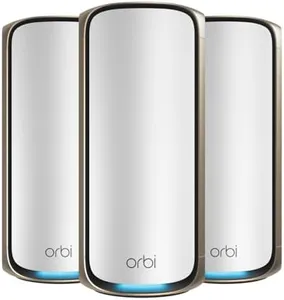
Amazon eero Max 7 mesh wifi system (newest model) - Supports internet plans up to 10 Gbps, Coverage up to 7,500 sq. ft., Connect 750+ devices, 3-pack

Rating
10.0
Chosen by1,355
Coverage Area
Number of Nodes
Speed

Most important from
763 reviews

Coverage Area
The eero Max 7 excels in large, complex environments with many Wi-Fi blocking walls, delivering seamless device handoffs and strong wireless signals even in challenging layouts.
Number of Nodes
For homes around 3000 sq ft, a two-node setup provides excellent coverage, with one node centrally placed covering close to 2000 sq ft effectively.
Speed
The system delivers consistently high speeds throughout the home, turning previously weak wireless areas into zones with near-gigabit performance.
Band Support
Tri-band mesh with Ethernet backhaul supports stable connections for over 750 devices, handling heavy workloads like 4K streaming, gaming, and multiple simultaneous video conferences without glitches.
Ease of Setup and Management
Setup is incredibly straightforward, allowing a seamless transition from an older system with existing network settings preserved, getting you online in under 10 minutes.
Compatibility
While Wi-Fi 7 benefits are most noticeable with compatible devices, the system’s multi-gig capabilities and network flexibility offer immediate advantages for current high-speed internet users.

The Amazon eero Max 7 mesh Wi-Fi system is designed to cover large homes or offices up to 7,500 sq. ft. with reliable wireless signals. With a 3-pack of nodes, it can connect over 750 devices simultaneously, which is great if you have many gadgets. It supports the newest Wi-Fi 7 standard, which means you get very fast wireless speeds—up to 4.3 Gbps—and can handle internet plans up to 10 Gbps with its two 10 Gigabit Ethernet ports. This speed and capacity make it a strong choice for activities that need fast, stable connections, like gaming, streaming, or working from home with AR/VR applications. The system uses tri-band radios and advanced software to keep your devices connected to the best signal as you move around, reducing interruptions. Setup is user-friendly through the eero app, allowing you to manage your network easily from anywhere. It also serves as a smart home hub supporting popular standards like Thread, Matter, and Zigbee, which is handy if you use smart devices. Security-wise, it offers WPA3 encryption and optional eero Plus subscription for extra digital protection.

The warranty is limited to one year, which is shorter than some competitors, and the advanced Wi-Fi 7 benefits may only be noticeable if your devices also support this new standard. The eero Max 7 is a powerful mesh Wi-Fi system ideal for users who want extensive coverage, very high speeds, and smart home integration, especially in large or device-heavy environments, but it may be more than needed for smaller homes or simple internet use.

Rating
10.0
Chosen by1,355
Coverage Area
Number of Nodes
Speed

Most important from
763 reviews

Coverage Area
The eero Max 7 excels in large, complex environments with many Wi-Fi blocking walls, delivering seamless device handoffs and strong wireless signals even in challenging layouts.
Number of Nodes
For homes around 3000 sq ft, a two-node setup provides excellent coverage, with one node centrally placed covering close to 2000 sq ft effectively.
Speed
The system delivers consistently high speeds throughout the home, turning previously weak wireless areas into zones with near-gigabit performance.
Band Support
Tri-band mesh with Ethernet backhaul supports stable connections for over 750 devices, handling heavy workloads like 4K streaming, gaming, and multiple simultaneous video conferences without glitches.
Ease of Setup and Management
Setup is incredibly straightforward, allowing a seamless transition from an older system with existing network settings preserved, getting you online in under 10 minutes.
Compatibility
While Wi-Fi 7 benefits are most noticeable with compatible devices, the system’s multi-gig capabilities and network flexibility offer immediate advantages for current high-speed internet users.
#2

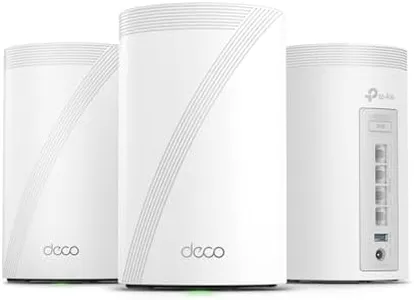
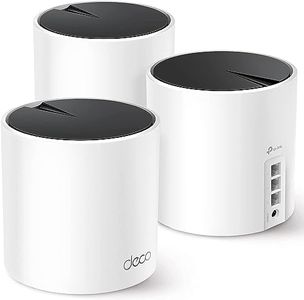
TP-Link Deco XE75 AXE5400 Tri-Band WiFi 6E Mesh System - Wi-Fi up to 7200 Sq.Ft, Engadget Rated Best Mesh for Most People, Replaces WiFi Router and Extender, AI-Driven Mesh New 6GHz Band, 3-Pack

Rating
10.0
Coverage Area
Number of Nodes
Speed

Most important from
8148 reviews

Coverage Area
The TP-Link AXE5400 XE75 provides seamless WiFi coverage across every inch of the house, including the garage and outdoor areas.
Number of Nodes
Portable devices like phones and tablets transfer seamlessly between nodes, ensuring uninterrupted connections throughout the home.
Speed
The system's optimization feature significantly improves upload speeds, making it ideal for high-speed internet connections.
Ease of Setup and Management
Setup is straightforward and easy, thanks to the Deco app, which guides you through the installation process.

The TP-Link Deco AXE5400 Tri-Band WiFi 6E Mesh System is ideal for those seeking extensive coverage and high-speed internet throughout their home. With a coverage area of up to 7,200 sq.ft, it effectively eliminates dead zones and buffering, making it suitable for large homes or offices. The system includes three nodes, ensuring a robust and stable connection across various areas. One of its standout features is the inclusion of the new 6 GHz band, which minimizes interference from older devices and allows WiFi 6E-compatible devices to achieve optimal performance.

This mesh system supports impressive speeds up to 5,400 Mbps, catering to the demands of multiple devices (up to 200) on a network simultaneously, whether for gaming, streaming, or working from home. The ease of setup and management through the Deco app simplifies the installation process, even for those who are not tech-savvy. Additionally, it offers AI-driven mesh technology, which adapts to your usage patterns and network environment to provide a seamless internet experience. On the security front, the Deco AXE5400 includes TP-Link HomeShield, offering basic network security, parental controls, and IoT device identification. However, more advanced security features may require a subscription.

Compatibility with all major internet service providers is another plus, though it does require a modem for most. The higher price point and need for WiFi 6E-compatible devices to fully benefit from the 6 GHz band could be potential drawbacks for some users. Despite this, for those looking for a reliable, high-speed, and easy-to-manage WiFi mesh system, the TP-Link Deco AXE5400 is a solid choice.

Rating
10.0
Coverage Area
Number of Nodes
Speed

Most important from
8148 reviews

Coverage Area
The TP-Link AXE5400 XE75 provides seamless WiFi coverage across every inch of the house, including the garage and outdoor areas.
Number of Nodes
Portable devices like phones and tablets transfer seamlessly between nodes, ensuring uninterrupted connections throughout the home.
Speed
The system's optimization feature significantly improves upload speeds, making it ideal for high-speed internet connections.
Ease of Setup and Management
Setup is straightforward and easy, thanks to the Deco app, which guides you through the installation process.
#3

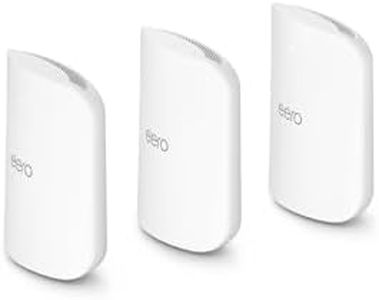
Amazon eero Pro 7 tri-band mesh Wi-Fi 7 router (newest model) - Supports internet plans up to 5 Gbps, Coverage up to 6,000 sq. ft., 3-pack

Rating
9.4
Coverage Area
Speed
Band Support

Most important from
769 reviews

Coverage Area
Delivers blazing-fast Wi-Fi with seamless coverage throughout large homes, eliminating dead zones even in spaces up to 5,000 sq. ft.
Speed
Handles multiple users and devices simultaneously without lag, supporting busy households with work, streaming, gaming, and schooling needs.
Band Support
The tri-band design including the new 6 GHz band reduces interference and boosts performance for connected smart devices and security cameras.
Ease of Setup and Management
Setup is straightforward and intuitive, enabling a smooth experience right out of the box without complex configuration.
Security Features
Advanced security features come with optional subscriptions, which may add to ongoing costs but provide valuable malware blocking and parental controls.
Compatibility
Improves smart home device responsiveness significantly, with noticeable reductions in video lag and faster camera streaming.

The Amazon eero Pro 7 is a powerful tri-band mesh Wi-Fi system designed to cover up to 6,000 sq. ft. with three units, making it a great fit for larger homes or small businesses needing reliable, whole-area coverage. It supports the latest Wi-Fi 7 standard, offering very fast wireless speeds up to 3.9 Gbps and can handle internet plans up to 5 Gbps, which is excellent if you have a premium high-speed connection. The three nodes can support over 600 devices, so it’s well suited to busy households or offices with many smart devices. Band support includes the 2.4 GHz, 5 GHz, and new 6 GHz bands, allowing better performance and less interference.

Setup and management are user-friendly via the eero app on iOS and Android, with features like automatic channel selection and band steering to keep your connection stable without manual tweaking. Security is strong with WPA3 encryption and optional subscription services offering advanced protection such as malware blocking and VPNs. It also works seamlessly with Alexa and some smart home protocols, adding convenience for smart device users. On the downside, to unlock the full suite of security and parental controls, you need a separate subscription, which adds to ongoing costs.

While it’s backward compatible with older eero devices, the price point may be high for people who don’t need the fastest speeds or extensive coverage. For those seeking a future-proof, easy-to-manage mesh system that supports multiple devices and very fast internet, the eero Pro 7 presents a solid choice.

Rating
9.4
Coverage Area
Speed
Band Support

Most important from
769 reviews

Coverage Area
Delivers blazing-fast Wi-Fi with seamless coverage throughout large homes, eliminating dead zones even in spaces up to 5,000 sq. ft.
Speed
Handles multiple users and devices simultaneously without lag, supporting busy households with work, streaming, gaming, and schooling needs.
Band Support
The tri-band design including the new 6 GHz band reduces interference and boosts performance for connected smart devices and security cameras.
Ease of Setup and Management
Setup is straightforward and intuitive, enabling a smooth experience right out of the box without complex configuration.
Security Features
Advanced security features come with optional subscriptions, which may add to ongoing costs but provide valuable malware blocking and parental controls.
Compatibility
Improves smart home device responsiveness significantly, with noticeable reductions in video lag and faster camera streaming.

Buying Guide for the Best Wifi Mesh Networks

When choosing a WiFi mesh network, it's important to understand that this system is designed to provide seamless and consistent internet coverage throughout your home or office. Unlike traditional routers, a mesh network uses multiple nodes that work together to eliminate dead zones and provide a strong signal everywhere. To pick the best WiFi mesh network for your needs, you should consider several key specifications that will determine the performance and suitability of the system for your specific situation.
Coverage AreaCoverage area refers to the total square footage that the mesh network can effectively cover. This is important because it determines how well the network will perform in your space. If you have a small apartment, a system with a smaller coverage area will suffice. For larger homes or offices, you will need a system that can cover a larger area. To choose the right one, measure the size of your space and ensure the mesh network you select can cover at least that much area, with some extra coverage for optimal performance.
Number of NodesNodes are the individual units that make up the mesh network. The number of nodes you need depends on the size and layout of your space. More nodes can provide better coverage and more reliable connections, especially in larger or multi-story homes. For smaller spaces, fewer nodes will be sufficient. Consider the layout of your home and any potential obstacles like walls or floors that could interfere with the signal when deciding how many nodes you need.
SpeedSpeed refers to the maximum data transfer rate that the mesh network can handle, usually measured in megabits per second (Mbps). This is important for activities like streaming, gaming, and video conferencing. Mesh networks come in different speed tiers, such as AC1200, AC2200, or even higher. To choose the right speed, consider your internet plan and the activities you do online. If you have a high-speed internet plan and engage in data-intensive activities, opt for a higher speed mesh network. For basic browsing and streaming, a lower speed tier will be sufficient.
Band SupportBand support refers to the frequency bands that the mesh network can operate on, typically 2.4 GHz and 5 GHz. Dual-band systems support both frequencies, while tri-band systems add an additional 5 GHz band for better performance. This is important because different devices and activities may perform better on different bands. Dual-band systems are generally sufficient for most households, but if you have many devices or need the highest performance, a tri-band system may be a better choice. Consider the number of devices and the types of activities you do online when choosing the band support.
Ease of Setup and ManagementEase of setup and management refers to how simple it is to install and maintain the mesh network. This is important because a complicated setup process can be frustrating and time-consuming. Many mesh networks come with user-friendly apps that guide you through the installation and allow you to manage the network easily. Look for systems that offer straightforward setup processes and intuitive management tools. If you're not tech-savvy, prioritize ease of use to ensure a smooth experience.
Security FeaturesSecurity features refer to the protections the mesh network offers against cyber threats, such as malware and unauthorized access. This is important to keep your data and devices safe. Look for systems that offer robust security features like WPA3 encryption, automatic firmware updates, and parental controls. If you have children or sensitive data, prioritize systems with strong security measures to ensure your network remains secure.
CompatibilityCompatibility refers to how well the mesh network works with your existing devices and internet service provider. This is important to ensure seamless integration and optimal performance. Most modern mesh networks are compatible with a wide range of devices and ISPs, but it's always good to check. Consider the devices you have and your ISP when choosing a mesh network to ensure compatibility and avoid any potential issues.

FAQ

Most Popular Categories Right Now