We Use CookiesWe use cookies to enhance the security, performance, functionality and for analytical and promotional activities. By continuing to browse this site you are agreeing to our privacy policy

6 Best Xfinity Cable Modems 2026 in the United States
How do we rank products for you?

Our technology thoroughly searches through the online shopping world, reviewing hundreds of sites. We then process and analyze this information, updating in real-time to bring you the latest top-rated products. This way, you always get the best and most current options available.

headphones-stars

Our Top Picks

#1

Winner

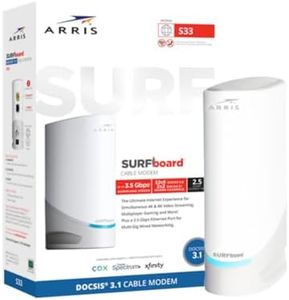
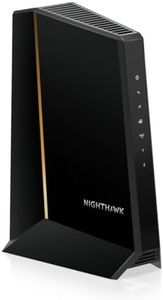
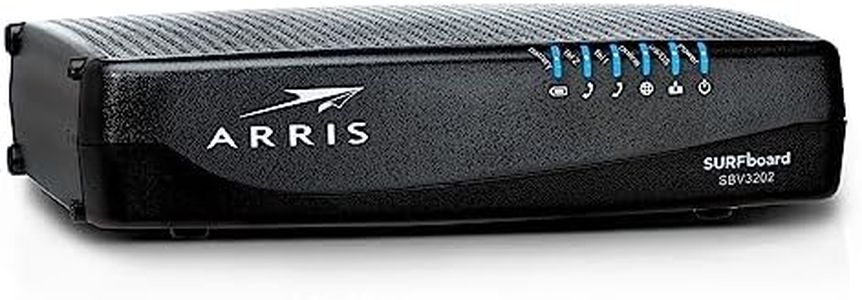
Arris (G20) - Cable Modem Router Combo - Fast DOCSIS 3.1 Multi-Gigabit WiFi 6 (AX3000), Approved for Comcast Xfinity, Cox, Spectrum & More, 1.0 Gbps Max Speeds, Next-Generation Upload Optimized

Rating
10.0
Chosen by1,242
Speed Tier Compatibility
ISP Compatibility
Ethernet Ports

Most important from
20311 reviews

Speed Tier Compatibility
The modem's fast speeds and reliable connection make it ideal for pairing with high-performance routers.
ISP Compatibility
The device offers a fast and stable connection, making it a solid performer for Xfinity users.
Ethernet Ports
This modem is compact and easy to hook up, with the added benefit of two ethernet ports.

The ARRIS SURFboard G20 is a robust cable modem router combo that offers a variety of compelling features for home and business users. Utilizing the latest DOCSIS 3.1 technology, it ensures high-speed internet with a maximum capability of 1.0 Gbps and supports multi-gig networking. This makes it an excellent option for those looking to future-proof their internet setup. It also features WiFi 6 (AX3000), which promises better performance and faster speeds for compatible devices, with notable benefits for gaming and streaming activities.

The modem is certified for major U.S. cable internet providers, including Comcast Xfinity, Cox, and Spectrum, which adds to its versatility and ease of use. Users can save on rental fees by owning the modem, potentially reducing their cable bill by up to $180 annually, depending on the provider. Setting up the device is straightforward with the SURFboard Central App, which also offers real-time monitoring and enhanced parental controls.

However, there are some points to consider. While it supports high upload speeds, the actual performance will depend on the service tiers provided by your ISP. Additionally, it may not be necessary for users who do not require ultra-fast internet speeds or those who do not have many connected devices. It's a solid choice for tech-savvy users or households with high internet consumption needs.

Rating
10.0
Chosen by1,242
Speed Tier Compatibility
ISP Compatibility
Ethernet Ports

Most important from
20311 reviews

Speed Tier Compatibility
The modem's fast speeds and reliable connection make it ideal for pairing with high-performance routers.
ISP Compatibility
The device offers a fast and stable connection, making it a solid performer for Xfinity users.
Ethernet Ports
This modem is compact and easy to hook up, with the added benefit of two ethernet ports.
#2

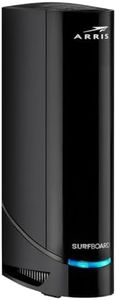
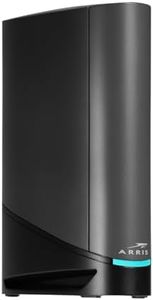
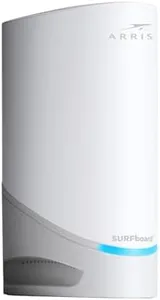
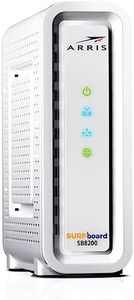
Arris Surfboard S34 DOCSIS 3.1 Multi‑Gig Cable Modem | 2.5Gbps + 1Gbps Ethernet Ports | Xfinity, Cox, Spectrum for Cable Internet Plans up to 2.5Gbps Next Gen Upstream. Modem Only, Router Required

Rating
8.8
Speed Tier Compatibility
ISP Compatibility
Future-Proofing

Most important from
583 reviews

Speed Tier Compatibility
The modem delivers excellent performance, consistently providing speeds above the purchased plan.
ISP Compatibility
Setup is straightforward, but be prepared for potential firmware updates handled by the ISP.
Future-Proofing
The modem may require frequent reboots due to a potential firmware issue, impacting long-term reliability.

The ARRIS (S34) cable modem is a robust choice for those looking to save on rental fees and want a high-performance modem. It supports the latest DOCSIS 3.1 standard, making it 10 times faster than the older DOCSIS 3.0, and offers excellent security features. It is compatible with major ISPs like Comcast Xfinity, Cox, and Spectrum, and supports internet speed plans up to 2.5 Gbps, which makes it future-proof for upcoming multi-gigabit internet plans.

The modem is optimized for next-generation upload speeds thanks to switchable upstream filters, although this is dependent on your provider's offerings. Setup is straightforward using the SURFboard Central app, but note that it does not have a built-in router, so a separate Wi-Fi router is necessary for networking. The device comes with two Ethernet ports - one 2.5 Gbps port and one 1 Gbps port, allowing for a combined download capacity of up to 3.5 Gbps.

While its dimensions are relatively compact, some users may find it a bit bulky. With a 2-year warranty and positive customer reviews, this modem is reliable, but some might find the initial cost higher compared to renting. For those looking to eliminate rental fees and gain access to high-speed internet, the ARRIS (S34) is an excellent investment.

Rating
8.8
Speed Tier Compatibility
ISP Compatibility
Future-Proofing

Most important from
583 reviews

Speed Tier Compatibility
The modem delivers excellent performance, consistently providing speeds above the purchased plan.
ISP Compatibility
Setup is straightforward, but be prepared for potential firmware updates handled by the ISP.
Future-Proofing
The modem may require frequent reboots due to a potential firmware issue, impacting long-term reliability.
#3

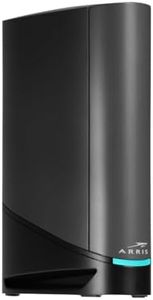
Motorola B12 - Advanced Compact Cable Modem | Pairs with Any WiFi Router | Supports Comcast Xfinity, Cox, Spectrum | 2500 Mbps Max | DOCSIS 3.1 | 2.5 Gbps Port | Nex Gen MB8611

Rating
8.2
ISP Compatibility
Speed Tier Compatibility
Built-in Router

Most important from
29444 reviews

ISP Compatibility
Setup is straightforward—just provide the ISP with the MAC address and the modem connects within minutes.
Speed Tier Compatibility
This modem delivers blazing fast speeds and stable connections without unnecessary features.
Built-in Router
Separating the modem from the router allows for easier upgrades and avoids a single point of failure.
Future-Proofing
The device supports high-speed plans, making it future-proof for multi-gig internet services.

The Motorola B12 is a strong choice if you want a fast and reliable cable modem for services like Comcast Xfinity, Cox, or Spectrum. It supports the modern DOCSIS 3.1 standard, which means it can handle very high internet speeds—up to 2.5 Gbps on its 2.5 Gigabit Ethernet port. This makes it a good fit for anyone with a multi-gig internet plan who wants to get the most out of their service. The modem features 32 downstream and 8 upstream channel bonding, which helps maintain stable and fast speeds even during heavy network use.

Unlike modems with a built-in router, the B12 is designed to pair with your own WiFi router, giving you flexibility to choose or upgrade your wireless setup. It includes 2 Ethernet ports, which is enough for connecting to routers or other devices directly. One of the big benefits is that owning this modem can save you money on monthly rental fees from your ISP. It also has Active Queue Management to reduce lag, which helps with gaming, streaming, and video calls.

On the downside, it does not include a built-in WiFi router, so you'll need a separate device for wireless connectivity. Also, it's made mainly for residential use and while compatible with major ISPs, you should double-check with your provider before buying to ensure full compatibility. The 2-year warranty and US-based tech support add peace of mind. For those looking for a future-proof modem that handles very fast speeds well and want to avoid rental fees, the Motorola B12 is a solid pick.

Rating
8.2
ISP Compatibility
Speed Tier Compatibility
Built-in Router

Most important from
29444 reviews

ISP Compatibility
Setup is straightforward—just provide the ISP with the MAC address and the modem connects within minutes.
Speed Tier Compatibility
This modem delivers blazing fast speeds and stable connections without unnecessary features.
Built-in Router
Separating the modem from the router allows for easier upgrades and avoids a single point of failure.
Future-Proofing
The device supports high-speed plans, making it future-proof for multi-gig internet services.

Buying Guide for the Best Xfinity Cable Modems

Choosing the right cable modem for your Xfinity service is crucial for ensuring you get the best internet performance and reliability. A good modem can enhance your internet speed, reduce latency, and provide a stable connection for all your online activities. When selecting a cable modem, it's important to consider several key specifications to ensure it meets your needs and is compatible with your Xfinity service. Here are the key specs to look at and how to navigate them.
DOCSIS StandardDOCSIS (Data Over Cable Service Interface Specification) is the technology that allows high-speed data transfer over cable TV systems. The most common standards are DOCSIS 3.0 and DOCSIS 3.1. DOCSIS 3.0 is suitable for most users and supports speeds up to 1 Gbps, which is sufficient for standard internet usage, streaming, and gaming. DOCSIS 3.1 is the latest standard and supports speeds up to 10 Gbps, making it ideal for heavy internet users, large households, or those who want to future-proof their setup. Choose DOCSIS 3.1 if you need the highest speeds and best performance, otherwise, DOCSIS 3.0 should suffice.
Speed Tier CompatibilityYour modem needs to support the speed tier of your Xfinity internet plan. Xfinity offers various speed tiers, and your modem should be capable of handling the maximum speed of your plan. For example, if you have a 400 Mbps plan, ensure your modem can support at least 400 Mbps. Modems are often labeled with their maximum download and upload speeds, so match these with your internet plan to ensure optimal performance.
Channel BondingChannel bonding refers to the number of downstream and upstream channels a modem can use simultaneously. More channels mean better performance and higher speeds. For example, a modem with 16x4 channel bonding has 16 downstream and 4 upstream channels. For most users, 16x4 or 24x8 channel bonding is sufficient. However, if you have a high-speed plan or multiple users, consider a modem with 32x8 or higher channel bonding to ensure smooth and fast internet access.
Built-in RouterSome cable modems come with a built-in router, providing both modem and Wi-Fi capabilities in one device. This can save space and reduce the number of devices you need. However, built-in routers may not offer the same performance or features as standalone routers. If you have a large home, multiple devices, or need advanced features like parental controls or guest networks, you might prefer a separate modem and router. For simpler setups or smaller homes, a modem-router combo can be convenient and cost-effective.
ISP CompatibilityNot all modems are compatible with all internet service providers (ISPs). Ensure the modem you choose is approved for use with Xfinity. Xfinity provides a list of compatible modems on their website. Using a compatible modem ensures you get the best performance and support from your ISP. Check the modem's packaging or product description for compatibility information before purchasing.
Ethernet PortsEthernet ports allow you to connect wired devices directly to your modem for a more stable and faster connection. Most modems come with at least one Ethernet port, but some have multiple ports. If you have several devices that require a wired connection, such as gaming consoles, smart TVs, or desktop computers, consider a modem with multiple Ethernet ports. This can help reduce network congestion and improve overall performance.
Future-ProofingTechnology is always advancing, and internet speeds are continually increasing. Choosing a modem that supports the latest standards and higher speeds can help future-proof your setup. This means you won't need to upgrade your modem as frequently, saving you money in the long run. Consider your current and future internet needs, and choose a modem that can handle potential upgrades in your internet plan or the number of connected devices in your home.

FAQ

Most Popular Categories Right Now