We Use CookiesWe use cookies to enhance the security, performance, functionality and for analytical and promotional activities. By continuing to browse this site you are agreeing to our privacy policy

10 Best Canon Wireless Printers 2026 in the United States


How do we rank products for you?

Our technology thoroughly searches through the online shopping world, reviewing hundreds of sites. We then process and analyze this information, updating in real-time to bring you the latest top-rated products. This way, you always get the best and most current options available.

headphones-stars

Our Top Picks

#1

Winner

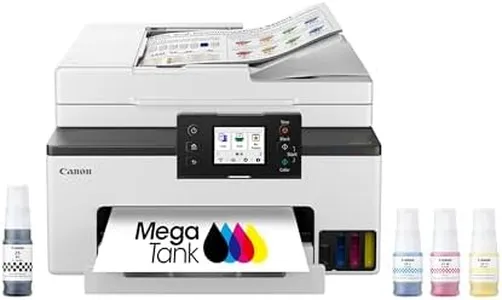
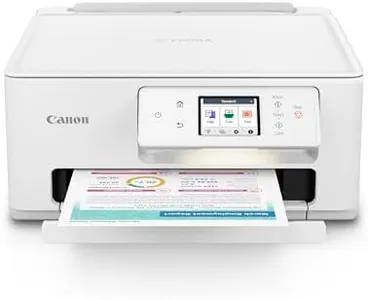
Canon Megatank G3290 All-in-One Wireless Supertank [Megatank] Printer | Print, Copy Scan | Mobile Printing |2.7" LCD Color Touchscreen | Auto Duplex

Rating
10.0
Chosen by1,246
Print Quality (Resolution)
Connectivity Options
Paper Handling

Most important from
5067 reviews

Print Quality (Resolution)
The print quality is pretty impressive for the price. Adjust the settings to Matte Photo Paper for better color, even on plain paper.
Connectivity Options
Setting up was a breeze. The ink tanks are color-coded, making it super simple to fill without any mess. The app guides you through the Wi-Fi setup step-by-step.
Paper Handling
The printer runs smooth and easy to load the paper in the tray. It doesn't jam.
Ink/Toner Cost and Yield
The ink lasts forever. After a few months and over 200 pages, my ink levels are still nearly full. This is a big win, especially if you print a lot.

The Canon Megatank G3290 All-in-One Wireless Printer stands out primarily because of its impressive ink capacity and cost savings. With up to 2 years of ink included, it can print up to 6,000 black & white pages and 7,700 color pages with a single set of inks, which can save users a significant amount of money on ink. This feature makes it an excellent choice for those who print frequently and want to minimize ongoing costs.

The printer's resolution is solid at 1200 x 1200 dpi, ensuring clear and sharp prints for both documents and photos. However, its print speed is moderate, with maximums of 11 ppm for black and white and 6 ppm for color, which may not be ideal for high-volume printing needs. Connectivity options are robust with both Wi-Fi and USB support, allowing for flexible and convenient printing from various devices including smartphones and PCs. The addition of an LCD color touchscreen enhances user experience by making navigation and settings adjustments straightforward.

Paper handling is practical with a 100-sheet capacity and support for auto duplex (double-sided) printing, though the single paper tray may be a limitation for some users. Additional features like borderless printing and compatibility with a range of paper sizes add to its versatility. The printer also includes functions for copying and scanning, making it a complete all-in-one solution. Weighing 14.2 pounds, it's relatively easy to move if necessary. In summary, the Canon Megatank G3290 is particularly well-suited for home offices or small businesses that value low ink costs and need a reliable, multi-functional printer, though it may not be the best fit for environments requiring very high-speed printing.

Rating
10.0
Chosen by1,246
Print Quality (Resolution)
Connectivity Options
Paper Handling

Most important from
5067 reviews

Print Quality (Resolution)
The print quality is pretty impressive for the price. Adjust the settings to Matte Photo Paper for better color, even on plain paper.
Connectivity Options
Setting up was a breeze. The ink tanks are color-coded, making it super simple to fill without any mess. The app guides you through the Wi-Fi setup step-by-step.
Paper Handling
The printer runs smooth and easy to load the paper in the tray. It doesn't jam.
Ink/Toner Cost and Yield
The ink lasts forever. After a few months and over 200 pages, my ink levels are still nearly full. This is a big win, especially if you print a lot.
#2

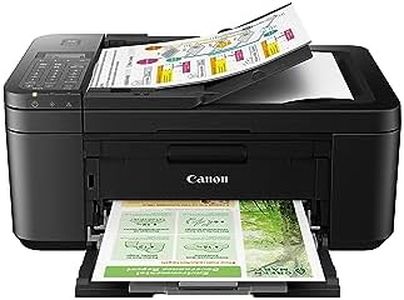
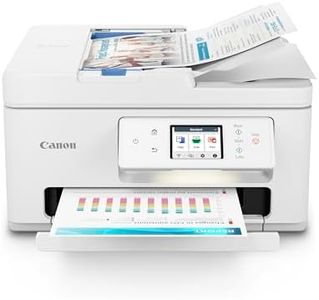
Canon PIXMA TR8620a - All-in-One Printer Home Office|Copier|Scanner|Fax|Auto Document Feeder | Photo, Document | Airprint (R), Android, Black, Works with Alexa

Rating
9.7
Print Quality (Resolution)
Print Speed
Connectivity Options

Most important from
5766 reviews

Print Quality (Resolution)
Scanned images are crisp, although a higher DPI option for photos would be appreciated.
Print Speed
The print speed is faster than anticipated and ink consumption is clearly better than previous Canon units.
Connectivity Options
Linking to WiFi was simple and quick, with a good network experience on both laptop and mobile devices.
Ink/Toner Cost and Yield
A solid build with better colors and larger, less expensive cartridges compared to Epson printers.

The Canon PIXMA TR8620a is a versatile all-in-one printer designed for home office use, offering print, copy, scan, and fax functionalities. One of its standout features is the integration with Alexa, allowing users to manage ink supplies effortlessly. The smart reorder feature ensures you won't run out of ink unexpectedly, which is a huge plus for busy users.

In terms of print quality, the TR8620a impresses with a decent resolution suitable for both documents and photos. The print speed is reasonable, with 15 images per minute for black and 10 for color, making it adequate for moderate printing needs. Its 200-sheet capacity, split between a cassette and rear feed, offers good flexibility for different paper types. Connectivity options are strong, with wireless capabilities and mobile printing support, including AirPrint, making it easy to print from various devices. The auto duplex printing feature is another benefit, saving time and paper.

There are a few drawbacks to consider. While its print speeds are acceptable, they may not satisfy heavy users requiring faster output. The ink cost can also become a concern, depending on your printing habits. The five individual ink tank system can lead to extra costs if colors run out at different times, as you'll need to replace each tank separately. The printer weighs 17.4 pounds, which is somewhat bulky, so consider your workspace before setting it up. Additionally, while the 20-sheet automatic document feeder (ADF) is handy, it might feel limiting for users who deal with larger documents frequently.

The Canon PIXMA TR8620a is a solid choice for home office users looking for an all-in-one printer with good connectivity and features. It's particularly well-suited for those who value smart home integration and moderate printing needs but may not be ideal for very high-volume printing tasks.

Rating
9.7
Print Quality (Resolution)
Print Speed
Connectivity Options

Most important from
5766 reviews

Print Quality (Resolution)
Scanned images are crisp, although a higher DPI option for photos would be appreciated.
Print Speed
The print speed is faster than anticipated and ink consumption is clearly better than previous Canon units.
Connectivity Options
Linking to WiFi was simple and quick, with a good network experience on both laptop and mobile devices.
Ink/Toner Cost and Yield
A solid build with better colors and larger, less expensive cartridges compared to Epson printers.
#3

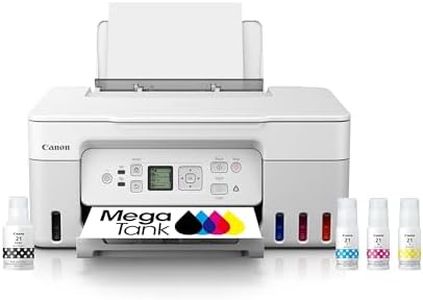
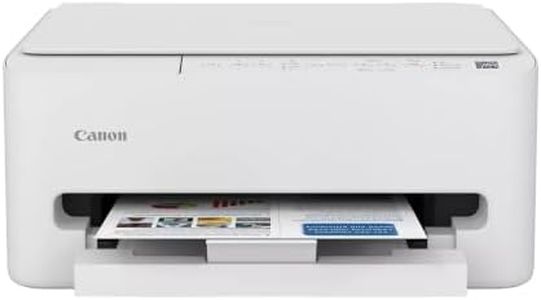
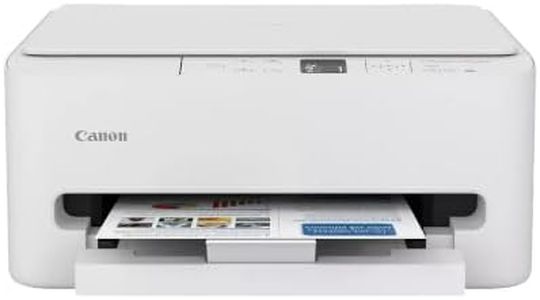
Canon MegaTank G3270 All-in-One Wireless Inkjet Printer. for Home Use, Print, Scan and Copy,White

Rating
9.7
Print Quality (Resolution)
Print Speed
Connectivity Options

Most important from
5067 reviews

Print Quality (Resolution)
Print quality is solid for everyday documents and color prints, delivering good results suitable for home, school, or small office use.
Print Speed
Printing speed is moderate, adequate for occasional use but not ideal for high-volume or professional-grade tasks.
Connectivity Options
Wireless printing and scanning work smoothly, with reliable connection across multiple devices including Apple products.
Paper Handling
Manual duplex printing requires flipping pages by hand, which can slow down tasks and is less convenient than automatic two-sided printing.
Ink/Toner Cost and Yield
The refillable MegaTank ink system is a standout feature, with keyed bottles that prevent mistakes and enable mess-free refills in under a minute.
Additional Features
The printer offers valuable software features like deep cleaning, page count tracking, and ink level monitoring, enhancing usability.

The Canon MegaTank G3270 is a wireless all-in-one inkjet printer designed mainly for home use, offering printing, scanning, and copying in one device. It delivers good print quality with up to 4800 x 1200 dpi resolution for color prints and a solid 600 x 600 dpi for black and white, making it suitable for everyday documents and photos. The printer handles paper sizes from small photo prints up to legal-size documents, with one tray holding about 100 sheets, which is convenient for moderate printing needs.

In terms of speed, it prints around 11 pages per minute in black and white and 6 pages per minute in color, which is adequate for home users but might feel slow for heavy office tasks. Connectivity is flexible, with USB, Wi-Fi, and Ethernet options, so you can print from computers, smartphones, or tablets without hassle. One of the standout features is the MegaTank system, which includes refillable ink tanks and enough ink to print thousands of pages (up to 6,000 black and white and 7,700 color pages) before needing a refill. This significantly lowers ink costs and saves money over traditional cartridges, making it economical for frequent printing.

Additional perks include a small 1.35-inch display for easy control and support for borderless printing, but it only supports single-sided (simplex) printing, so you’ll need to manually flip pages for double-sided prints. The scanner is a flatbed type with good resolution for scanning documents or photos. The printer is fairly lightweight and compact for its class, but it does not handle duplex (automatic double-sided) printing, which might slow down some tasks. Its print speeds are not the fastest if you need high-volume printing regularly. For home or small office users looking for affordable ink costs, decent print quality, and wireless convenience, the Canon MegaTank G3270 offers solid value without complicated setup.

Rating
9.7
Print Quality (Resolution)
Print Speed
Connectivity Options

Most important from
5067 reviews

Print Quality (Resolution)
Print quality is solid for everyday documents and color prints, delivering good results suitable for home, school, or small office use.
Print Speed
Printing speed is moderate, adequate for occasional use but not ideal for high-volume or professional-grade tasks.
Connectivity Options
Wireless printing and scanning work smoothly, with reliable connection across multiple devices including Apple products.
Paper Handling
Manual duplex printing requires flipping pages by hand, which can slow down tasks and is less convenient than automatic two-sided printing.
Ink/Toner Cost and Yield
The refillable MegaTank ink system is a standout feature, with keyed bottles that prevent mistakes and enable mess-free refills in under a minute.
Additional Features
The printer offers valuable software features like deep cleaning, page count tracking, and ink level monitoring, enhancing usability.

Buying Guide for the Best Canon Wireless Printers

Choosing the right Canon wireless printer involves understanding your specific needs and matching them with the printer's features. Wireless printers offer the convenience of printing from multiple devices without the need for physical connections. To make an informed decision, consider the key specifications that will impact your user experience and ensure the printer meets your requirements.
Print Quality (Resolution)Print quality is measured in dots per inch (DPI). Higher DPI means better print quality, which is important for printing detailed images and professional documents. For general home use, a resolution of 600x600 DPI is usually sufficient. For high-quality photo printing, look for printers with at least 1200x1200 DPI. Consider what you will be printing most often to determine the necessary print quality.
Print SpeedPrint speed is measured in pages per minute (PPM). Faster print speeds are important if you need to print large volumes of documents quickly. For occasional home use, a speed of 10-15 PPM is adequate. For office environments or frequent printing, look for printers with speeds of 20 PPM or higher. Assess how often and how much you print to choose the right speed.
Connectivity OptionsWireless printers can connect to your devices via Wi-Fi, Bluetooth, or mobile printing apps. Wi-Fi is the most common and allows multiple devices to connect to the printer. Bluetooth is useful for direct printing from nearby devices. Mobile printing apps enable printing from smartphones and tablets. Consider which devices you will be printing from and ensure the printer supports those connectivity options.
Paper HandlingPaper handling refers to the types and sizes of paper the printer can accommodate, as well as the capacity of the paper tray. If you print a variety of documents, look for printers that support multiple paper sizes and types. A larger paper tray capacity is beneficial for high-volume printing to reduce the frequency of refilling. Think about the types of documents you print and choose a printer that can handle them efficiently.
Ink/Toner Cost and YieldThe cost and yield of ink or toner cartridges can significantly impact the overall cost of owning a printer. Yield refers to the number of pages a cartridge can print before needing replacement. High-yield cartridges are more cost-effective for frequent printing. Research the cost of replacement cartridges and their yield to estimate ongoing expenses. Choose a printer with affordable and efficient ink or toner options based on your printing frequency.
Additional FeaturesAdditional features such as scanning, copying, and faxing can add versatility to your printer. All-in-one models are useful for home offices or small businesses. Duplex printing (automatic double-sided printing) saves paper and is convenient for creating professional documents. Consider which extra features will be beneficial for your needs and choose a printer that offers those functionalities.

FAQ

Most Popular Categories Right Now