We Use CookiesWe use cookies to enhance the security, performance, functionality and for analytical and promotional activities. By continuing to browse this site you are agreeing to our privacy policy

10 Best Kid Tablet 2026 in the United States
How do we rank products for you?

Our technology thoroughly searches through the online shopping world, reviewing hundreds of sites. We then process and analyze this information, updating in real-time to bring you the latest top-rated products. This way, you always get the best and most current options available.

headphones-stars

Our Top Picks

#1

Winner

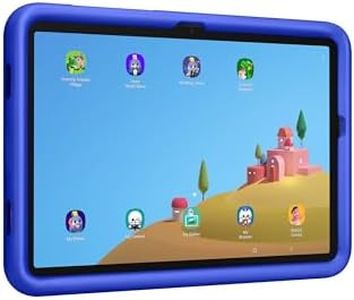
Samsung Galaxy Tab A9+ Plus 11” 128GB Android Tablet, Big Screen, Quad Speakers, Upgraded Chipset, Multi Window Display, Slim, Light, Durable, Kids Friendly Design, US Version, 2024, Graphite

Rating
10.0
Chosen by1,321
Performance
Screen Size and Resolution
Storage Capacity

Most important from
20606 reviews

Performance
Offers surprisingly smooth performance and a premium feel at a budget-friendly price, avoiding the lag and poor specs common in lower-end tablets.
Screen Size and Resolution
The 1920x1200 resolution screen is bright and crisp, delivering clear text and vibrant visuals that surpass typical low-cost tablet displays.
Storage Capacity
Expandable storage via microSD is great for media like music and videos, though apps cannot be installed on the card, helping manage space effectively.
Battery Life
Intelligent battery management features extend battery longevity by limiting maximum charge and allowing disabling of fast charging when not needed.
Durability
Durable and lightweight design makes it well-suited for kids and family sharing, balancing power and portability effectively.

The Samsung Galaxy Tab A9+ Plus is a solid choice for a kid-friendly tablet that can serve the whole family. Its large 11-inch screen offers clear visuals with a smooth 90Hz refresh rate, making videos and games look good and feel responsive. The quad speakers with Dolby Atmos provide immersive sound, which enhances media enjoyment. It has a good amount of storage at 128GB, expandable via microSD, allowing you to save plenty of apps, games, and videos without worrying quickly about space.

The upgraded Qualcomm chipset and 8GB of RAM ensure smooth multitasking, helping kids and parents switch between apps easily. Samsung’s Kids app supports a wide range of colorful, safe, and educational content, which parents will appreciate for learning and playtime. Parental controls are reliable, giving you peace of mind about what your child can access. The tablet is slim, lightweight, and durable enough to handle everyday use by kids, though its screen resolution (1920x1200) is good but not the highest available in this price range.

Connectivity options like Wi-Fi 6 and Quick Share make it easy to connect with other devices and share files. Samsung tablets generally offer decent battery life for several hours of use, making this model suitable for daily use without frequent charging. While designed to be kid-friendly, some multitasking features may require guidance for younger children. This tablet balances performance, a large display, and kid-safe features, making it a strong contender in its category.

Rating
10.0
Chosen by1,321
Performance
Screen Size and Resolution
Storage Capacity

Most important from
20606 reviews

Performance
Offers surprisingly smooth performance and a premium feel at a budget-friendly price, avoiding the lag and poor specs common in lower-end tablets.
Screen Size and Resolution
The 1920x1200 resolution screen is bright and crisp, delivering clear text and vibrant visuals that surpass typical low-cost tablet displays.
Storage Capacity
Expandable storage via microSD is great for media like music and videos, though apps cannot be installed on the card, helping manage space effectively.
Battery Life
Intelligent battery management features extend battery longevity by limiting maximum charge and allowing disabling of fast charging when not needed.
Durability
Durable and lightweight design makes it well-suited for kids and family sharing, balancing power and portability effectively.
#2

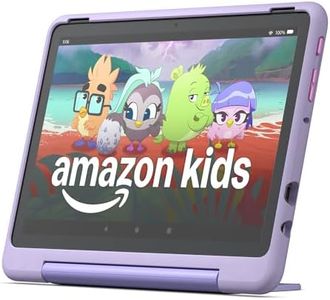
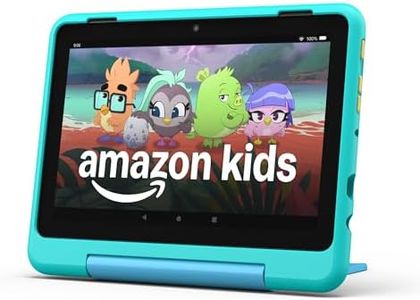
Amazon Fire HD 10 Kids Pro tablet (newest model) ages 6-12. Bright 10.1" HD screen, includes ad-free content, robust parental controls, 13-hr battery and slim case for older kids, 32 GB, Nebula

Rating
9.1
Screen Size and Resolution
Parental Controls
Durability

Most important from
9398 reviews

Screen Size and Resolution
The tablet offers a bigger screen and faster performance that kids really enjoy, enhancing their gaming and video experience.
Parental Controls
Parental controls are straightforward and quick to set up, allowing easy management of screen time limits and usage monitoring.
Durability
The kid-proof case is durable and stands up well to rough handling, making it ideal for active children.
Educational Content
The included subscription provides a wide variety of engaging games and educational content that keeps kids happy and entertained.

The Amazon Fire HD 10 Kids Pro tablet is designed specifically for children aged 6 to 12, making it a strong choice for parents looking for a durable and kid-friendly device. Its 10.1-inch 1080p HD screen delivers bright and sharp images, which is great for watching videos, playing games, and reading. The tablet comes with a sturdy, slim kid-proof case that provides good protection without being bulky, which older kids will appreciate. Battery life is impressive, offering up to 13 hours of use—enough for a full day of mixed activities like browsing, watching, and playing. Parental controls stand out as one of its best features, with an award-winning app that lets parents easily set screen time limits and monitor usage remotely.

The included one-year Amazon Kids+ subscription provides a wide range of ad-free, age-appropriate educational content, apps, books, and games from trusted sources like PBS and Nat Geo, which supports learning and creativity. Performance-wise, the octa-core processor and 3 GB RAM ensure smooth operation for most children’s activities, though it may not handle very demanding apps or multitasking like an adult tablet would. With 32 GB of internal storage (expandable via microSD), there’s enough space for lots of apps, videos, and books, but heavy users might want extra storage.

Connectivity is solid with dual-band Wi-Fi and Bluetooth 5.3, though it lacks the newest Wi-Fi 6 standard, which is not a big downside for most home uses. This tablet balances solid hardware with strong safety and educational features, making it a reliable and fun learning device for kids while providing parents peace of mind.

Rating
9.1
Screen Size and Resolution
Parental Controls
Durability

Most important from
9398 reviews

Screen Size and Resolution
The tablet offers a bigger screen and faster performance that kids really enjoy, enhancing their gaming and video experience.
Parental Controls
Parental controls are straightforward and quick to set up, allowing easy management of screen time limits and usage monitoring.
Durability
The kid-proof case is durable and stands up well to rough handling, making it ideal for active children.
Educational Content
The included subscription provides a wide variety of engaging games and educational content that keeps kids happy and entertained.
#3

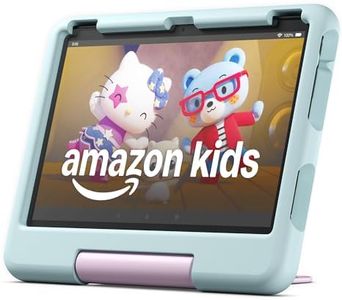
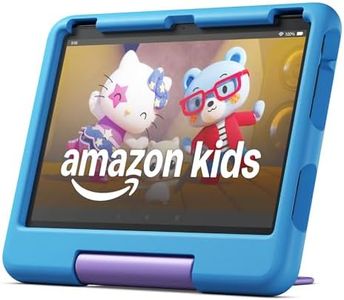
Amazon Fire HD 10 Kids Pro tablet, ages 6-12. Bright 10.1" HD screen, includes ad-free content, robust parental controls, 13-hr battery and slim case for older kids, 32 GB, Happy Day

Rating
8.8
Durability
Parental Controls
Educational Content

Most important from
9398 reviews

Durability
The included case is incredibly durable, surviving multiple drops without any issues, ensuring the tablet is built to last.
Parental Controls
The parental dashboard is a game-changer, allowing easy management of content, time limits, and app approvals, ensuring a safe and controlled experience.
Educational Content
The Amazon Kids Pro tablet is a fantastic blend of fun and education, perfect for younger users while providing peace of mind for parents.
Battery Life
While the battery life is decent, it typically needs charging after a full day of use.
Screen Size and Resolution
The tablet runs smoothly with no lag, even when multitasking, and the screen quality is vibrant and clear, perfect for reading or watching shows.
Storage Capacity
The tablet has great storage, and the option to add a microSD card is appreciated for extra space.
Performance
The tablet runs smoothly with no lag, even when multitasking, and the screen quality is vibrant and clear, perfect for reading or watching shows.

The Amazon Fire HD 10 Kids Pro tablet is designed for children aged 6-12, offering a durable build with a kid-proof case and a 2-year worry-free guarantee, which is great for peace of mind. The tablet features a large 10.1-inch Full HD screen, which provides bright and clear visuals, ideal for watching videos and playing games. With 32 GB of storage (expandable up to 1 TB with a microSD card), it has ample space for apps, games, and educational content. The tablet runs smoothly thanks to its octa-core processor and 3 GB of RAM, ensuring a responsive performance even with multiple apps running.

Parental controls are comprehensive, allowing parents to set screen time limits, educational goals, and approve app downloads directly from their phone. The included 1-year subscription to Amazon Kids+ provides access to a wide range of ad-free books, games, and videos, creating a safe and engaging environment for kids. The battery life of up to 13 hours ensures it can last through the day without needing frequent recharges. However, the device charges relatively slowly, taking up to 4 hours with the included charger. It also lacks support for the latest Wi-Fi 6 standard, which might affect connectivity in some modern settings.

Additionally, while 32 GB of internal storage is decent, some apps require installation on internal storage, which could limit space for other content. The tablet's performance might not match higher-end models, but it is sufficient for most children's needs. The Fire HD 10 Kids Pro is a solid choice for a kid-friendly tablet, balancing performance, safety features, and educational content while keeping design and durability in mind.

Rating
8.8
Durability
Parental Controls
Educational Content

Most important from
9398 reviews

Durability
The included case is incredibly durable, surviving multiple drops without any issues, ensuring the tablet is built to last.
Parental Controls
The parental dashboard is a game-changer, allowing easy management of content, time limits, and app approvals, ensuring a safe and controlled experience.
Educational Content
The Amazon Kids Pro tablet is a fantastic blend of fun and education, perfect for younger users while providing peace of mind for parents.
Battery Life
While the battery life is decent, it typically needs charging after a full day of use.
Screen Size and Resolution
The tablet runs smoothly with no lag, even when multitasking, and the screen quality is vibrant and clear, perfect for reading or watching shows.
Storage Capacity
The tablet has great storage, and the option to add a microSD card is appreciated for extra space.
Performance
The tablet runs smoothly with no lag, even when multitasking, and the screen quality is vibrant and clear, perfect for reading or watching shows.

Buying Guide for the Best Kid Tablet

Choosing the right tablet for your child can be a bit overwhelming, but with the right approach, you can find a device that suits their needs and keeps them entertained and educated. When selecting a kid's tablet, consider factors such as durability, parental controls, educational content, and battery life. These aspects will ensure that the tablet is both safe and useful for your child. Here are some key specifications to consider when making your decision.
DurabilityDurability is crucial for a kid's tablet because children can be rough with their devices. Look for tablets with sturdy construction, reinforced corners, and shatter-resistant screens. Some tablets come with protective cases designed specifically for kids. If your child is very young or tends to drop things often, a highly durable tablet is essential to prevent frequent repairs or replacements.
Parental ControlsParental controls allow you to manage what your child can access on the tablet, ensuring they are exposed to age-appropriate content. These controls can include setting screen time limits, blocking certain apps or websites, and monitoring usage. Tablets with robust parental control features are ideal for younger children or those who need guidance in managing their screen time.
Educational ContentEducational content is important if you want the tablet to be a learning tool as well as a source of entertainment. Some tablets come pre-loaded with educational apps, games, and e-books. Others offer subscriptions to educational content. If your goal is to support your child's learning, look for tablets that emphasize educational value and have a wide range of learning materials.
Battery LifeBattery life determines how long the tablet can be used before needing a recharge. This is particularly important for kids who may use the tablet for extended periods or during travel. Tablets with longer battery life (8-12 hours) are ideal for uninterrupted use. If your child uses the tablet mainly at home, battery life may be less critical, but it's still a good idea to choose one that can last through their typical usage patterns.
Screen Size and ResolutionScreen size and resolution affect the viewing experience. Larger screens (8-10 inches) are better for watching videos and playing games, while smaller screens (7 inches) are more portable and easier for small hands to hold. Higher resolution screens provide clearer and more detailed images, which can be beneficial for both entertainment and educational purposes. Consider your child's primary use for the tablet when deciding on the screen size and resolution.
Storage CapacityStorage capacity determines how much content the tablet can hold, including apps, games, videos, and e-books. Tablets with larger storage (32GB or more) are better for children who like to download a lot of content. Some tablets also offer expandable storage options via microSD cards. If your child uses the tablet mainly for streaming content, storage capacity may be less of a concern.
PerformancePerformance, which includes the processor and RAM, affects how smoothly the tablet runs. Tablets with better performance can handle more demanding apps and multitasking without lag. For basic use, such as reading e-books and playing simple games, a tablet with moderate performance is sufficient. However, if your child uses more advanced apps or games, a tablet with higher performance will provide a better experience.
ConnectivityConnectivity options, such as Wi-Fi and Bluetooth, determine how the tablet can connect to the internet and other devices. Wi-Fi is essential for downloading content and streaming, while Bluetooth can be useful for connecting to accessories like headphones or keyboards. Some tablets also offer cellular connectivity, which can be useful for on-the-go use. Consider your child's usage habits and whether they need to be connected to the internet frequently.

FAQ

Most Popular Categories Right Now