10 Best Diy 3 D Printers 2026 in the United States

Related Products
Up to 15% off


Our technology thoroughly searches through the online shopping world, reviewing hundreds of sites. We then process and analyze this information, updating in real-time to bring you the latest top-rated products. This way, you always get the best and most current options available.

Our Top Picks
Winner
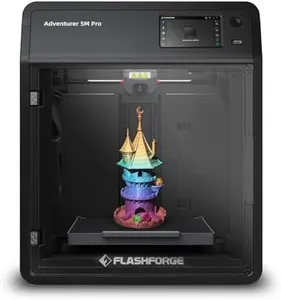
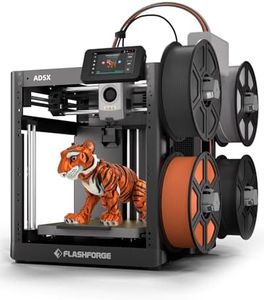
FLASHFORGE Adventurer 5M Pro 3D Printer with 1 Click Auto Printing System, 600mm/s High-Speed, Quick Detachable 280°C Nozzle, Core XY All-Metal Structure, Multi-Functional 220x220x220mm 3D Printer
Most important from
1011 reviews
The FLASHFORGE Adventurer 5M Pro is a solid choice for DIY enthusiasts looking for a versatile and relatively fast 3D printer. Its build volume of 220x220x220mm is a decent size for most hobby projects and small functional parts. The Core XY all-metal frame offers good stability, which helps maintain print quality even at high speeds. Speaking of speed, this printer can reach up to 600mm/s travel speed, which is quite fast compared to many other models, though actual printing speed depends on your chosen nozzle size and layer detail.
Print resolution can be adjusted with multiple nozzle sizes ranging from 0.25mm to 0.8mm, letting you choose between finer details or quicker prints. The 280°C capable nozzle supports a wide variety of filaments, including standard PLA and ABS, as well as more advanced materials like TPU and carbon fiber blends. This makes it suitable for creative projects requiring different material properties. One standout feature is the automatic bed leveling using pressure sensing, which removes the usual hassle of manual adjustments and ensures the first layer sticks well. The removable dual-sided PEI build platform also makes removing prints easier and cleaner. Additionally, the mobile app integration adds convenience with remote monitoring and control, helping both beginners and experienced users manage prints efficiently.
A few considerations include the build volume, which may feel limited for printing larger objects. The printer weighs over 30 pounds, making it less portable than some smaller desktop models. Also, while it offers fast print speeds, achieving the highest detail quality may require balancing speed and precision through user tuning. The Adventurer 5M Pro is well-suited for DIY users who want a reliable, easy-to-use machine with flexible material compatibility and smart features that save time and effort. It is particularly beneficial for those who prioritize convenience and speedy prototyping without needing to engage deeply in technical setup.
Most important from
1011 reviews
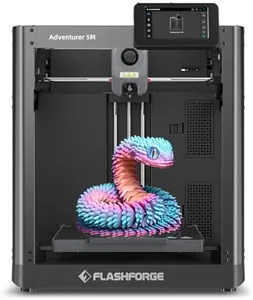
FLASHFORGE Adventurer 5M 3D Printer with Fully Auto Leveling, Max 600mm/s High Speed Printing, 280°C Direct Extruder with 3S Detachable Nozzle, CoreXY All Metal Structure, Print Size 220x220x220mm
Most important from
2401 reviews
The FLASHFORGE Adventurer 5M is a solid choice for DIY 3D printing enthusiasts who want a blend of speed, precision, and convenience. It offers a moderate build volume of 220x220x220mm, which is enough for many household or hobby projects but may feel limiting for larger prints. Its standout feature is the incredibly fast print speed, up to 600mm/s, supported by a CoreXY all-metal frame that ensures stable and accurate movement. The printer uses a direct extruder capable of reaching 280°C, making it compatible with a wide range of filaments including PLA, ABS, PETG, TPU, and carbon-fiber blends, though some advanced filaments like PC or ASA need an enclosure.
Bed leveling is fully automatic, which is great for beginners or anyone who wants hassle-free setup and consistent first layers. Changing nozzles is quick and easy, supporting nozzle sizes from 0.25 to 0.8mm, allowing flexibility between fine detail and faster, thicker layers. The dual-fan system and vibration compensation improve print quality, helping to reduce common issues like warping or layer misalignment. Additionally, you can monitor prints remotely via a mobile app, adding convenience if you want to keep an eye on your projects from a distance.
It is important to consider that the build volume might not suit users looking to create very large models. While the printer handles many filament types, some special materials require additional accessories. This machine balances speed and quality well, making it user-friendly and efficient, ideal for hobbyists and small-scale creators who value ease of use and versatility.
Most important from
2401 reviews
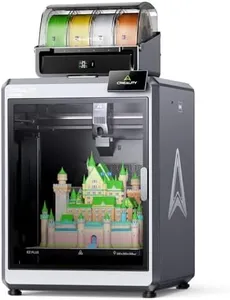
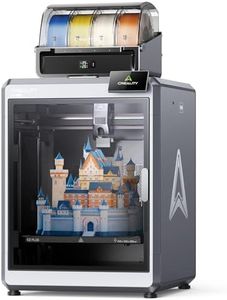
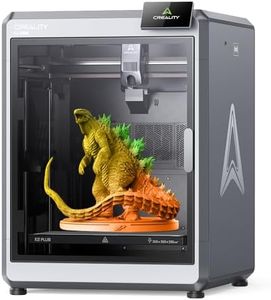
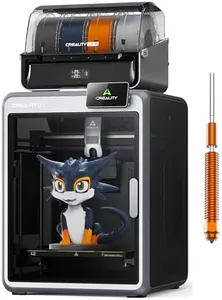
Creality K2 Plus Combo 3D Printer, Multi Color Printing with New CFS, Max 600mm/s Printing Speed, Full-auto Leveling, Next-Gen Direct Drive Extruder, Dual Al Camera, Build Volume 350 * 350 * 350mm
Most important from
885 reviews
The Creality K2 Plus Combo is a strong choice for DIY enthusiasts who want to explore multi-color 3D printing with ease. Its standout feature is the ability to connect up to four CFS filament systems, allowing prints in up to 16 colors, which saves time on painting and finishing. The print volume of 350 x 350 x 350 mm is decent for many projects, giving enough room for medium-sized models. Speed is impressive here, with a maximum of 600 mm/s accelerated by advanced step-servo motors, meaning quicker completion without sacrificing detail.
The printer supports a wide range of filaments including PLA, ABS, PETG, and some carbon fiber blends, thanks to its heated chamber and hardened steel nozzle, making it versatile for different materials. Bed leveling is fully automatic with a smart anti-tilt system, which helps beginners achieve smooth first layers without manual fiddling—a big plus for convenience and print quality. The frame is solid and stable, built with metal and die-cast parts, reducing vibrations and layer shifts for cleaner prints. Additional perks like dual AI cameras help monitor prints for errors or filament issues, adding a layer of security and ease of use.
On the downside, the machine is quite large and heavy, so it requires sufficient workspace and might not be very portable. Also, setting up and managing multiple filaments can be complex for absolute beginners, and the price may be higher compared to simpler models. This printer is suited for hobbyists who want advanced multi-color printing with fast speeds and material flexibility, and who don’t mind investing time to learn its features.
Most important from
885 reviews
Buying Guide for the Best Diy 3 D Printers
Choosing the right DIY 3D printer can be a rewarding experience, allowing you to create custom objects and parts from the comfort of your home. When selecting a 3D printer, it's important to consider several key specifications that will impact the quality, speed, and ease of use of your printer. Understanding these specs will help you make an informed decision that best fits your needs and projects.FAQ
Most Popular Categories Right Now


