10 Best Wireless Home Printers 2026 in the United States



Related Products
Up to 43% off


Recommended lists


Our technology thoroughly searches through the online shopping world, reviewing hundreds of sites. We then process and analyze this information, updating in real-time to bring you the latest top-rated products. This way, you always get the best and most current options available.

Our Top Picks
Winner
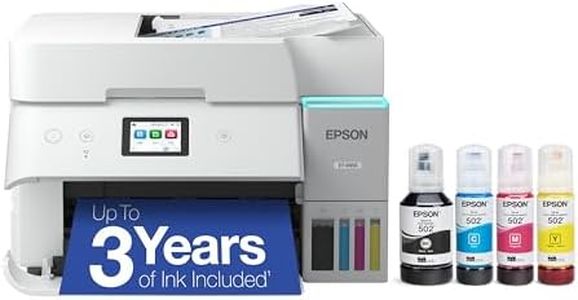
Epson EcoTank ET-4800 Wireless Color All-in-One Supertank Printer
Most important from
6385 reviews
The Epson EcoTank ET-4800 is a versatile wireless all-in-one printer, ideal for home offices. One of its standout features is the cartridge-free design with high-capacity ink tanks, which dramatically reduces ink costs and waste. The included ink bottles can print up to 4,500 pages in black and 7,500 pages in color, offering up to two years of ink supply out of the box. This makes the ET-4800 a cost-effective and environmentally friendly option, especially for heavy users who print frequently.
The print quality is impressive due to Epson's Micro Piezo Heat-Free Technology, producing sharp text and vibrant color graphics. However, its print speed is on the slower side, with a maximum of 10 pages per minute (ppm) for monochrome and 5 ppm for color, which may not be suitable for those who need fast printing. Connectivity options are modern and versatile, supporting Ethernet, Wi-Fi, and voice-activated printing. The Epson Smart Panel App allows easy printing from smart devices, and Epson Email Print adds further convenience for remote printing.
Paper handling is standard with a maximum input capacity of 100 sheets and supports duplex printing. The built-in scanner and copier add to its multifunctionality, although the scanner is a flatbed type, which might be less convenient for bulk scanning jobs. The printer's design is compact and modern, fitting well into most home office setups. However, some users might find the initial setup a bit complex, especially those unfamiliar with refillable ink tank systems. In conclusion, the Epson EcoTank ET-4800 is a solid choice for those looking for a cost-effective, eco-friendly, and multifunctional home office printer, provided they are okay with its slower print speeds and slightly complex initial setup.
Most important from
6385 reviews
Canon MegaTank G3270 All-in-One Wireless Color Printer
Most important from
5114 reviews
The Canon MegaTank G3270 All-in-One Wireless Inkjet Printer is designed for home use, featuring capabilities to print, scan, and copy. One of its standout strengths is the inclusion of enough ink to last up to two years, allowing users to print up to 6,000 black and white or 7,700 color pages from a single set of inks. This can lead to a significant saving on ink costs, potentially up to $1,000. The print quality is solid with a resolution of 4800 x 1200 DPI, ensuring clear and vibrant prints.
However, its print speeds are modest, with 11 pages per minute (PPM) for monochrome and 6 PPM for color, which might be slow for high-volume printing needs. Connectivity options are strong, featuring Wi-Fi and USB, and compatibility with smartphones and PCs. The printer is user-friendly with a 1.35” LCD display and offers borderless printing, though it lacks duplex (double-sided) printing, which might be a drawback for some users.
Paper handling is decent with an input capacity of 100 sheets, suitable for typical home use. The design is relatively compact at 21.9” x 16.4” x 10.6”, and it weighs 13.2 pounds, making it easy to fit in most home office setups. The printer is energy-efficient, being Energy Star qualified. However, some users might miss additional features like dual-sided printing and a higher capacity for paper input. In conclusion, the Canon MegaTank G3270 is an economical and efficient choice for home users who prioritize ink savings and decent print quality over high-speed and duplex printing.
Most important from
5114 reviews
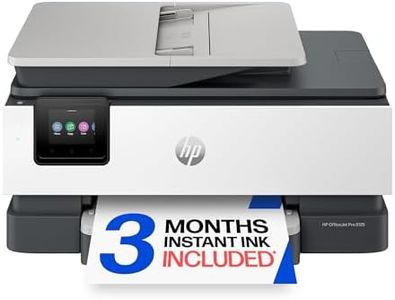
HP OfficeJet Pro 8125 Wireless All-in-One Color Inkjet Printer, Print, Scan, Copy, ADF, Duplex Printing Best-for-Home Office, 3 Month Trial of Instant Ink Included, AI-Capable (C2VJ4A)
The HP OfficeJet Pro 8125 is a solid choice for home office users needing a wireless all-in-one printer. It offers good print quality, with sharp black-and-white prints at 1200 x 1200 dpi and vibrant color prints optimized up to 4800 x 1200 dpi, suitable for business documents and flyers. The printing speed is decent for its category—up to 20 pages per minute in black and 10 in color—so it won’t slow you down during everyday tasks. Connectivity is versatile, including dual-band Wi-Fi, Ethernet, USB, Apple AirPrint, and wireless direct printing, making it easy to print from laptops, smartphones, or tablets. The 225-sheet input tray and automatic two-sided printing (duplex) help manage larger print jobs efficiently.
Scanning and copying features are enhanced by an automatic document feeder, which is handy for batch tasks. The 2.7-inch touchscreen offers a user-friendly interface that resembles a smartphone, simplifying navigation and setup. One standout aspect is the included 3-month trial of HP’s Instant Ink subscription, which can reduce ink costs and help avoid running out unexpectedly, though after the trial, there is a monthly fee. The printer is designed to work only with original HP ink cartridges, which may limit cheaper third-party options. While print speeds are adequate, they aren’t the fastest if you have very heavy printing demands.
Its size is moderate, fitting well on a desk without being bulky. This printer suits home office users who want reliable color printing and scanning with convenient wireless options, and who appreciate features like AI-enhanced print formatting and built-in security. It balances quality and functionality, though ink costs and some speed limitations are worth considering.
Buying Guide for the Best Wireless Home Printers
Choosing the right wireless home printer can make a big difference in your daily tasks, whether you need it for work, school, or personal projects. The key is to understand your specific needs and how different features of printers can meet those needs. Here are some important specifications to consider when selecting a wireless home printer, along with explanations to help you make an informed decision.FAQ
Most Popular Categories Right Now


